Type text, add images, blackout confidential details, add comments, highlights and more.

02. Sign it in a few clicks
Draw your signature, type it, upload its image, or use your mobile device as a signature pad.

03. Share your form with others
Send it via email, link, or fax. You can also download it, export it or print it out.

How to use or fill out AMENDMENT OF CONTRACT OF PURCHASE with our platform
Ease of Setup
DocHub User Ratings on G2
Ease of Use
DocHub User Ratings on G2
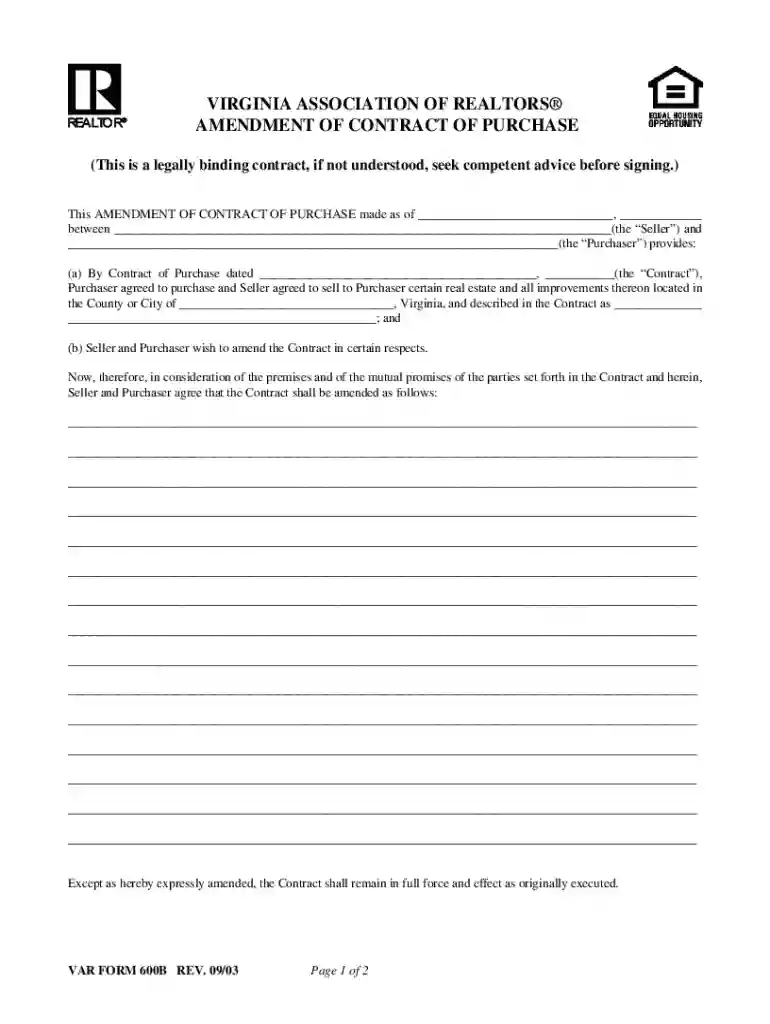
Click ‘Get Form’ to open the AMENDMENT OF CONTRACT OF PURCHASE in the editor.
Begin by entering the date of the amendment at the top of the form. This is crucial for establishing a timeline for the changes being made.
Fill in the names of both parties involved: the Seller and Purchaser. Ensure that all names are spelled correctly to avoid any legal issues.
In section (a), provide details about the original Contract of Purchase, including its date and a description of the real estate involved. This ensures clarity on what is being amended.
Section (b) allows you to specify how you wish to amend the original contract. Clearly outline each change or addition to avoid misunderstandings.
Once all amendments are noted, ensure that both parties sign and date where indicated at the bottom of the form. This finalizes your agreement.
Start editing your AMENDMENT OF CONTRACT OF PURCHASE online for free today!
Fill out AMENDMENT OF CONTRACT OF PURCHASE online It's free
Amendment of contract of purchase templateAmendment of contract of purchase pdfAmendment of contract of purchase template wordAmendment of contract of purchase exampleAmendment of contract of purchase sampleAmendment to Purchase Agreement templateAmendment to purchase agreement pdfReal Estate contract amendment template
Security and compliance
At DocHub, your data security is our priority. We follow HIPAA, SOC2, GDPR, and other standards, so you can work on your documents with confidence.
An amendment is when a component of an agreement such as the statement of work (SOW) for goods and services agreed to by the supplier and UC have changed.Read more
The General Purchase Order Amendment screen allows the user to edit the approved Purchase Order details. Ensure the PO type (General, Rate Contract, etc.) andRead more
Cookie consent notice
This site uses cookies to enhance site navigation and personalize your experience.
By using this site you agree to our use of cookies as described in our Privacy Notice.
You can modify your selections by visiting our Cookie and Advertising Notice.