




01. Edit your insolvency worksheet online
Type text, add images, blackout confidential details, add comments, highlights and more.

Type text, add images, blackout confidential details, add comments, highlights and more.

Draw your signature, type it, upload its image, or use your mobile device as a signature pad.

Send cancellation of debt worksheet via email, link, or fax. You can also download it, export it or print it out.

Start using our platform today for free to complete your insolvency worksheet efficiently!
At DocHub, your data security is our priority. We follow HIPAA, SOC2, GDPR, and other standards, so you can work on your documents with confidence.
Termination for Insolvency. 24.1 The purchaser may at any time terminate the Contract by giving written notice to the Supplier if the Supplier becomesRead more
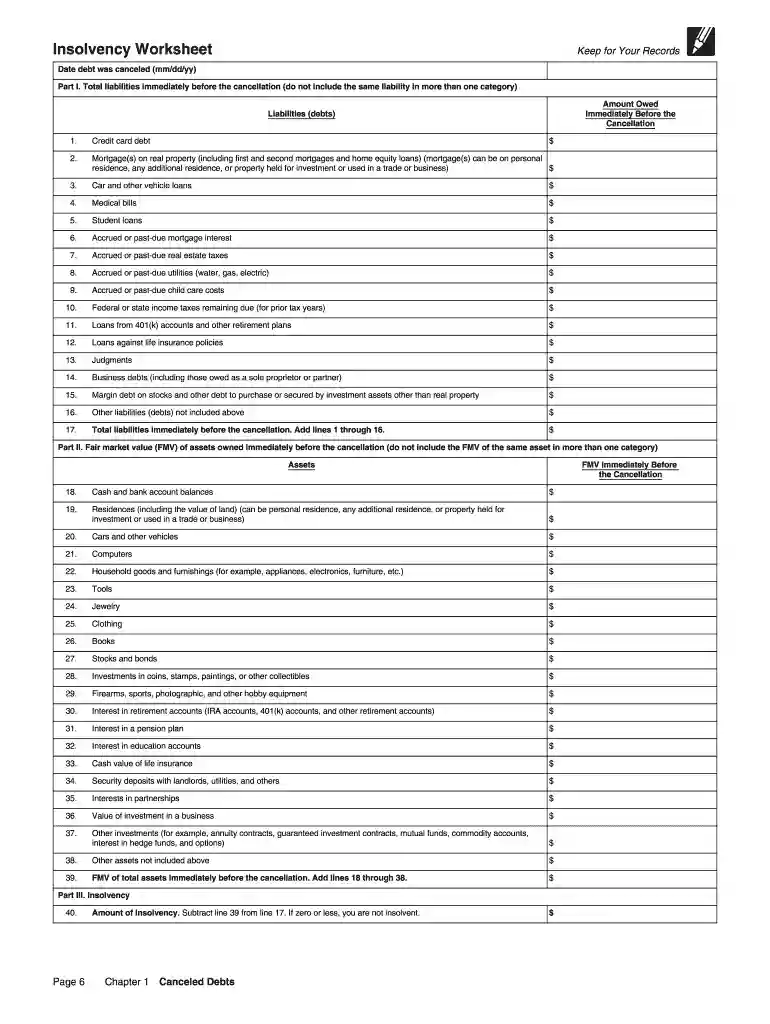
In the worksheet, you will list all your assets and liabilities. File form 982 with your federal income tax return for a year a discharge of indebtedness is
Nov 19, 2025 You can use the Insolvency Worksheet to help calculate the extent that you were insolvent immediately before the cancellation. Other exclusionsRead more


