Sacssp registration forms 2021-2026

Get Form
sacssp online Preview on Page 1

Here's how it works

01. Edit your sacssp online online
Type text, add images, blackout confidential details, add comments, highlights and more.

02. Sign it in a few clicks
Draw your signature, type it, upload its image, or use your mobile device as a signature pad.

03. Share your form with others
Send sacssp registration certificate download via email, link, or fax. You can also download it, export it or print it out.

How to use or fill out sacssp registration forms 2021 with DocHub

Form edit decoration
9.5
Ease of Setup
DocHub User Ratings on G2
9.0
Ease of Use
DocHub User Ratings on G2
  1. Click ‘Get Form’ to open the sacssp registration forms 2021 in our editor.
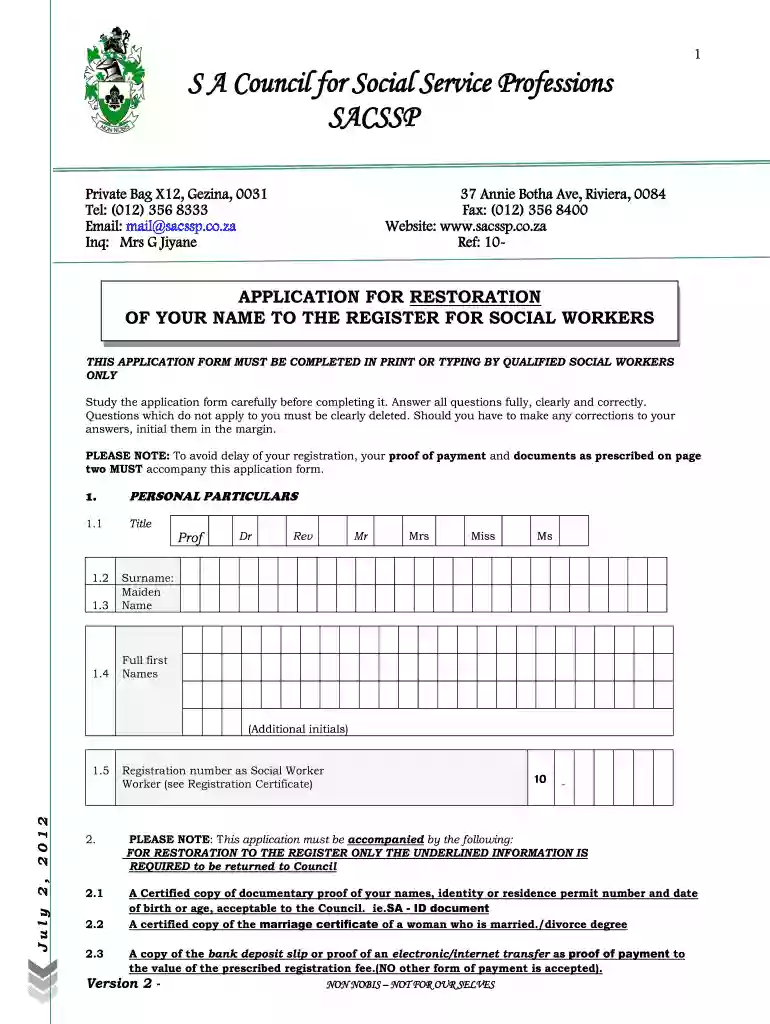
  2. Begin by filling out your personal particulars. Enter your title, surname, full first names, and registration number as a social worker. Ensure all information is accurate.
  3. In the next section, provide the required documentation details. Attach certified copies of your identity proof and payment confirmation for the registration fee.
  4. Complete the employment particulars section by detailing your previous and current employment as a social worker, including contact information for each employer.
  5. Fill in your academic qualifications, ensuring to include all relevant degrees and certifications. Attach certified copies of these documents as required.
  6. Finally, review all sections for accuracy. Sign and date the application at the bottom before submitting it via post to the Registrar.

Start using our platform today to streamline your application process for free!

See more sacssp registration forms 2021 versions

We've got more versions of the sacssp registration forms 2021 form. Select the right sacssp registration forms 2021 version from the list and start editing it straight away!
Versions Form popularity Fillable & printable
2020 4.8 Satisfied (118 Votes)
2012 4.2 Satisfied (74 Votes)
be ready to get more

Complete this form in 5 minutes or less

Get form

Got questions?

We have answers to the most popular questions from our customers. If you can't find an answer to your question, please contact us.
Contact us
For students in social work and social auxiliary work registering for the FIRST time with SACSSP: Use the following reference number when a payment is made: 60- plus the first 5 numbers of Identity Number (ID) For example, if your ID number is 980505 5482 082, the reference number will be 60-98050.
You can track and trace the progress of your application on the Department of Home Affairs website, or by sending a SMS with the letter P followed by your ID number to 32551.
Receipts. Receipts of payments are issued and mailed to the payee as soon as it is processed. If a receipt is not received it may be due to the fact that a persons postal address and other contact details are not up to date. Always make sure that your contact details with the SACSSP are up to date.
Use your registration/council number as your username and SA ID/passport for ID number. Remember me? Click Here to obtain a password to access the member platform.
South African. Council for Social Service Professions (SACSSP) Enter search text and click the [Search] button. Search using registration number, name, surname or employer name. Results will only reflect Registered or Restored SOCIAL and SOCIAL AUXILIARY WORKERS.

Security and compliance

At DocHub, your data security is our priority. We follow HIPAA, SOC2, GDPR, and other standards, so you can work on your documents with confidence.

Learn more
ccpa2
pci-dss
gdpr-compliance
hipaa
soc-compliance
be ready to get more

Complete this form in 5 minutes or less

Get form

People also ask

We are on the right at 37 Annie Botha Avenue. Address. 37 Annie Botha Ave Riviera. Call Us. (+27) 012 356 8300. Email Us. communications@sacssp.co.za.

sacssp online registration