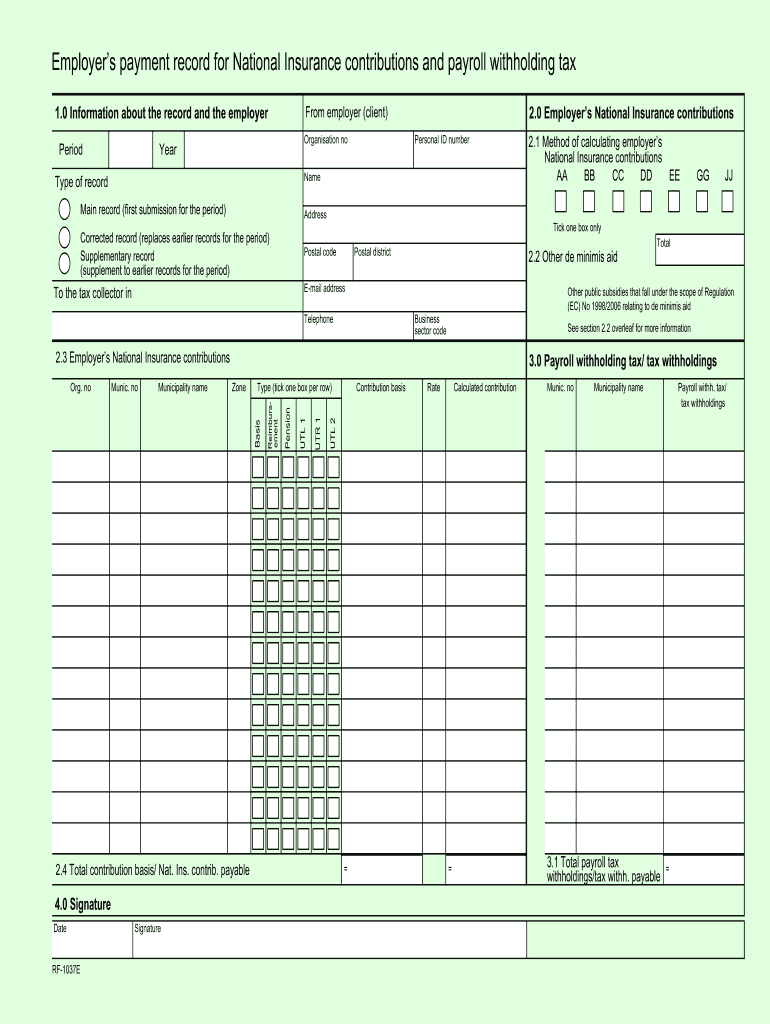
No skatteetaten rf 1037e 2026

Get Form
rf 1306 Preview on Page 1

Here's how it works

01. Edit your rf 1306 online
Type text, add images, blackout confidential details, add comments, highlights and more.
02. Sign it in a few clicks
Draw your signature, type it, upload its image, or use your mobile device as a signature pad.
03. Share your form with others
Send rf1306 via email, link, or fax. You can also download it, export it or print it out.

How to use or fill out no skatteetaten rf 1037e with our platform

Form edit decoration
9.5
Ease of Setup
DocHub User Ratings on G2
9.0
Ease of Use
DocHub User Ratings on G2
  1. Click ‘Get Form’ to open the no skatteetaten rf 1037e in the editor.
  2. Begin by filling out the 'Information about the record and the employer' section. Enter the period, organization number, and year accurately.
  3. In the 'Employer’s National Insurance contributions' section, provide your personal ID number, name, and select the type of record (main, corrected, or supplementary). Ensure you include your postal code and total contributions.
  4. Complete the 'Payroll withholding tax/tax withholdings' section by entering relevant details for each municipality where employees are taxed. Make sure to specify only one line per municipality number.
  5. Finally, sign and date the form in the 'Signature' section to confirm that all information is correct before submission.

Start using our platform today for free to streamline your document editing and form completion!

be ready to get more

Complete this form in 5 minutes or less

Get form

Got questions?

We have answers to the most popular questions from our customers. If you can't find an answer to your question, please contact us.
Contact us
Person frontpage. Tax. Tax deduction card, exemption card, tax return, tax assessment, help to get the taxes right. Duties. Car and vehicle duties, purchases from abroad, document tax. National Population Register. Moving, marriage, birth, death, change name, certificates and more. Foreign. Payment and collection.
The tax level in Norway has fluctuated between 40 and 45% of GDP since the 1970s. The relatively high tax level is a result of the large Norwegian welfare state. Most of the tax revenue is spent on public services such as health services, the operation of hospitals, education and transportation.
If you make 50,000 kr a year living in Norway, you will be taxed 0. That means that your net pay will be 50,000 kr per year, or 4,167 kr per month.
From 2020 onwards, you can fill in your taxes directly on Skatteetaten.no. Step 1: Access Your Tax Return. Step 2: Locate the Cryptocurrency Section. Step 3: Choose How to Declare Your Crypto. Step 4: Upload Your Divly Tax Report. Step 5: Fill in the Required Information. Step 6: Final Submission.
Anyone who receives income from work in Norway or on the Norwegian continental shelf, is required to file a Norwegian tax return (skattemelding).

Security and compliance

At DocHub, your data security is our priority. We follow HIPAA, SOC2, GDPR, and other standards, so you can work on your documents with confidence.

Learn more
ccpa2
pci-dss
gdpr-compliance
hipaa
soc-compliance
be ready to get more

Complete this form in 5 minutes or less

Get form