Type text, add images, blackout confidential details, add comments, highlights and more.
02. Sign it in a few clicks
Draw your signature, type it, upload its image, or use your mobile device as a signature pad.
03. Share your form with others
Send it via email, link, or fax. You can also download it, export it or print it out.
How to use or fill out reference form for physicians
Ease of Setup
DocHub User Ratings on G2
Ease of Use
DocHub User Ratings on G2
Click ‘Get Form’ to open it in the editor.
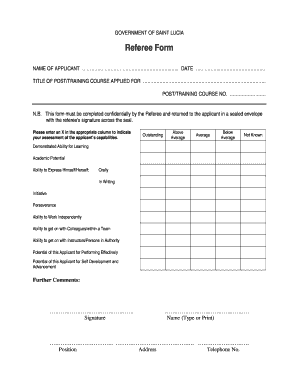
Begin by entering the applicant's name at the top of the form. This identifies who the reference is for.
In the 'Referee' section, provide your name and position, along with your hospital name and location.
Answer the questions regarding your relationship with the applicant, including if you are related or in a position of authority over them.
Detail your capacity of work with the applicant and how long you have worked together.
In the 'Candidate Information' section, evaluate various competencies such as clinical knowledge and professional judgment using the provided rating scale.
Provide comments on each evaluation area to give context to your ratings.
Complete sections on professional attitude, continuing development, strengths, areas for improvement, and any additional relevant information about the applicant.
Finally, summarize your recommendation by selecting one of the options provided and include your contact information for follow-up.
Start filling out your reference form for physicians today using our platform for free!
Fill out reference form for physicisns online It's free
Medical Student and Resident Letters of Reference (LOR)
Apr 8, 2019 LOR Format and Contents: Paragraph 1: Introduce your letter and waiver status. Paragraph 2: Introduce your qualifications, background, andRead more
To Applicant: The GEORGIA COMPOSITE MEDICAL BOARD requires completion of three (3) reference forms, one each from licensed physicians who have known you andRead more
Cookie consent notice
This site uses cookies to enhance site navigation and personalize your experience.
By using this site you agree to our use of cookies as described in our Privacy Notice.
You can modify your selections by visiting our Cookie and Advertising Notice.