Type text, add images, blackout confidential details, add comments, highlights and more.
02. Sign it in a few clicks
Draw your signature, type it, upload its image, or use your mobile device as a signature pad.
03. Share your form with others
Send up2d form download via email, link, or fax. You can also download it, export it or print it out.
How to use or fill out prqa 01 form with our platform
Ease of Setup
DocHub User Ratings on G2
Ease of Use
DocHub User Ratings on G2
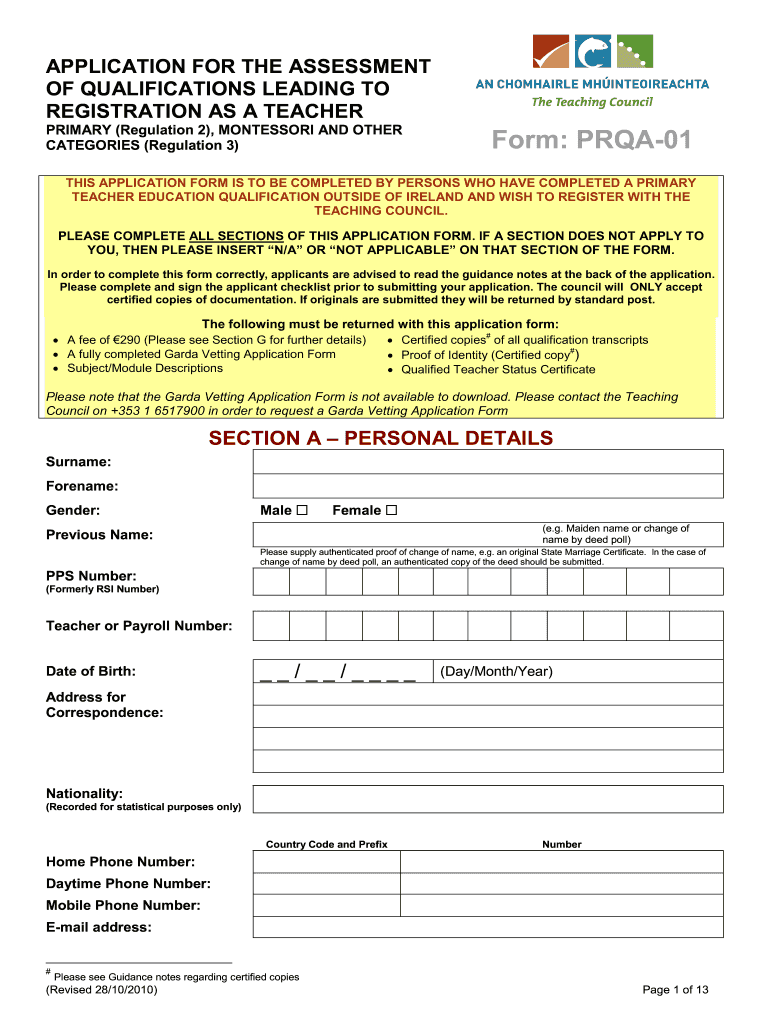
Click ‘Get Form’ to open the prqa 01 form in the editor.
Begin with Section A, Personal Details. Fill in your surname, forename, gender, and previous name if applicable. Ensure you provide authenticated proof of any name changes.
Continue to Section B regarding Previous Applications. Indicate if you have previously applied for recognition and provide details if applicable.
In Section C, Qualifications, enter the exact titles of your qualifications along with the awarding authority and year awarded. Attach certified copies of transcripts as required.
Proceed to Section D for Details of Teacher Education Qualifications. Provide evidence of your teacher education program's contact hours and submit necessary documentation.
Complete Sections E through K as applicable, ensuring all required documents are attached and that you sign where indicated.
Finally, review the Applicant Checklist in Section L to confirm all sections are completed before submitting your application.
Start using our platform today to streamline your application process for free!
Prqa 01 form pdfPrqa 01 form downloadPrqa 01 form onlinePrqa 01 form for teachersPrqa 01 form 2021General teaching CouncilRoute 3 teaching council jobsImmigrate to Ireland as a teacher
Security and compliance
At DocHub, your data security is our priority. We follow HIPAA, SOC2, GDPR, and other standards, so you can work on your documents with confidence.
Request for Exception to Facilities and Administrative (
FA @ full IDC Rate (See PRA-01 for appropriate rate). FA @ reduced Rate: (%). Amount of Exception Requested: Reason/Justification for this requestRead more
Subaru Service Bulletins are intended for use by professional technicians ONLY. They are written to inform those technicians of conditions that may occur inRead more
Cookie consent notice
This site uses cookies to enhance site navigation and personalize your experience.
By using this site you agree to our use of cookies as described in our Privacy Notice.
You can modify your selections by visiting our Cookie and Advertising Notice.