Craft show order form template 2026

Get Form
craft fair order form template Preview on Page 1

Here's how it works

01. Edit your craft fair order form template online
Type text, add images, blackout confidential details, add comments, highlights and more.
02. Sign it in a few clicks
Draw your signature, type it, upload its image, or use your mobile device as a signature pad.
03. Share your form with others
Send craft order form via email, link, or fax. You can also download it, export it or print it out.

How to use or fill out craft show order form template with our platform

Form edit decoration
9.5
Ease of Setup
DocHub User Ratings on G2
9.0
Ease of Use
DocHub User Ratings on G2
  1. Click ‘Get Form’ to open the craft show order form template in the editor.
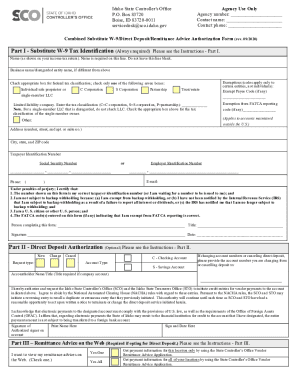
  2. Begin by filling out your contact information. Include your name, email, and phone number. Make sure to select your university affiliation from the provided options.
  3. In the Product Information section, describe the items you plan to sell at the craft fair. Be specific to help organizers understand your offerings.
  4. Indicate your price range for the products. This helps in setting expectations for potential customers.
  5. Specify the number of tables you wish to reserve. Remember, each table costs $30, or you can opt for two tables at a discounted rate of $55.
  6. Review all entered information for accuracy before submitting. Once confirmed, fax the completed form to the Office of University Events at 410-706-0986.

Start using our platform today to easily fill out and submit your craft show order form for free!

be ready to get more

Complete this form in 5 minutes or less

Get form

Got questions?

We have answers to the most popular questions from our customers. If you can't find an answer to your question, please contact us.
Contact us
Information to include on an order form template. Customers name and contact info (phone number and/or email address) Delivery address (for physical products) Payment information. Product order information (name/SKU, quantity, pricing, etc.)
How to make a purchase order form in Google Forms Step 1: Create a form. Step 2: Add the relevant purchase order details. Step 3: Download Payable Forms from Google Marketplace. Step 4: Adjust your sharing details. Step 5: Embed and share your form. No dedicated payment field. Fees on every purchase.
Ideally, you should sell 8 to 10 times the show entrance fee. For example: If the vendor fee is $50 you should plan to sell $400 to $500 in merchandise and bring at least double the products, or $800 to $1000 in inventory. Be sure to spread your inventory across several price points.
Must-have components for creating an order form. Contact information. Name, email address, phone number, and shipping address are necessary pieces of information to gather from your buyers. Product description. Payment information. Shipping and handling. Order summary. Terms and conditions. Visuals. Order confirmation.