




Here's how it works

01. Edit your form online
Type text, add images, blackout confidential details, add comments, highlights and more.

02. Sign it in a few clicks
Draw your signature, type it, upload its image, or use your mobile device as a signature pad.

03. Share your form with others
Send it via email, link, or fax. You can also download it, export it or print it out.
How to use or fill out the award applicant form with our platform

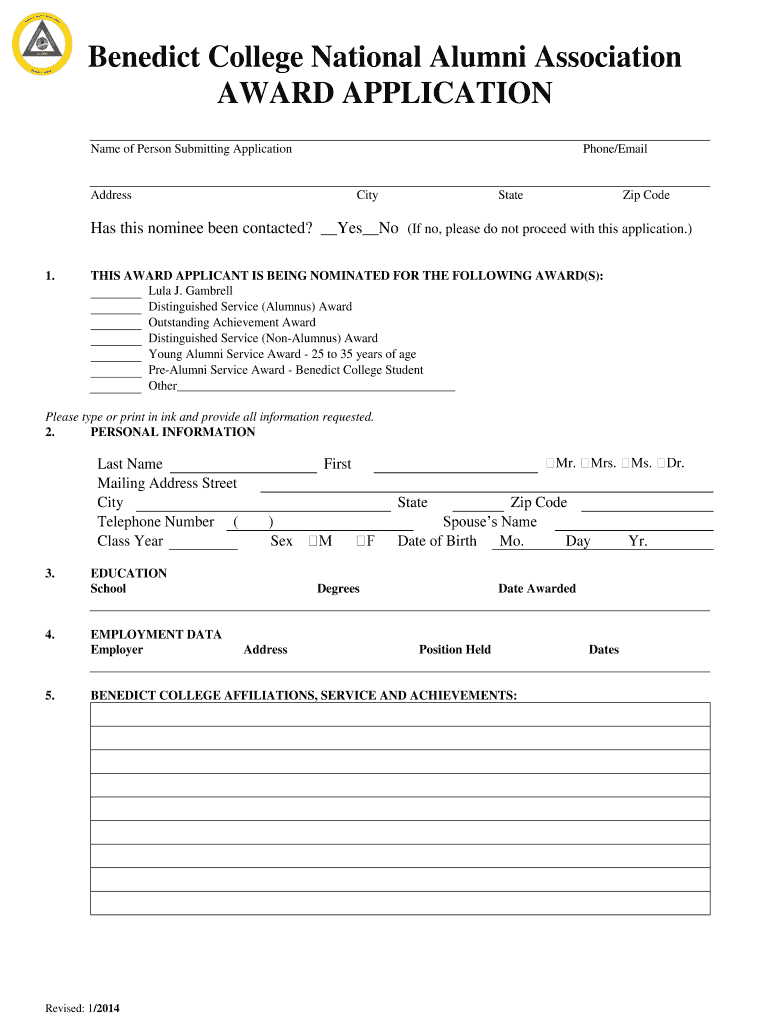
- Click ‘Get Form’ to open the award applicant in the editor.
- Begin by entering your name, phone number, and email address in the designated fields. Ensure all information is accurate for effective communication.
- Indicate whether the nominee has been contacted by selecting 'Yes' or 'No'. If 'No', please refrain from proceeding with the application.
- Select the award(s) for which the nominee is being considered. Options include Distinguished Service Awards and Young Alumni Service Award. Be sure to check all that apply.
- Fill in personal information such as last name, mailing address, city, state, zip code, telephone number, class year, and date of birth. This section is crucial for identification.
- Provide educational background including school attended and degrees awarded along with dates. This helps establish qualifications.
- Complete employment data by listing your employer, position held, and any relevant affiliations with Benedict College.
- Detail civic contributions and financial contributions both current and past. Attach any supporting articles if available.
- List at least three references who are members of the BCNAA to support your application.
- Finally, sign and date the form before submission to ensure it is complete. Remember that incomplete applications will not be considered.
Start filling out your award applicant form today on our platform for free!
Fill out award applicant online
It's free
It's free
See more award applicant versions
We've got more versions of the award applicant form. Select the right award applicant version from the list and start editing it straight away!
| Versions | Form popularity | Fillable & printable |
|---|---|---|
| 2014 | 4.9 Satisfied (56 Votes) |
Security and compliance
At DocHub, your data security is our priority. We follow HIPAA, SOC2, GDPR, and other standards, so you can work on your documents with confidence.
Learn more


