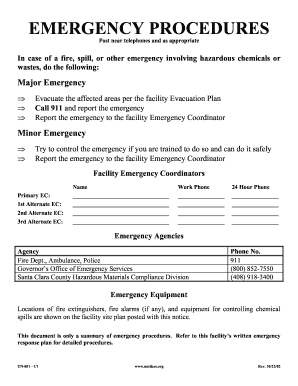
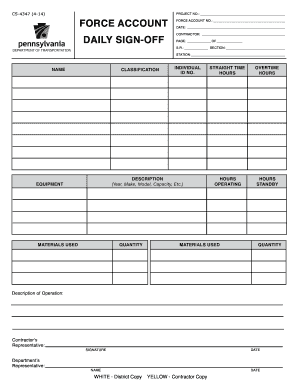
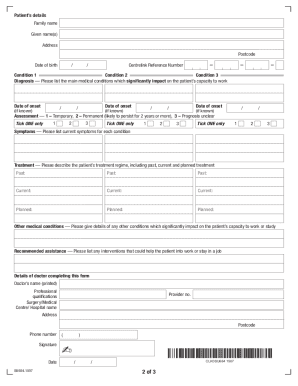
News room report forms 2026

Get Form
news room report forms Preview on Page 1

Here's how it works

01. Edit your form online
Type text, add images, blackout confidential details, add comments, highlights and more.
02. Sign it in a few clicks
Draw your signature, type it, upload its image, or use your mobile device as a signature pad.
03. Share your form with others
Send it via email, link, or fax. You can also download it, export it or print it out.

How to use or fill out news room report forms with our platform

Form edit decoration
9.5
Ease of Setup
DocHub User Ratings on G2
9.0
Ease of Use
DocHub User Ratings on G2
  1. Click ‘Get Form’ to open the news room report form in the editor.
  2. Begin by entering your last name, first name, and middle initial in the designated fields at the top of the form.
  3. In the KEY INFORMATION section, input the code and date received. Use 'N' for New and 'G' for Good as applicable.
  4. For ROOM/SUITE COLORS, fill in the staff initials and specify wall and trim colors.
  5. In the DESCRIPTION section, only provide details if you mark any item as Fair (F) or Poor (P). List any issues such as cuts, marks, or stains.
  6. During Check-In, mark the appropriate column (N, G, F, P) for each item listed. Repeat this process for Check-Out.
  7. Ensure all discrepancies are noted on the back of the form during Check-Out. Signatures from both resident and staff are required at both check-in and check-out.

Start using our platform today to streamline your news room report forms for free!

See more news room report forms versions

We've got more versions of the news room report forms form. Select the right news room report forms version from the list and start editing it straight away!
Versions Form popularity Fillable & printable
2011 4.7 Satisfied (54 Votes)
be ready to get more

Complete this form in 5 minutes or less

Get form

Got questions?

We have answers to the most popular questions from our customers. If you can't find an answer to your question, please contact us.
Contact us
A news article includes a headline, lead, body, and conclusion. Each part serves a specific role: the headline grabs attention, the lead delivers the key facts, the body provides supporting details and context, and the conclusion adds perspective.
Subject matters for news reports include war, government, politics, education, health, economy, business, fashion, sport, entertainment, and the environment, as well as quirky or unusual events.
Write clearly and simply. News stories are intended to convey information, not impress. Use mostly short sentences. Include only one idea per sentence. Paragraphs should run five or six lines at most. Some additional hints: Read the story aloud to yourself. If anything doesnt sound natural, fix it until it does.
Newspaper Article Outline Article outline. I. Lead sentence. Grab and hook your reader right away. II. Introduction. Which facts and figures will ground your story? III. Opening quotation. IV. Main body. V. Closing quotation. VI. Conclusion (optionalthe closing quote may do the job)
Create layout/grid. Create a color scheme. Choose a font family. Create a font style guide. Define the width of the text paragraph. Create a mockup. Add information graphics and data visualizations. Create a report style guide with reusable styles and components.

Security and compliance

At DocHub, your data security is our priority. We follow HIPAA, SOC2, GDPR, and other standards, so you can work on your documents with confidence.

Learn more
ccpa2
pci-dss
gdpr-compliance
hipaa
soc-compliance
be ready to get more

Complete this form in 5 minutes or less

Get form

People also ask

News articles follow an Inverted Pyramid format. The lead, or main points of the articlethe who, what, when, where, why and how of a storyare placed at the top or beginning of the article. Additional information follows the lead and less important, but still relevant information, comes after that.

Related links