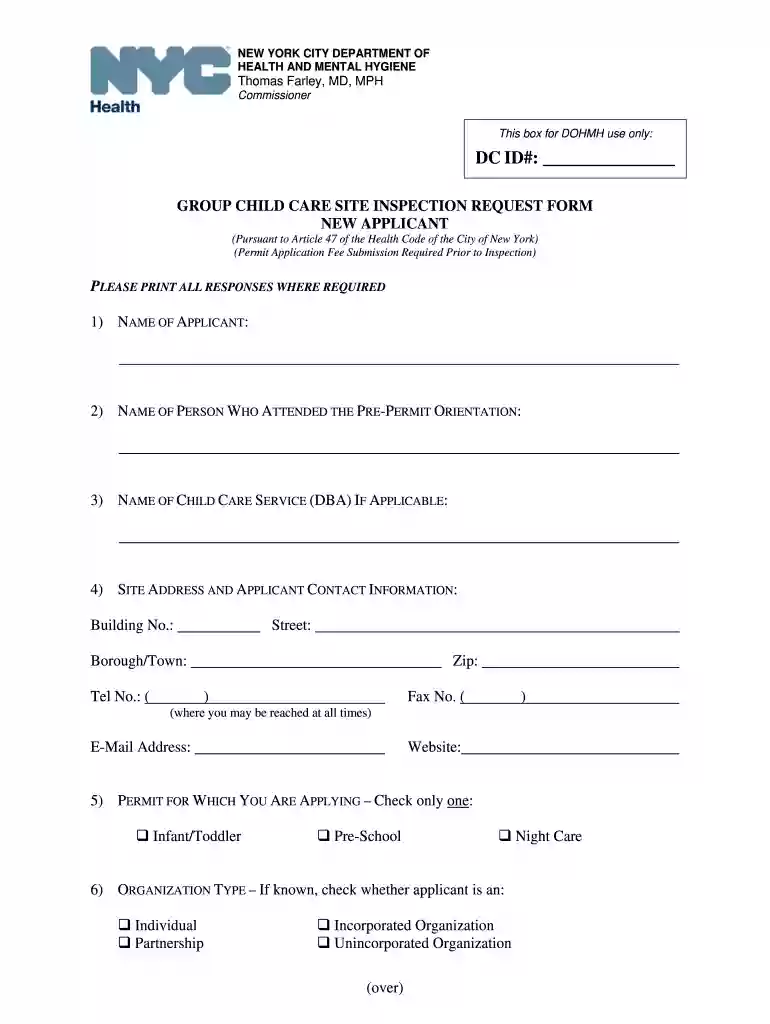
day care addendum form california Preview on Page 1

Day care addendum form california 2026

Here's how it works

  • 01. Edit your form online

    Type text, add images, blackout confidential details, add comments, highlights and more.

  • 02. Sign it in a few clicks

    Draw your signature, type it, upload its image, or use your mobile device as a signature pad.

  • 03. Share your form with others

    Send it via email, link, or fax. You can also download it, export it or print it out.

How to use or fill out day care addendum form california with our platform

Form edit decoration
9.5
Ease of Setup
DocHub User Ratings on G2
9.0
Ease of Use
DocHub User Ratings on G2
  1. Click ‘Get Form’ to open the day care addendum form in the editor.
  2. Begin by entering your name as the applicant in the designated field. Ensure that all responses are printed clearly.
  3. Fill in the name of the person who attended the pre-permit orientation, followed by the name of your child care service, if applicable.
  4. Provide your site address and contact information, including telephone and email. This ensures you can be reached at all times.
  5. Select the type of permit you are applying for by checking only one option: Infant/Toddler, Pre-School, or Night Care.
  6. If known, indicate your organization type and provide details about your organization’s name and board of directors.
  7. List anticipated ages of children to be served, specifying from which age to which age range.
  8. Indicate whether there is a school-age program on premises and specify types if applicable.
  9. Identify floors and rooms used for child care, attaching additional sheets if necessary.
  10. Finally, sign and date the form before submitting it through our platform for processing.

Start filling out your day care addendum form today for free using our editor!

See more day care addendum form california versions

We've got more versions of the day care addendum form california form. Select the right day care addendum form california version from the list and start editing it straight away!

VersionsForm popularityFillable & printable
20104.9 Satisfied (501 Votes)

be ready to get more

Complete this form in 5 minutes or less

Security and compliance

At DocHub, your data security is our priority. We follow HIPAA, SOC2, GDPR, and other standards, so you can work on your documents with confidence.

Related links

united states securities and exchange commission

Feb 28, 2026 Indicate by check mark if the registrant is a well-known seasoned issuer, as defined in Rule 405 of the Securities Act. ☒ Yes ☐ No.Read more

Learn more
DEPCARE FSA ENROLLMENT, CHANGE, OR - UCnet

Use this form to enroll, change your contribution, or cancel your enrollment in either plan during the calendar year. For additional information regardingRead more

Learn more
Forms and Publications (I-L)

On-line Forms and Publications I - L. I | J | K | L. **Due to browser constraints please download forms for full functionality.Read more

Learn more
If you believe that this page should be taken down, please follow our DMCA take down process here