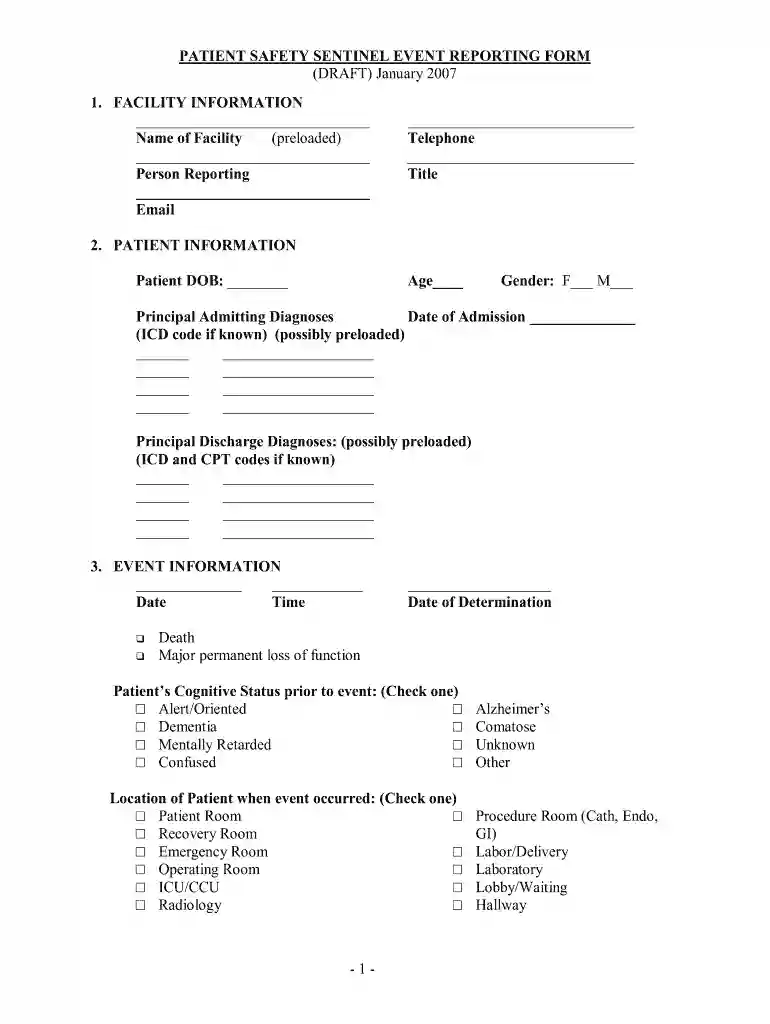
sentinel event form Preview on Page 1

Sentinel event form 2007-2026

Here's how it works

  • 01. Edit your sentinel event form online

    Type text, add images, blackout confidential details, add comments, highlights and more.

  • 02. Sign it in a few clicks

    Draw your signature, type it, upload its image, or use your mobile device as a signature pad.

  • 03. Share your form with others

    Send sentinel event via email, link, or fax. You can also download it, export it or print it out.

How to use or fill out sentinel event form 2007 with our platform

Form edit decoration
9.5
Ease of Setup
DocHub User Ratings on G2
9.0
Ease of Use
DocHub User Ratings on G2
  1. Click ‘Get Form’ to open the sentinel event form 2007 in the editor.
  2. Begin by filling out the 'Facility Information' section. Enter the name of your facility, your name, email, telephone number, and title in the designated fields.
  3. Proceed to the 'Patient Information' section. Input the patient's date of birth, age, gender, principal admitting diagnoses, and date of admission. If available, include ICD codes for accuracy.
  4. In the 'Event Information' section, specify the date and time of the event. Indicate if there was a death or major permanent loss of function and check the patient's cognitive status prior to the event.
  5. Select the location where the event occurred from the provided options. Then choose the type of occurrence that best describes what happened during this incident.
  6. Complete any additional sections regarding analysis and corrective actions taken after determining the event. Ensure all relevant details are filled out accurately.

Start using our platform today to streamline your document editing and form completion for free!

See more sentinel event form versions

We've got more versions of the sentinel event form form. Select the right sentinel event form version from the list and start editing it straight away!

VersionsForm popularityFillable & printable
20074.9 Satisfied (234 Votes)
20074.1 Satisfied (75 Votes)

be ready to get more

Complete this form in 5 minutes or less

Security and compliance

At DocHub, your data security is our priority. We follow HIPAA, SOC2, GDPR, and other standards, so you can work on your documents with confidence.

which example qualifies as a sentinel event

Reportable New Information | Tufts Office of the Vice Provost

Information items can be reported to the IRB using the eIRB in one of two ways: Go to the main IRB page and select the Report New Information button on theRead more

Learn more
Draft Guidance for Industry on Postmarketing Adverse

Oct 15, 2007 Draft Guidance for Industry on Postmarketing Adverse Event Reporting for Nonprescription Human Drug Products Marketed Without an ApprovedRead more

Learn more
If you believe that this page should be taken down, please follow our DMCA take down process here