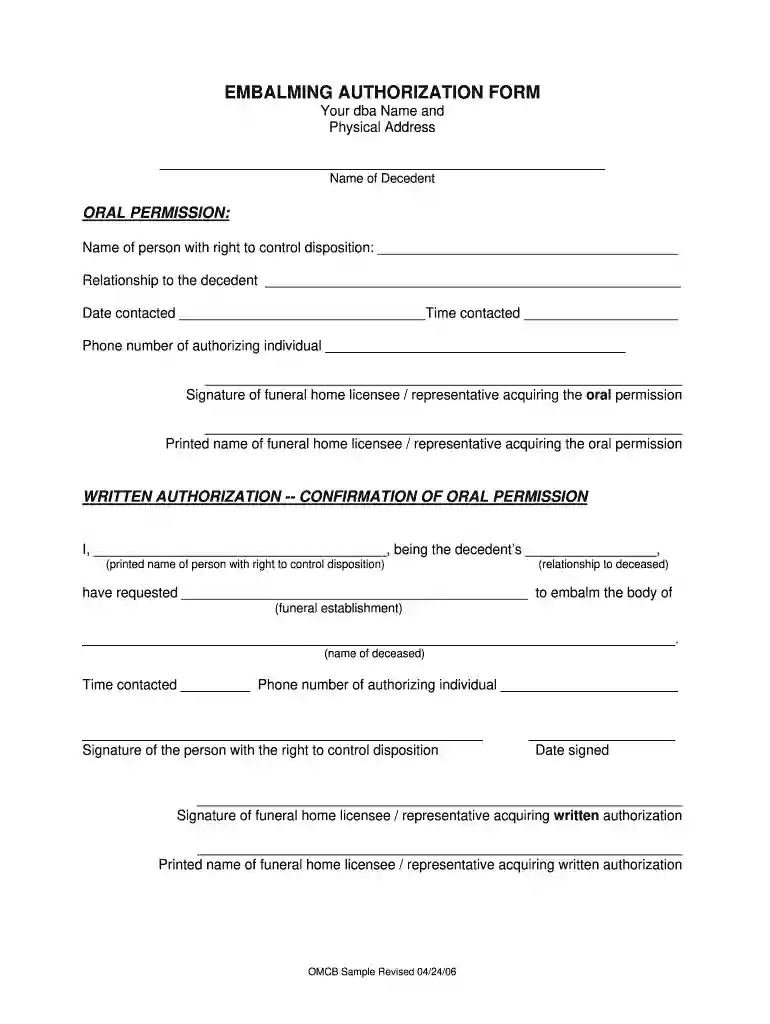
embalming authorization form Preview on Page 1

Embalming authorization 2026

Here's how it works

  • 01. Edit your embalming authorization form online

    Type text, add images, blackout confidential details, add comments, highlights and more.

  • 02. Sign it in a few clicks

    Draw your signature, type it, upload its image, or use your mobile device as a signature pad.

  • 03. Share your form with others

    Send alabama cremation authorization form via email, link, or fax. You can also download it, export it or print it out.

How to use or fill out embalming authorization with our platform

Form edit decoration
9.5
Ease of Setup
DocHub User Ratings on G2
9.0
Ease of Use
DocHub User Ratings on G2
  1. Click ‘Get Form’ to open the embalming authorization form in the editor.
  2. Begin by entering your dba name and physical address at the top of the form. This identifies your funeral establishment.
  3. Fill in the name of the decedent in the designated field, ensuring accuracy for legal purposes.
  4. In the 'Oral Permission' section, provide the name of the person with the right to control disposition, their relationship to the decedent, and contact details including date and time contacted.
  5. Ensure that the authorizing individual signs and prints their name, along with a representative from your funeral home who acquired this permission.
  6. For written authorization, have the same individual confirm their relationship to the decedent and request embalming by filling in their printed name and signing where indicated.
  7. Complete any additional fields such as phone numbers and dates as required before finalizing your document.

Start using our platform today for free to streamline your embalming authorization process!

See more embalming authorization form versions

We've got more versions of the embalming authorization form form. Select the right embalming authorization form version from the list and start editing it straight away!

VersionsForm popularityFillable & printable
20064.8 Satisfied (142 Votes)

be ready to get more

Complete this form in 5 minutes or less

Security and compliance

At DocHub, your data security is our priority. We follow HIPAA, SOC2, GDPR, and other standards, so you can work on your documents with confidence.

Related links

AUTHORIZATION TO ACCEPT OR DECLINE EMBALMING

This section is to be completed by the funeral establishment if authorization to accept or decline embalming is obtained orally. The above statement regardingRead more

Learn more
Largest, oldest Maya monument suggests importance of communal

A recenrt discovery suggests that the Maya civilization developed more rapidly than once thought and hints at less social inequality than later periods.

Learn more
22 Tex. Admin. Code 203.33 - Required Documentation for

(1) If embalming is performed, the Commission promulgated Authorization to Embalm Form must be signed by a family member or the person responsible for makingRead more

Learn more
If you believe that this page should be taken down, please follow our DMCA take down process here