




Here's how it works

01. Edit your dd form 1408 pdf online
Type text, add images, blackout confidential details, add comments, highlights and more.

02. Sign it in a few clicks
Draw your signature, type it, upload its image, or use your mobile device as a signature pad.

03. Share your form with others
Send dd form 1408 via email, link, or fax. You can also download it, export it or print it out.
How to use or fill out DD Form 2293, Application for Former Spouse Payments from Retired Pay, December 2004 with our platform

- Click ‘Get Form’ to open it in the editor.
- Begin by filling out Section 1, 'Applicant Identification.' Enter your name as it appears on the court order, followed by your Social Security Number and current address.
- Proceed to Section 2, 'Service Member Identification.' Here, input the former spouse's name, Social Security Number, branch of service, and current address if known.
- In Section 3, 'Request Statement,' clearly indicate the type of payment you are requesting: child support, alimony, or property division. Fill in the respective amounts or percentages as applicable.
- Section 4 requires you to check all pertinent documentation you are enclosing. Ensure that you include a certified copy of the court order and any other necessary documents.
- Finally, complete Section 5 by signing and dating the form to certify your request.
Start using our platform today to easily fill out and submit your DD Form 2293 for free!
Fill out DD Form 2293, Application for Former Spouse Payments from Retired Pay, December 2004 online
It's free
See more DD Form 2293, Application for Former Spouse Payments from Retired Pay, December 2004 versions
We've got more versions of the DD Form 2293, Application for Former Spouse Payments from Retired Pay, December 2004 form. Select the right DD Form 2293, Application for Former Spouse Payments from Retired Pay, December 2004 version from the list and start editing it straight away!
Security and compliance
At DocHub, your data security is our priority. We follow HIPAA, SOC2, GDPR, and other standards, so you can work on your documents with confidence.
Learn more


Related forms
INSPECTION CODE ho-
The document is a collection of inspection reports and violation data related to mining operations, specifically focusin ...
Ebenefits ladwp pdfActive Employees HealthEmployee Enrollment and Change Form
The document is an Enrollment Agreement for Bridges Graduate School, detailing the terms and conditions for students enr ...
Gang-stalking-information-archive blogspot static1 squarespace static
The document is an enrollment agreement for Bonny Doon Community Preschool, outlining the terms and conditions for paren ...

SPONSORSHIP APPLICATION - ONS Congress - Oncology
The document outlines the sponsorship and advertising application process for the Oncology Nursing Society's annual cong ...
Sample letter from doctor for emergency passport
The document outlines the application process for an Emergency Travel Certificate from the Republic of Uganda's Permanen ...

Approved Student Pick Up Form 21-22
The document is a Lake Eola Charter Student Pick-Up Form that parents must complete, sign, and email to the oldest child ...

District School Board of Pasco County MIS Form #162 NEW
The document is a New Hire FRS Declaration Form for the District School Board of Pasco County, outlining the requirement ...
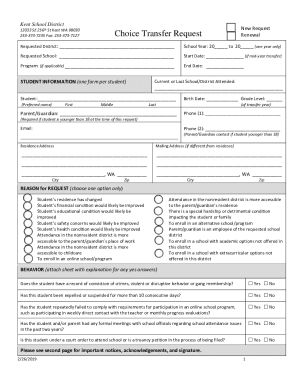
Choice Transfer Request - Kent School District
The document is a Choice Transfer Request form for the Kent School District, allowing parents or guardians to request a ...