




Here's how it works

01. Edit your m 990t online
Type text, add images, blackout confidential details, add comments, highlights and more.

02. Sign it in a few clicks
Draw your signature, type it, upload its image, or use your mobile device as a signature pad.

03. Share your form with others
Send ma 990 t instructions 2021 via email, link, or fax. You can also download it, export it or print it out.
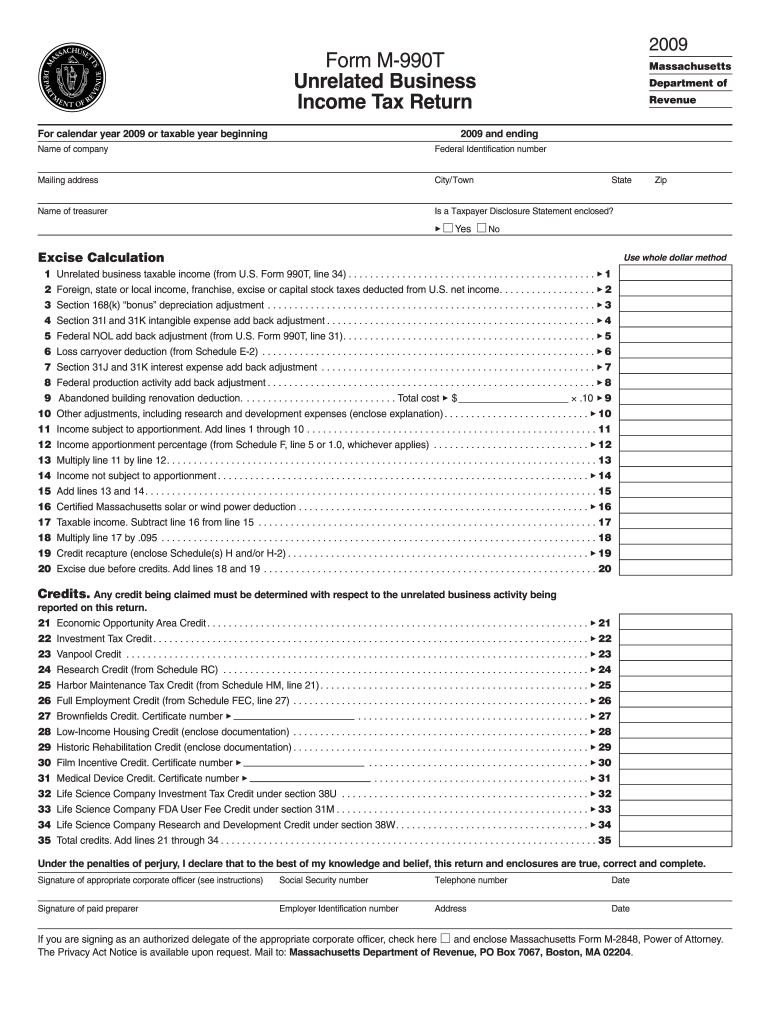
How to use or fill out M-990T instructions - Mass.gov with our platform

- Click ‘Get Form’ to open it in the editor.
- Begin by entering your company name and Federal Identification number in the designated fields at the top of the form.
- Fill in your mailing address, city/town, state, and zip code. Ensure all information is accurate for proper correspondence.
- Indicate whether a Taxpayer Disclosure Statement is enclosed by selecting 'Yes' or 'No'.
- Proceed to the Excise Calculation section. Carefully input your unrelated business taxable income and any applicable deductions as outlined in the form.
- Complete the credits section by claiming any relevant credits related to your unrelated business activities.
- Finally, review all entries for accuracy before signing and dating the form at the bottom.
Start using our platform today for free to streamline your M-990T form completion!
Fill out M-990T instructions - Mass.gov online
It's free
It's free
See more M-990T instructions - Mass.gov versions
We've got more versions of the M-990T instructions - Mass.gov form. Select the right M-990T instructions - Mass.gov version from the list and start editing it straight away!
| Versions | Form popularity | Fillable & printable |
|---|---|---|
| 2022 | 4.7 Satisfied (56 Votes) | |
| 2021 | 4.6 Satisfied (39 Votes) | |
| 2020 | 4.8 Satisfied (75 Votes) | |
| 2019 | 4.3 Satisfied (174 Votes) | |
| 2018 | 4.3 Satisfied (175 Votes) | |
| 2017 | 4.3 Satisfied (78 Votes) | |
| 2016 | 4.3 Satisfied (116 Votes) | |
| 2015 | 4.3 Satisfied (162 Votes) | |
| 2014 | 3.9 Satisfied (41 Votes) | |
| 2013 | 4 Satisfied (20 Votes) | |
| 2009 | 4 Satisfied (32 Votes) |
Security and compliance
At DocHub, your data security is our priority. We follow HIPAA, SOC2, GDPR, and other standards, so you can work on your documents with confidence.
Learn more




