




01. Edit your form 4070 online
Type text, add images, blackout confidential details, add comments, highlights and more.

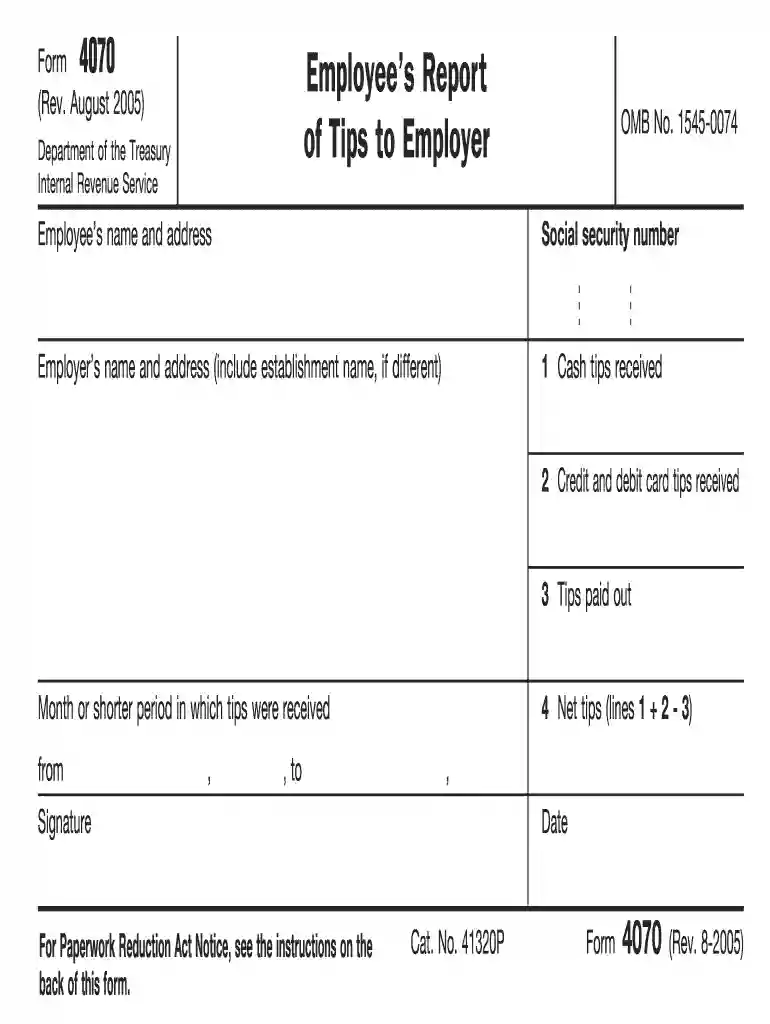
Type text, add images, blackout confidential details, add comments, highlights and more.

Draw your signature, type it, upload its image, or use your mobile device as a signature pad.

Send 4070 form via email, link, or fax. You can also download it, export it or print it out.

Start filling out your form 4070 today for free using our platform!
At DocHub, your data security is our priority. We follow HIPAA, SOC2, GDPR, and other standards, so you can work on your documents with confidence.
Form 4070 Printable - You must report tips every month regardless of your total wages and tips for the year. Frequently asked questions about reporting tip
Filers needing assistance may contact the PBGC by calling 1-800-736-2444, extension 4070 or by sending an e-mail to ERISA.4010@pbgc.gov. TTY/TDD users may callRead more
Use this form to report tips you receive to your employer. This includes cash tips, tips you receive from other employees, and debit and credit card tips. YouRead more


