




01. Edit your form online
Type text, add images, blackout confidential details, add comments, highlights and more.

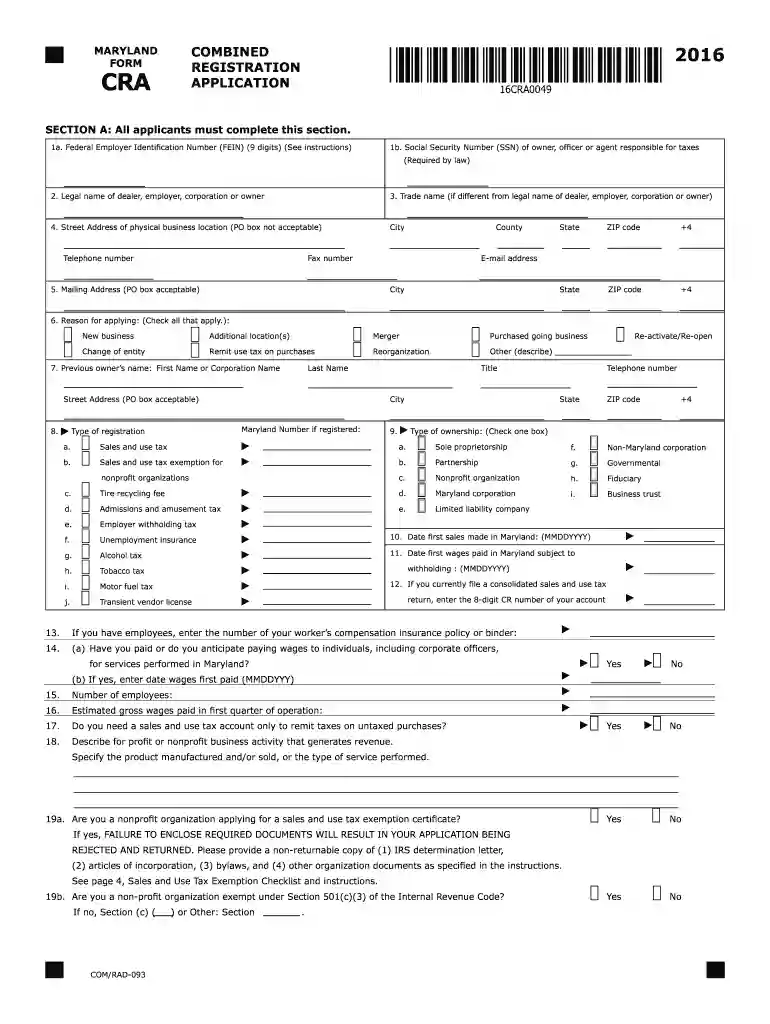
Type text, add images, blackout confidential details, add comments, highlights and more.

Draw your signature, type it, upload its image, or use your mobile device as a signature pad.

Send it via email, link, or fax. You can also download it, export it or print it out.

Start filling out your 2016 Maryland CRA form online for free using our editor today!
We've got more versions of the 2016 maryland cra form form. Select the right 2016 maryland cra form version from the list and start editing it straight away!
| Versions | Form popularity | Fillable & printable |
|---|---|---|
| 2024 | 4.1 Satisfied (21 Votes) | |
| 2023 | 4.5 Satisfied (40 Votes) | |
| 2023 | 4.2 Satisfied (26 Votes) | |
| 2022 | 4.6 Satisfied (55 Votes) | |
| 2021 | 4.9 Satisfied (30 Votes) | |
| 2020 | 4.1 Satisfied (39 Votes) | |
| 2019 | 4.3 Satisfied (168 Votes) | |
| 2018 | 4.4 Satisfied (140 Votes) | |
| 2017 | 4.3 Satisfied (165 Votes) | |
| 2016 | 4.3 Satisfied (100 Votes) | |
| 2015 | 4 Satisfied (51 Votes) | |
| 2010 | 4 Satisfied (51 Votes) |
At DocHub, your data security is our priority. We follow HIPAA, SOC2, GDPR, and other standards, so you can work on your documents with confidence.
Katie Davis is Professor at the University of Washington (UW) Information School, Adjunct Professor in the UW College of Education, and Co-Director of the UWRead more
IF YOU HAVE. MOVED SINCE. YOUR LAST ORDER CATALOGS WILL. FOLLOW YOUIF YOU. GIVE US YOUR. NEW and OLD ADDRESS. Just put your NEW and OLD ADDRESSES.Read more
The form must be made available to CSEA, state and federal auditors upon request. Purpose of Form: To comply with 2 CFR Part 200 - UNIFORM ADMINISTRATIVERead more


