01. Edit your appeal traffic ticket california online
Type text, add images, blackout confidential details, add comments, highlights and more.
02. Sign it in a few clicks
Draw your signature, type it, upload its image, or use your mobile device as a signature pad.
03. Share your form with others
Send how to appeal a traffic court decision via email, link, or fax. You can also download it, export it or print it out.
How to use or fill out Requesting an Appeal - Traffic Division - The Superior Court of... with DocHub
Ease of Setup
DocHub User Ratings on G2
Ease of Use
DocHub User Ratings on G2
Click ‘Get Form’ to open it in the editor.
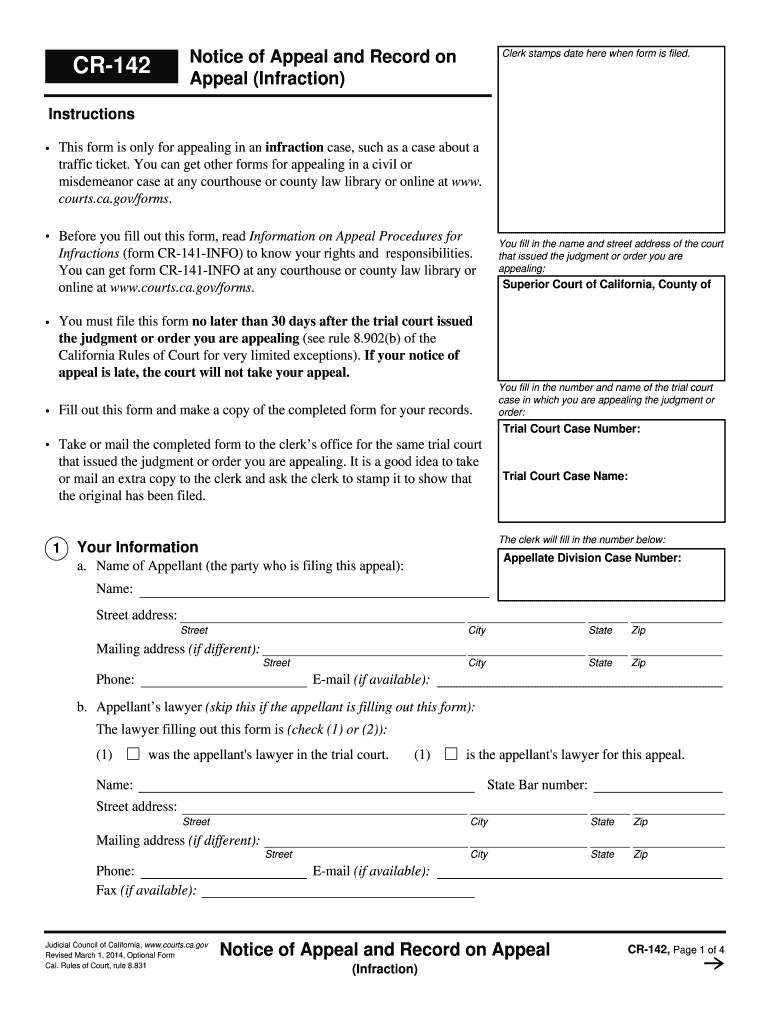
Begin by entering the name and street address of the court that issued the judgment you are appealing. This is crucial for ensuring your appeal is directed correctly.
Next, fill in the trial court case number and name. This information helps identify your specific case within the court system.
Provide your personal information, including your name, address, phone number, and email. If you have a lawyer, include their details as well.
Indicate what judgment or order you are appealing by checking the appropriate box (a, b, or c) and providing relevant dates.
Decide whether you want a record of oral proceedings. If yes, complete item 5 with your choice of record type and any necessary attachments.
Review all entered information for accuracy before saving or printing your completed form.
Start using our platform today to streamline your appeal process for free!
Fill out Requesting an Appeal - Traffic Division - The Superior Court of... online It's free
See more Requesting an Appeal - Traffic Division - The Superior Court of... versions
We've got more versions of the Requesting an Appeal - Traffic Division - The Superior Court of... form. Select the right Requesting an Appeal - Traffic Division - The Superior Court of... version from the list and start editing it straight away!
Plead not guilty to traffic violation NYAppeal traffic ticket NYCDMV ny gov traffic ticketHow to plead not guilty to a ticket in NY onlineNYS DMV Appeals Board phone numberNyc traffic ticket lookupAppeal parking ticket NYCDMV ny gov eplead pay ticket
Security and compliance
At DocHub, your data security is our priority. We follow HIPAA, SOC2, GDPR, and other standards, so you can work on your documents with confidence.
Make checks and money orders payable to Clerk of Superior Court, and write the ticket number on the check or money order. Never mail cash. No payment plansRead more
May a Defendant Appeal an Infraction to Superior Court?
Jul 11, 2018 Take your pick: speeding, a seat belt violation, jaywalking, improper passing, or one of the many other non-criminal motor vehicle offenses. TheRead more
Cookie consent notice
This site uses cookies to enhance site navigation and personalize your experience.
By using this site you agree to our use of cookies as described in our Privacy Notice.
You can modify your selections by visiting our Cookie and Advertising Notice.