




01. Edit your form online
Type text, add images, blackout confidential details, add comments, highlights and more.

Type text, add images, blackout confidential details, add comments, highlights and more.

Draw your signature, type it, upload its image, or use your mobile device as a signature pad.

Send it via email, link, or fax. You can also download it, export it or print it out.
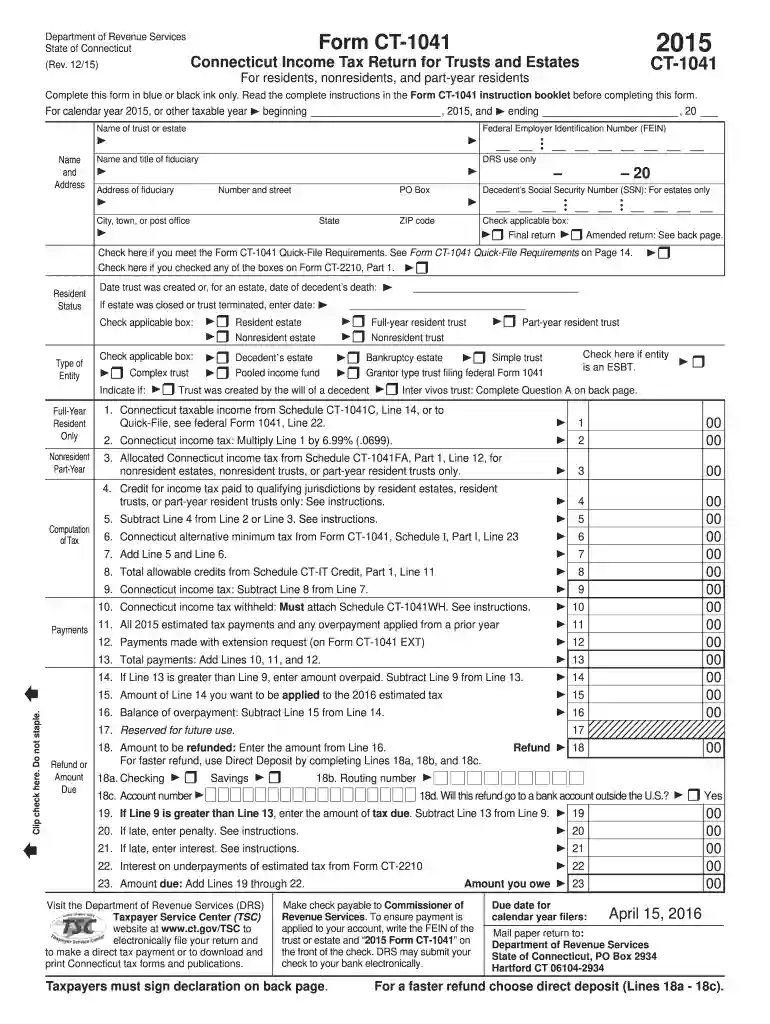
Form CT-1041 is used for filing the Connecticut Income Tax Return for Trusts and Estates. This document is crucial for residents, nonresidents, and part-year residents involved with trusts or estates in the state of Connecticut. Its primary purpose is to report taxable income, compute tax obligations, and claim any applicable credits for the year 2015.
Trusts and estates with a fiduciary obligation to report the financial activities and tax liabilities to the state of Connecticut are the primary users of Form CT-1041. This includes:


The 2015 Form CT-1041 is a legal document required for compliance with Connecticut state tax laws for trusts and estates. Successfully filing it ensures that the trust or estate fulfills its tax obligations, avoiding penalties and interest for late or non-compliance.
While IRS guidelines primarily address federal tax obligations, they are also relevant when completing state-level forms like the CT-1041, particularly regarding:
Connecticut may have particular requirements that differ from federal or other state filings, which include:
While the 2015 Form CT-1041 itself is specific, similar forms may exist for different years or for different purposes, such as federal filings:
We've got more versions of the 2015 form ct 1041 form. Select the right 2015 form ct 1041 version from the list and start editing it straight away!
| Versions | Form popularity | Fillable & printable |
|---|---|---|
| 2025 | 4.9 Satisfied (60 Votes) | |
| 2024 | 4.5 Satisfied (57 Votes) | |
| 2023 | 4.2 Satisfied (54 Votes) | |
| 2022 | 4.7 Satisfied (46 Votes) | |
| 2021 | 4.9 Satisfied (24 Votes) | |
| 2020 | 4.4 Satisfied (115 Votes) | |
| 2019 | 4.3 Satisfied (104 Votes) | |
| 2018 | 4.3 Satisfied (81 Votes) | |
| 2017 | 4.4 Satisfied (113 Votes) | |
| 2016 | 4.3 Satisfied (363 Votes) | |
| 2015 | 4.4 Satisfied (40 Votes) | |
| 2014 | 4.1 Satisfied (59 Votes) | |
| 2013 | 4.3 Satisfied (27 Votes) | |
| 2011 | 4.3 Satisfied (35 Votes) |
At DocHub, your data security is our priority. We follow HIPAA, SOC2, GDPR, and other standards, so you can work on your documents with confidence.
by CS McCaffrey 2024 Forty-one states, the District of Columbia and New York City now impose income tax on the worldwide income of trusts based on what they.Read more
May 5, 2017 Respondents should be aware that notwithstanding any other provision of law, no person shall be subject to any penalty for failing to complyRead more
To ensure payment is applied to your account, write the FEIN of the trust or estate and 2015 Form CT-1041 on the front of the check. DRS may submit your.Read more


