




01. Edit your form online
Type text, add images, blackout confidential details, add comments, highlights and more.

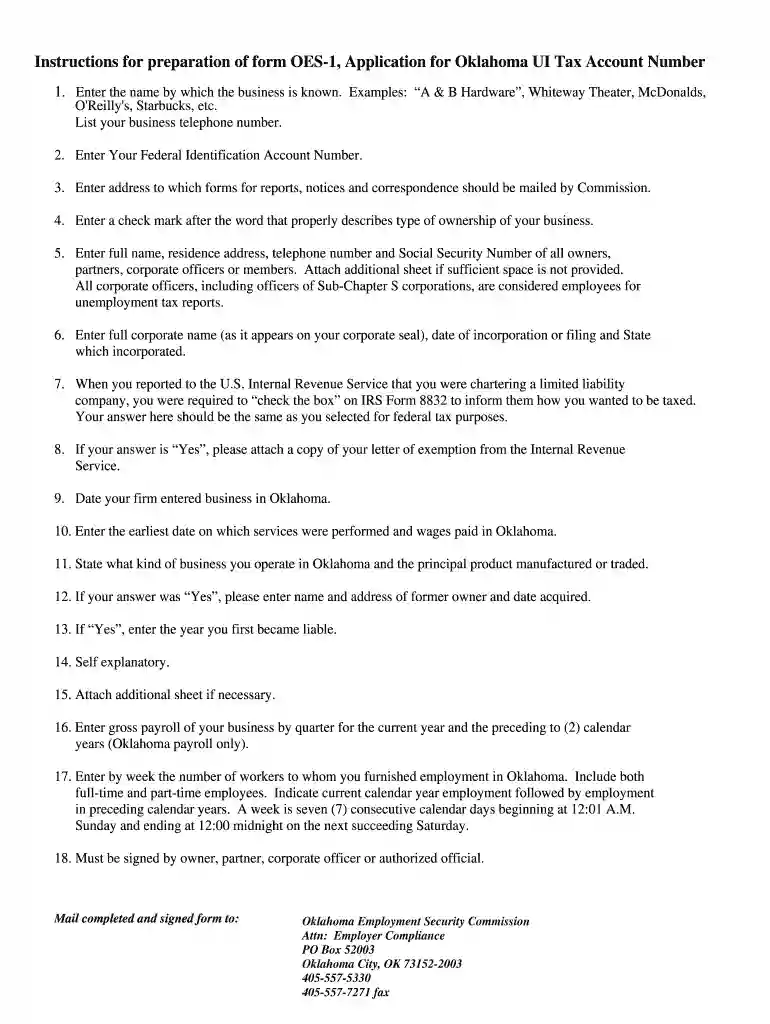
Type text, add images, blackout confidential details, add comments, highlights and more.

Draw your signature, type it, upload its image, or use your mobile device as a signature pad.

Send it via email, link, or fax. You can also download it, export it or print it out.

Start using our platform today to fill out your OES-1 form quickly and efficiently!
We've got more versions of the oes 1 form 2013 form. Select the right oes 1 form 2013 version from the list and start editing it straight away!
At DocHub, your data security is our priority. We follow HIPAA, SOC2, GDPR, and other standards, so you can work on your documents with confidence.
The Fleet section, part of Cal OES Fire and Rescue Division, manages State owned All Risk Fire Engines, Water Tenders and other Specialized fire apparatus.Read more
Apr 12, 2024 In the event of life or limb-threatening emergencies, contact 9-1-1 or seek immediate medical attention at the nearest emergency facility.Read more
SECTION 1. INTRODUCTION. 1. Section 1. Introduction. Objectives of Users Manual. The primary objective of this document is discussed and provided, that areRead more


