




01. Edit your ohio it 3 online
Type text, add images, blackout confidential details, add comments, highlights and more.

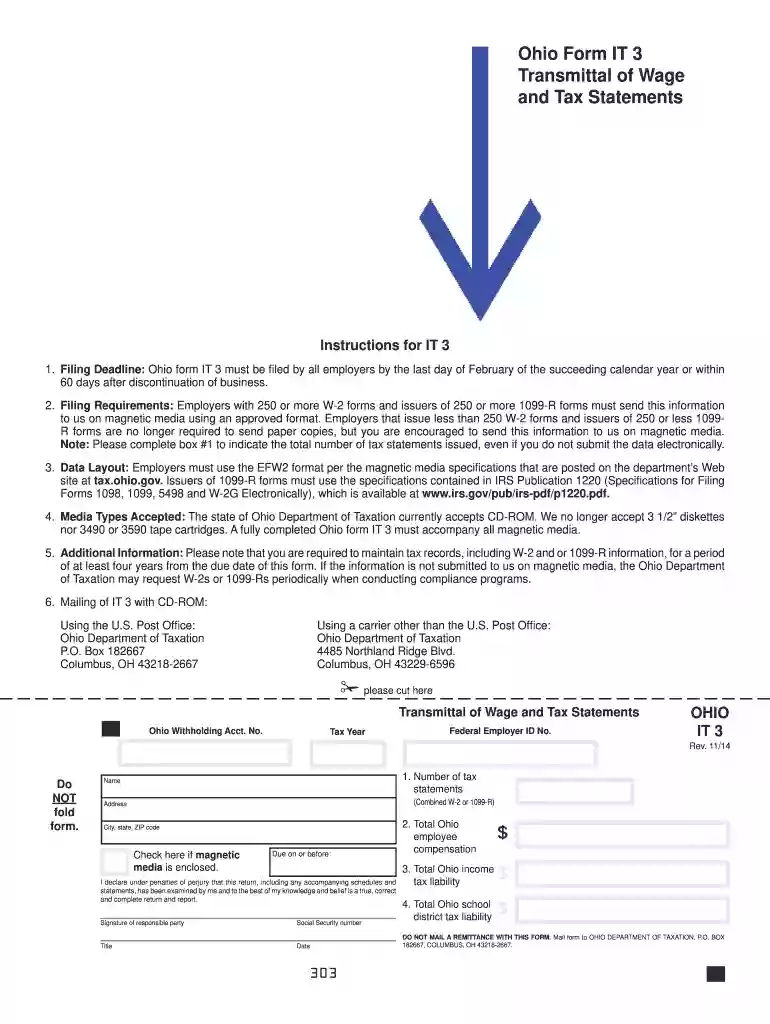
Type text, add images, blackout confidential details, add comments, highlights and more.

Draw your signature, type it, upload its image, or use your mobile device as a signature pad.

Send ohio it3 via email, link, or fax. You can also download it, export it or print it out.

Start using our platform today to easily complete your Ohio IT 3 form online for free!
We've got more versions of the ohio it 3 form. Select the right ohio it 3 version from the list and start editing it straight away!
| Versions | Form popularity | Fillable & printable |
|---|---|---|
| 2023 | 4.2 Satisfied (20 Votes) | |
| 2022 | 4.2 Satisfied (29 Votes) | |
| 2021 | 4.4 Satisfied (29 Votes) | |
| 2020 | 4.8 Satisfied (83 Votes) | |
| 2019 | 4.4 Satisfied (138 Votes) | |
| 2019 | 4.1 Satisfied (41 Votes) | |
| 2016 | 4.4 Satisfied (287 Votes) | |
| 2014 | 4.4 Satisfied (233 Votes) | |
| 2011 | 4.3 Satisfied (231 Votes) | |
| 2009 | 4.3 Satisfied (189 Votes) | |
| 2004 | 4.4 Satisfied (70 Votes) |
You need to use only trusted software solutions with strong data protection compliance to sign your paperwork electronically. DocHub is just the type of service you need! It stores data on Amazon Web Servers and complies with all required security criteria and eSignature regulations, so it’s a trustworthy way to eSign your ohio it 3 form or other paperwork using this tool.
You can quickly fill out, edit, and even eSign your ohio it3 form using DocHub. Create a new account and start your free trial. After that, you can add the file with the form and simply make all the necessary edits. No need to print on paper or use a third-party application to sign it, as you can place your electronic signature on your document quicker through DocHub.
At DocHub, your data security is our priority. We follow HIPAA, SOC2, GDPR, and other standards, so you can work on your documents with confidence.
When to File Form IT 3 and Forms IT 2, Combined W-2 or 1099R must be filed no later than February 28 or no later than 60 days after discontinuation ofRead more
Ohio it 3 must be filed by all employers by the last day of january of the succeeding calendar year or within 60 days after. The ohio department of taxationRead more
May 14, 2013 It also can recognize other information such as cash, miscellaneous charges, sales taxes, etc., and punch machine codes for the respectiveRead more


