




01. Edit your cancel fema application online
Type text, add images, blackout confidential details, add comments, highlights and more.

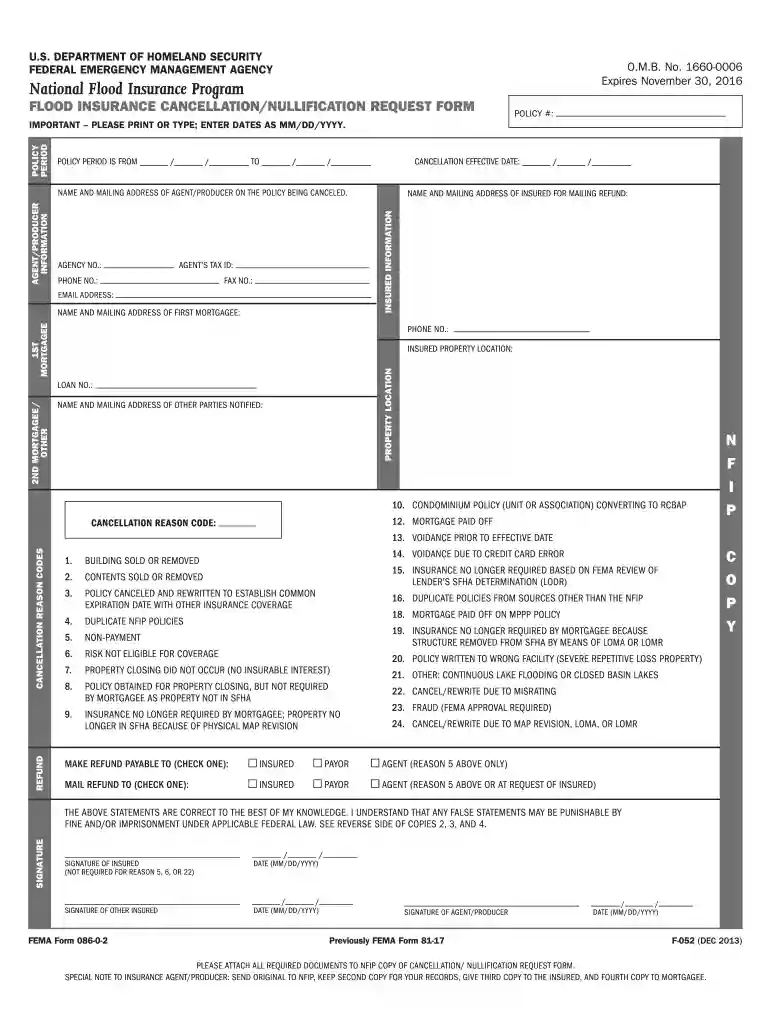
Type text, add images, blackout confidential details, add comments, highlights and more.

Draw your signature, type it, upload its image, or use your mobile device as a signature pad.

Send fema cancellation form via email, link, or fax. You can also download it, export it or print it out.

Start using our platform today to fill out your FEMA Cancellation 2013 form online for free!
We've got more versions of the cancel fema application form. Select the right cancel fema application version from the list and start editing it straight away!
At DocHub, your data security is our priority. We follow HIPAA, SOC2, GDPR, and other standards, so you can work on your documents with confidence.
All contracts in excess of $10,000 must address termination for cause and for convenience by the non-Federal entity including the manner by which it will be.Read more
FEMA Form 086-0-2. Previously FEMA Form 81-17. F-052 (DEC 2013). Page 2. O.M.B. No. 1660-0006. Expires November 30, 2016. U.S. DEPARTMENT OF HOMELAND SECURITY.Read more
Oct 5, 2018 Sec. 1. Short title; table of contents. DIVISION ASPORTS MEDICINE LICENSURE. Sec. 11. Short title. Sec. 12. Protections for covered sportsRead more


