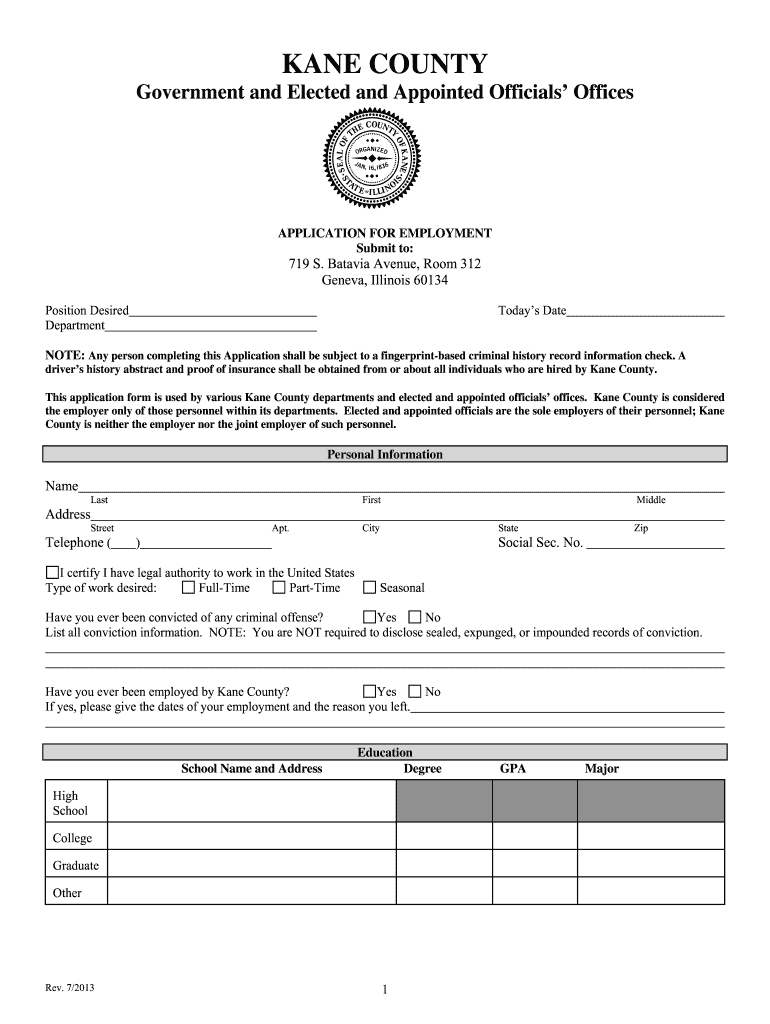
Il application employment form get 2026

Get Form
il application employment form get Preview on Page 1

Here's how it works

01. Edit your form online
Type text, add images, blackout confidential details, add comments, highlights and more.
02. Sign it in a few clicks
Draw your signature, type it, upload its image, or use your mobile device as a signature pad.
03. Share your form with others
Send it via email, link, or fax. You can also download it, export it or print it out.

How to use or fill out il application employment form get with our platform

Form edit decoration
9.5
Ease of Setup
DocHub User Ratings on G2
9.0
Ease of Use
DocHub User Ratings on G2
  1. Click ‘Get Form’ to open the il application employment form get in the editor.
  2. Begin by filling out your personal information, including your name, address, and contact details. Ensure accuracy as this information is crucial for communication.
  3. Indicate the position desired and department you are applying for. This helps streamline your application process.
  4. Complete the education section by listing your schools attended, degrees obtained, and GPA. Highlight any relevant qualifications that align with the job.
  5. In the employment history section, list your last three employers. Be sure to include dates of employment and reasons for leaving each position.
  6. Provide references in the designated section. Include their names, addresses, and relationship to you for verification purposes.
  7. Finally, read through the terms carefully before signing. Your signature confirms understanding of the conditions outlined in the application.

Start using our platform today to fill out your il application employment form get easily and efficiently!

See more il application employment form get versions

We've got more versions of the il application employment form get form. Select the right il application employment form get version from the list and start editing it straight away!
Versions Form popularity Fillable & printable
2015 4.8 Satisfied (43 Votes)
be ready to get more

Complete this form in 5 minutes or less

Get form

Got questions?

We have answers to the most popular questions from our customers. If you can't find an answer to your question, please contact us.
Contact us
Employers must give every new employee a copy of the Fair Work Information Statement (FWIS) before, or as soon as possible after, they start their new job. Employers must also give every new casual employee a copy of the Casual Employment Information Statement (CEIS) at the same time.
New hire forms: Form I-9. W-4. State new hire tax forms. New hire reporting. Offer letter. Employment agreement. Employee handbook acknowledgment. Direct deposit authorization.
How to structure an effective job application form Name of applicant. Contact information (phone and email) Social Security Number (SSN) Work eligibility. Education, including schools attended. Degrees obtained. Work experience. Specialty skills.
Employers and employees must complete their respective sections of Form I-9. The form is used to document verification of the identity and employment authorization of each new employee (both U.S. citizen and alien) hired after November 6, 1986, to work in the United States.
This is done through the distribution of proof of employment documents created by the employer on company letterhead. The documentation can be a physical printed copy or a digital copy, depending on the circumstances.

Security and compliance

At DocHub, your data security is our priority. We follow HIPAA, SOC2, GDPR, and other standards, so you can work on your documents with confidence.

Learn more
ccpa2
pci-dss
gdpr-compliance
hipaa
soc-compliance
be ready to get more

Complete this form in 5 minutes or less

Get form