01. Edit your time of payment of claims provision online
Type text, add images, blackout confidential details, add comments, highlights and more.
02. Sign it in a few clicks
Draw your signature, type it, upload its image, or use your mobile device as a signature pad.
03. Share your form with others
Send it via email, link, or fax. You can also download it, export it or print it out.
How to Use or Fill Out Payment Claim with Our Platform
Ease of Setup
DocHub User Ratings on G2
Ease of Use
DocHub User Ratings on G2
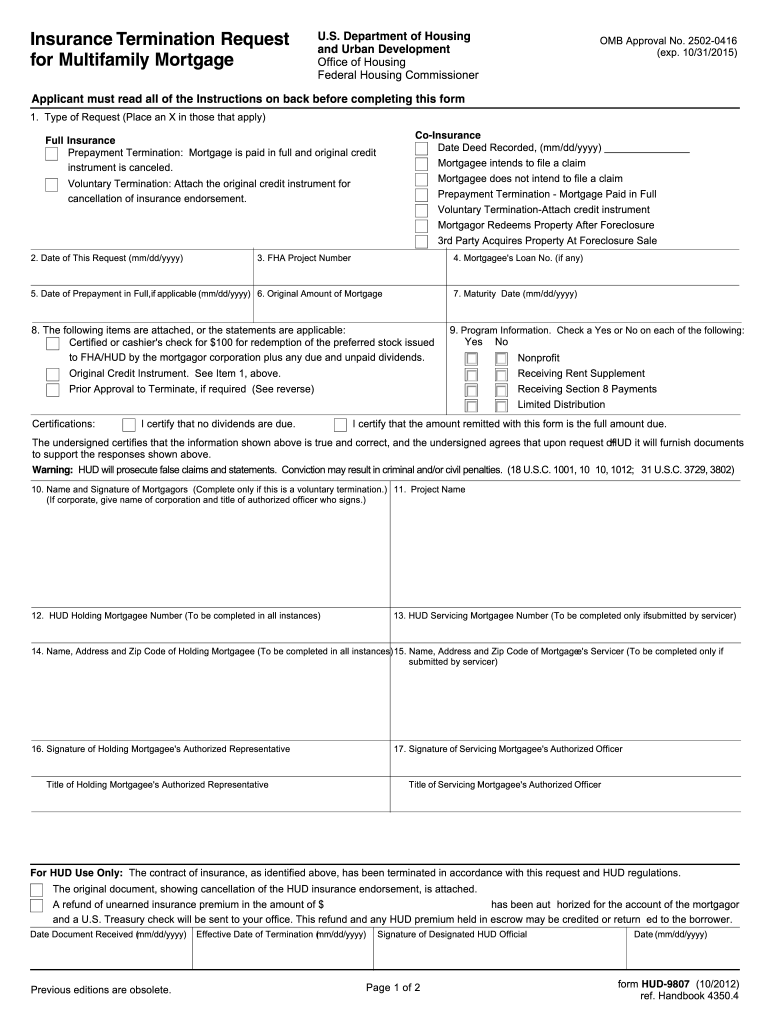
Click 'Get Form' to open the payment claim in the editor.
Begin by selecting the type of request. Place an 'X' in the appropriate boxes for Co-Insurance, Mortgagee's claim intentions, or Termination types.
Enter the date of your request and provide the FHA Project Number along with the Mortgagee's Loan Number if applicable.
Fill in the details regarding prepayment, including the original mortgage amount and maturity date. Ensure all required attachments are included.
Complete the certifications section by checking 'Yes' or 'No' for each statement and signing where indicated. This confirms that all information is accurate.
Finally, ensure that all signatures from authorized representatives are completed before submitting your form.
Start using our platform today to streamline your payment claim process for free!
You can file a wage claim online using the links below. The online claim process allows you to submit a complete and accurate claim on IDOLs website.Read more
Cookie consent notice
This site uses cookies to enhance site navigation and personalize your experience.
By using this site you agree to our use of cookies as described in our Privacy Notice.
You can modify your selections by visiting our Cookie and Advertising Notice.