Typable rita form 2026

Get Form
typable rita form Preview on Page 1

Here's how it works

01. Edit your form online
Type text, add images, blackout confidential details, add comments, highlights and more.
02. Sign it in a few clicks
Draw your signature, type it, upload its image, or use your mobile device as a signature pad.
03. Share your form with others
Send it via email, link, or fax. You can also download it, export it or print it out.

How to use or fill out typable rita form with our platform

Form edit decoration
9.5
Ease of Setup
DocHub User Ratings on G2
9.0
Ease of Use
DocHub User Ratings on G2
  1. Click ‘Get Form’ to open the typable rita form in the editor.
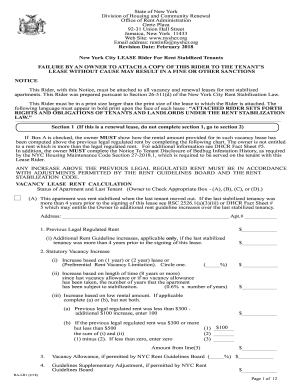
  2. Begin by entering your social security number and last name in the designated fields. If filing jointly, include your spouse’s first name and middle initial.
  3. Select your filing status by checking either 'Single' or 'Married Filing Jointly'.
  4. Fill in your home address, including street number, apartment number (if applicable), city, state, and ZIP code.
  5. In Section A, list all W-2 wages earned in 2011 along with the corresponding municipal tax withheld. Ensure to enter details accurately in each column.
  6. If you moved during the year, check the box indicating a change of address and provide details of both current and prior addresses.
  7. Review all entries for accuracy before signing at the bottom of the form. Ensure that all required fields are completed.

Start filling out your typable rita form online for free today!

be ready to get more

Complete this form in 5 minutes or less

Get form

Got questions?

We have answers to the most popular questions from our customers. If you can't find an answer to your question, please contact us.
Contact us
RITA Form 27 is used by corporations (including S corporations), estates, limited liability companies, partnerships, and trusts to report net profit (or loss) and to pay the tax due as a result of profits earned while conducting business in one or more RITA municipalities.
An Exemption form may be filed electronically or downloaded at ritaohio.com. A non-resident must file Form 37 if the non-resident conducted business in a RITA municipality or earned wages in a RITA municipality and municipal income tax was not withheld, or was not properly withheld, from those wages.
Form 27Q is a TDS Return or Statement containing details of Tax Deducted at Source (TDS) deducted on payments other than salary made to Non-Resident Indian (NRI) and foreigners.
Filling Out Form 27: Form 27 requires specific information about the device, including details about the manufacturer, the type of medical device, and the intended use. The form should be filled out carefully and accurately to avoid errors.
Get federal tax forms for current and prior years Download them from IRS.gov. Order online and have them delivered by U.S. mail. Order by phone at 1-800-TAX-FORM (1-800-829-3676)

Security and compliance

At DocHub, your data security is our priority. We follow HIPAA, SOC2, GDPR, and other standards, so you can work on your documents with confidence.

Learn more

People also ask

If you were a resident of a RITA municipality during any part of the year, you must file a return with RITA unless you are eligible to file a Declaration of Exemption. A Declaration of Exemption form may be filed electronically or downloaded at ritaohio.com.
In India, patentees and licensees have a responsibility to disclose how their patented inventions are being utilized within the country. This is achieved through Form 27, an essential document for patent compliance.
Eligibility for WTA and RITA includes, among others, transferred employees, appointments (new or political), assignments under the Government Employees Training Act, and those returning from an overseas assignment for the purpose of separation from Government service.

Related links