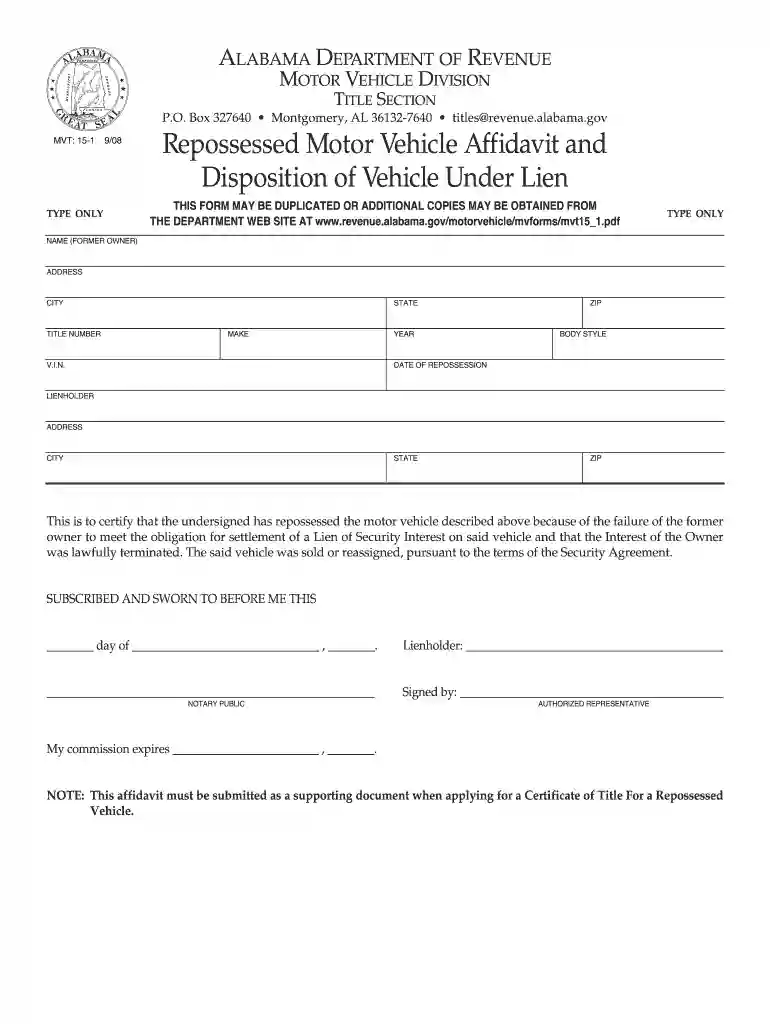
Alabama form mvt 15 1 2025

Get Form
alabama repo affidavit Preview on Page 1

Here's how it works

01. Edit your alabama repo affidavit online
Type text, add images, blackout confidential details, add comments, highlights and more.

02. Sign it in a few clicks
Draw your signature, type it, upload its image, or use your mobile device as a signature pad.

03. Share your form with others
Send mvt 15 1 via email, link, or fax. You can also download it, export it or print it out.

How to modify Alabama form mvt 15 1 online

Form edit decoration
9.5
Ease of Setup
DocHub User Ratings on G2
9.0
Ease of Use
DocHub User Ratings on G2

With DocHub, making changes to your documentation takes just a few simple clicks. Follow these fast steps to modify the PDF Alabama form mvt 15 1 online free of charge:

  1. Sign up and log in to your account. Log in to the editor using your credentials or click on Create free account to test the tool’s capabilities.
  2. Add the Alabama form mvt 15 1 for redacting. Click the New Document option above, then drag and drop the document to the upload area, import it from the cloud, or using a link.
  3. Modify your file. Make any changes required: add text and photos to your Alabama form mvt 15 1, highlight important details, remove sections of content and replace them with new ones, and insert symbols, checkmarks, and areas for filling out.
  4. Complete redacting the template. Save the updated document on your device, export it to the cloud, print it right from the editor, or share it with all the parties involved.

Our editor is super easy to use and efficient. Try it now!

See more alabama form mvt 15 1 versions

We've got more versions of the alabama form mvt 15 1 form. Select the right alabama form mvt 15 1 version from the list and start editing it straight away!
Versions Form popularity Fillable & printable
2020 4.6 Satisfied (31 Votes)
2018 4.8 Satisfied (30 Votes)
2012 4.2 Satisfied (34 Votes)
2008 4 Satisfied (57 Votes)
1999 3.9 Satisfied (28 Votes)
be ready to get more

Complete this form in 5 minutes or less

Get form

Got questions?

We have answers to the most popular questions from our customers. If you can't find an answer to your question, please contact us.
Contact us

eSignatures are a perfect replacement for traditional signing, as they save time, effort, and money people spend on printing, scanning, and paper delivery. You can eSign your alabama form mvt 15 1 using a trustworthy and powerful online document management tool like DocHub. It complies with primary eSignature regulations (ESIGN and UETA), so all documents approved there are legally binding and have the same validity as manually signed ones.

When you edit your alabama form mvt 15 1 with DocHub, you simply will not need to look for other software or solutions to eSign it. An electronic signature is part of DocHub’s extensive editing toolset, which allows you to implement changes in your form without jumping between platforms. Just complete your form, double-check the correctness of your information and put your electronic signature at the end to make it submission-ready in minutes.

An application for replacement title can be submitted directly to the Alabama Department of Revenue by the recorded owner(s) or lienholder. The application fee is $15.00, non-refundable. In addition, an application for replacement title can be processed by any designated agent.
If the taxes on a vehicle are delinquent and it has been in the possession of an Alabama Automobile Dealer, then the Dealer should provide the purchaser with a Dealer Affidavit indicating the date they took the vehicle into their inventory.
An application for replacement title can be submitted directly to the Alabama Department of Revenue by the recorded owner(s) or lienholder. The application fee is $15.00, non-refundable. In addition, an application for replacement title can be processed by any designated agent.
be ready to get more

Complete this form in 5 minutes or less

Get form

People also ask

What You'll Do to Register your Vehicle in Alabama Step 1: Visit your county license plate issuing office. Step 2: Submit your documentation. Step 3: Pay an auto title transfer fee. Step 4: Submit your car for vehicle identification number inspection, if necessary. Step 5: Proceed to vehicle registration.
How long does it take to get a replacement title in Alabama? After completing the application, you can expect to receive your duplicate title in the mail within 7 to 14 business days.
Alabama residents who purchase a vehicle from a dealership or private party have 20 days after they take ownership of the vehicle to register it.
The titled owner(s) or recorded lienholder can apply for a replacement title online by using the Public Title Portal. Once the title application is complete, it can be electronically uploaded and submitted for payment. The application fee is $15.00 and is non-refundable.
In order to register a Newly Purchased Vehicle, you will need: Title or Manufacturer's Statement (Certificate) of Origin or Alabama Title Application. Bill of Sale. Unexpired Driver License or Non-Driver ID (for all owners)

Related links