



Here's how it works



How to use or fill out generic credit application with our platform

- Click ‘Get Form’ to open the generic credit application in the editor.
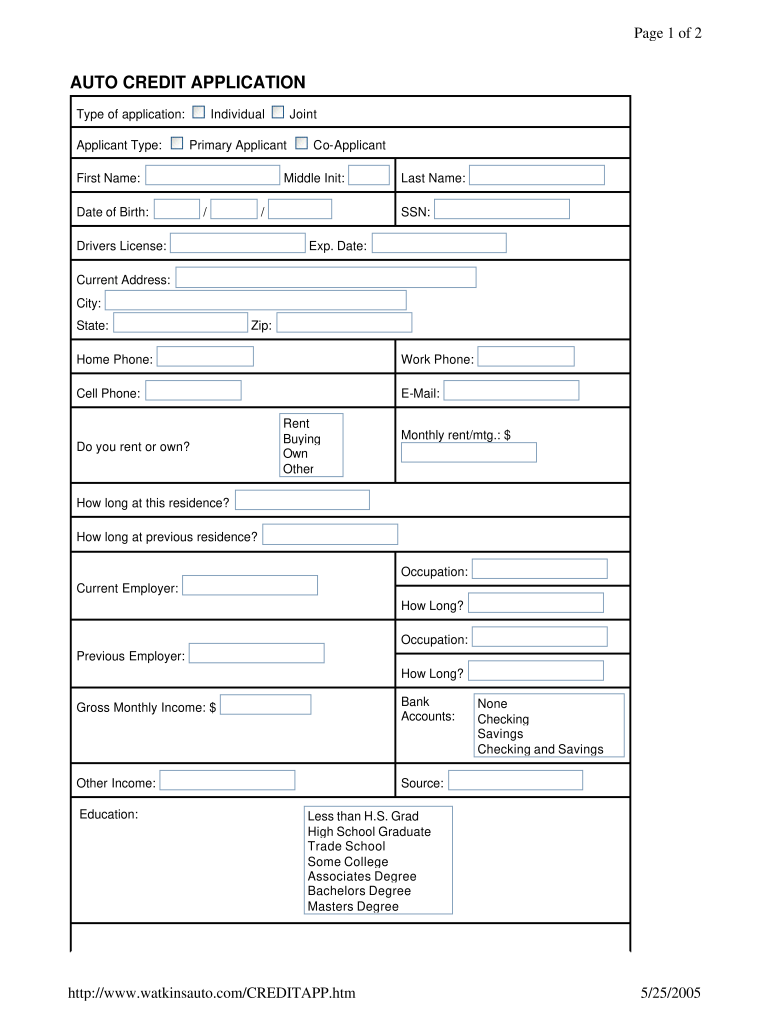
- Begin by selecting the type of application: Individual, Joint, or Primary Applicant. Fill in your First Name, Middle Initial, Last Name, and Date of Birth.
- Provide your Drivers License number and SSN. Next, enter your Current Address along with City, State, and Zip Code.
- Input your Home Phone, Work Phone, and Cell Phone numbers. Include your E-Mail address for communication purposes.
- Indicate whether you rent or own your residence. If renting or buying, specify the Monthly rent/mortgage amount and how long you have lived at your current and previous residences.
- Fill in your Occupation and Current Employer details along with duration of employment. Repeat for Previous Employer if applicable.
- Enter your Gross Monthly Income and any Other Income sources. Specify if you have Bank Accounts (Checking/Savings).
- Select your highest level of Education from the provided options.
- Answer questions regarding bankruptcy history and repossession of merchandise.
- Review the Statement of Consent section carefully before signing to certify that all information is correct.
Start filling out your credit application online for free today!
It's free
See more generic credit application versions
| Versions | Form popularity | Fillable & printable |
|---|---|---|
| 2005 | 4.9 Satisfied (472 Votes) |
Got questions?
How do I sign my rent paying without printing?
Electronic signatures are a perfect replacement for traditional signing, as they save time, effort, and costs people spend on printing, scanning, and paper delivery. You can electronically sign your rent paying using a reliable and robust online document management tool like DocHub. It complies with primary eSignature policies (ESIGN and UETA), so all forms approved there are legally binding and have the same validity as manually signed ones.
How do you complete generic credit application on Android?
It is a no-brainer on a computer or via a mobile phone to fill out a generic credit application with DocHub. All you need to do is open any installed internet browser on your smartphone and proceed to the DocHub site. Once authenticated, add your document and open it in editing mode. Use our toolbar to make your edits and save changes. Optionally, keep your file in your files or send it to a recipient on the spot.
How do you fill out a credit application?
What is a personal credit definition?
What are the importance of a credit application?
Security and compliance
At DocHub, your data security is our priority. We follow HIPAA, SOC2, GDPR, and other standards, so you can work on your documents with confidence.
Learn more