Patient registration form - New York Doctors Urgent Care 2026

Get Form
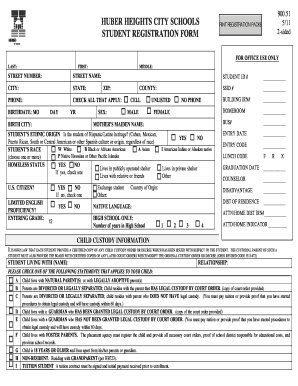
registrationformnew Preview on Page 1

Here's how it works

01. Edit your registrationformnew online
Type text, add images, blackout confidential details, add comments, highlights and more.
02. Sign it in a few clicks
Draw your signature, type it, upload its image, or use your mobile device as a signature pad.
03. Share your form with others
Send it via email, link, or fax. You can also download it, export it or print it out.

How to use or fill out patient registration form - New York Doctors Urgent Care

Form edit decoration
9.5
Ease of Setup
DocHub User Ratings on G2
9.0
Ease of Use
DocHub User Ratings on G2
  1. Click ‘Get Form’ to open it in the editor.
  2. Begin by filling out the 'Reason for today’s visit' section. Clearly state your reason to ensure proper care.
  3. Indicate if your visit is due to a Motor Vehicle Accident or Job Injury by checking the appropriate box.
  4. Enter your personal details, including your name, date of birth, sex, and Social Security Number. Ensure accuracy for identification purposes.
  5. Provide your current address and contact information. Select your preferred method of contact for convenience.
  6. Fill in insurance details accurately, including primary and secondary insurance information, if applicable.
  7. Review the authorization and release sections carefully before signing. This ensures you understand consent for treatment and information sharing.

Start using our platform today to complete your patient registration form quickly and efficiently!

See more patient registration form - New York Doctors Urgent Care versions

We've got more versions of the patient registration form - New York Doctors Urgent Care form. Select the right patient registration form - New York Doctors Urgent Care version from the list and start editing it straight away!
Versions Form popularity Fillable & printable
2017 4.1 Satisfied (42 Votes)
be ready to get more

Complete this form in 5 minutes or less

Get form

Got questions?

We have answers to the most popular questions from our customers. If you can't find an answer to your question, please contact us.
Contact us

eSignatures are a great replacement for traditional signing, as they save time, effort, and costs people spend on printing, scanning, and paper delivery. You can electronically sign your patient registration form - New York Doctors Urgent Care utilizing a reliable and robust online document processing tool like DocHub. It complies with primary eSignature regulations (ESIGN and UETA), so all forms approved there are legally binding and have the same validity as physically signed ones.

You can easily complete, edit, and even eSign your patient registration form - New York Doctors Urgent Care utilizing DocHub. Create a new account and begin your free trial. After that, you can upload the document with the form and easily make all the needed edits. No need to print on paper or use a third-party application to sign it, as you can place your electronic signature on your document faster through DocHub.

Patient information is a fundamental part of our working lives as doctors and is integral to the doctor-patient relationship. As doctors, having fingertip keyboard access to patient resources that allows us to efficiently provide them to the patients we care for would be transformative for both patients and doctors.
Patient registration software programs shorten the time it takes for you to register a patient once he or she arrives at the office. Instead of asking your front desk staff to do everything by hand, this software solution can take care of a lot of the paperwork for you.
By collecting patient intake materials ahead of the appointment, pre-registration helps organizations create a higher quality consumer experience and increased patient satisfaction. The patient registration process is instrumental for giving a good first impression of a healthcare organization.

Security and compliance

At DocHub, your data security is our priority. We follow HIPAA, SOC2, GDPR, and other standards, so you can work on your documents with confidence.

Learn more
ccpa2
pci-dss
gdpr-compliance
hipaa
soc-compliance
be ready to get more

Complete this form in 5 minutes or less

Get form

People also ask

A patient information form is used by medical practices to collect information from patients. Use this free Patient Information Form template to collect patients' contact information, insurance details, and any other information you need!
Collection of patient demographic information, including personal and contact information. Patient referral or appointment scheduling. Collection of patient health history. Checking of health payer coverage.
Complete and accurate patient registration is crucial to a medical practice's bottom line. Because circumstances and policies change often, staff should confirm and update patient demographics and insurance information at each visit.
Accuracy can speed the revenue cycle through fewer denials and rejected claims, as well as fewer returned statements. Accurate billing starts with accurate information, making patient registration vital to the overall success of the claims process.
Ask for recommendations from people you know. Ask friends, family members, neighbors, or coworkers if they have a doctor they like. If you're looking for a new doctor because yours is retiring or moving, ask your current doctor for a recommendation.

Related links