




Here's how it works

01. Edit your deferred payout online
Type text, add images, blackout confidential details, add comments, highlights and more.

02. Sign it in a few clicks
Draw your signature, type it, upload its image, or use your mobile device as a signature pad.

03. Share your form with others
Send 1099 return via email, link, or fax. You can also download it, export it or print it out.
How to use or fill out Method to Obtain a Distribution: Please contact Fidelity to determine if you may request a distribution by telephone or by a standard with our platform

- Click ‘Get Form’ to open it in the editor.
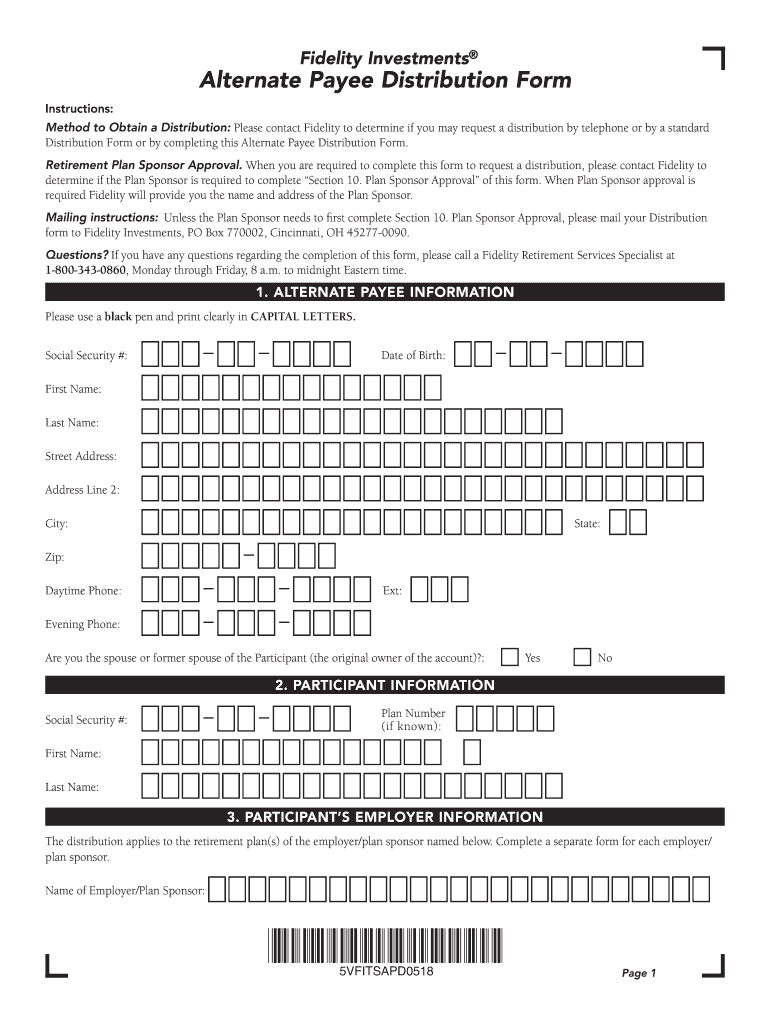
- Begin by filling out the 'Alternate Payee Information' section. Use a black pen and print clearly in capital letters. Provide your Social Security number, date of birth, name, address, and phone numbers.
- Next, complete the 'Participant Information' section with the participant's Social Security number and plan number if known.
- In the 'Participant’s Employer Information' section, enter the name of the employer or plan sponsor associated with your retirement plan.
- Select the reason for your distribution in Section 4. Ensure you understand any restrictions that may apply based on your selection.
- Choose your distribution options in Section 5. Make sure to select only one option that suits your needs.
- Indicate how you would like to receive payments in Section 7. Choose from options such as check or electronic funds transfer.
- Complete Section 8 regarding income tax withholding based on your status as an alternate payee.
- Sign and date the form in Section 9, certifying that all information is accurate.
- If required, ensure that Section 10 is completed for plan sponsor approval before mailing your form to Fidelity Investments at the provided address.
Start using our platform today for free to streamline your document editing and submission process!
Fill out Method to Obtain a Distribution: Please contact Fidelity to determine if you may request a distribution by telephone or by a standard online
It's free
It's free
Security and compliance
At DocHub, your data security is our priority. We follow HIPAA, SOC2, GDPR, and other standards, so you can work on your documents with confidence.
Learn more


