




Here's how it works

01. Edit your form online
Type text, add images, blackout confidential details, add comments, highlights and more.

02. Sign it in a few clicks
Draw your signature, type it, upload its image, or use your mobile device as a signature pad.

03. Share your form with others
Send it via email, link, or fax. You can also download it, export it or print it out.
How to use or fill out mva cs with our platform

- Click ‘Get Form’ to open the mva cs document in the editor.
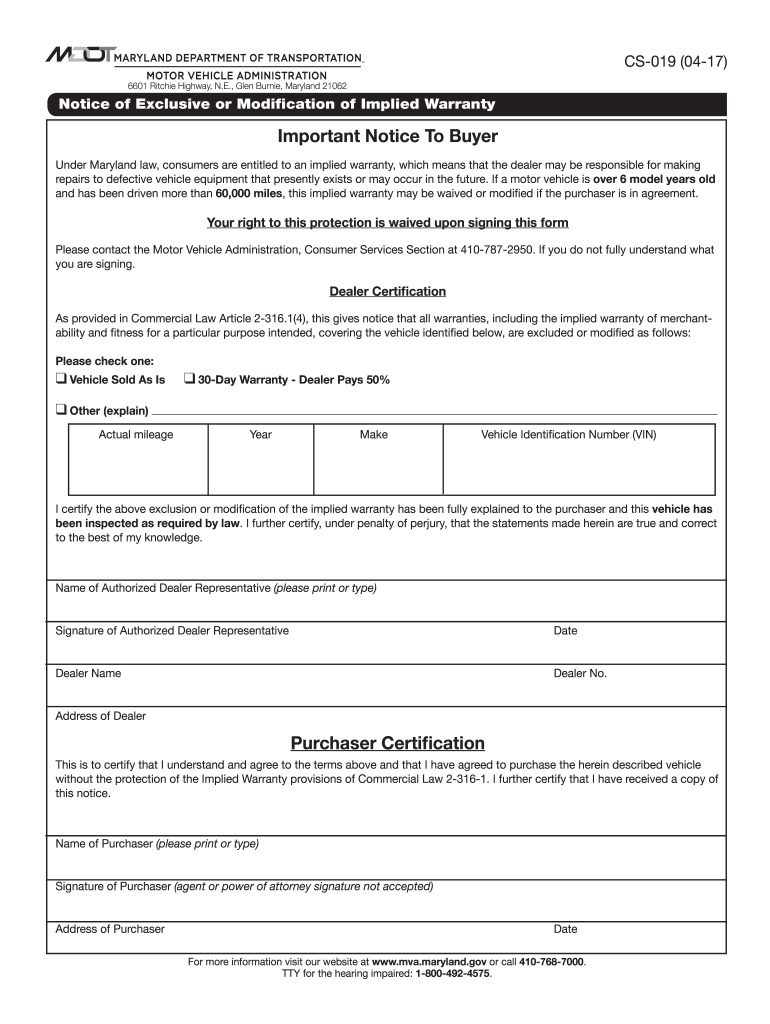
- Begin by reviewing the Important Notice To Buyer section. This outlines your rights under Maryland law regarding implied warranties.
- In the Dealer Certification section, select one of the options: 'Vehicle Sold As Is', '30-Day Warranty - Dealer Pays 50%', or 'Other'. If you choose 'Other', provide a brief explanation in the space provided.
- Fill in the vehicle details including Actual Mileage, Year, Make, and Vehicle Identification Number (VIN). Ensure accuracy as this information is crucial.
- The Authorized Dealer Representative must print their name, sign, and date the form. This certifies that they have explained the warranty modifications to you.
- As the purchaser, print your name, sign, and date in the Purchaser Certification section. Remember that agent signatures are not accepted here.
Start using our platform today for free to streamline your form completion process!
Fill out mva cs online
It's free
It's free
Security and compliance
At DocHub, your data security is our priority. We follow HIPAA, SOC2, GDPR, and other standards, so you can work on your documents with confidence.
Learn more


