Type text, add images, blackout confidential details, add comments, highlights and more.
02. Sign it in a few clicks
Draw your signature, type it, upload its image, or use your mobile device as a signature pad.
03. Share your form with others
Send it via email, link, or fax. You can also download it, export it or print it out.
How to use or fill out tn affidavit transfer with our platform
Ease of Setup
DocHub User Ratings on G2
Ease of Use
DocHub User Ratings on G2
Click ‘Get Form’ to open the tn affidavit transfer in the editor.
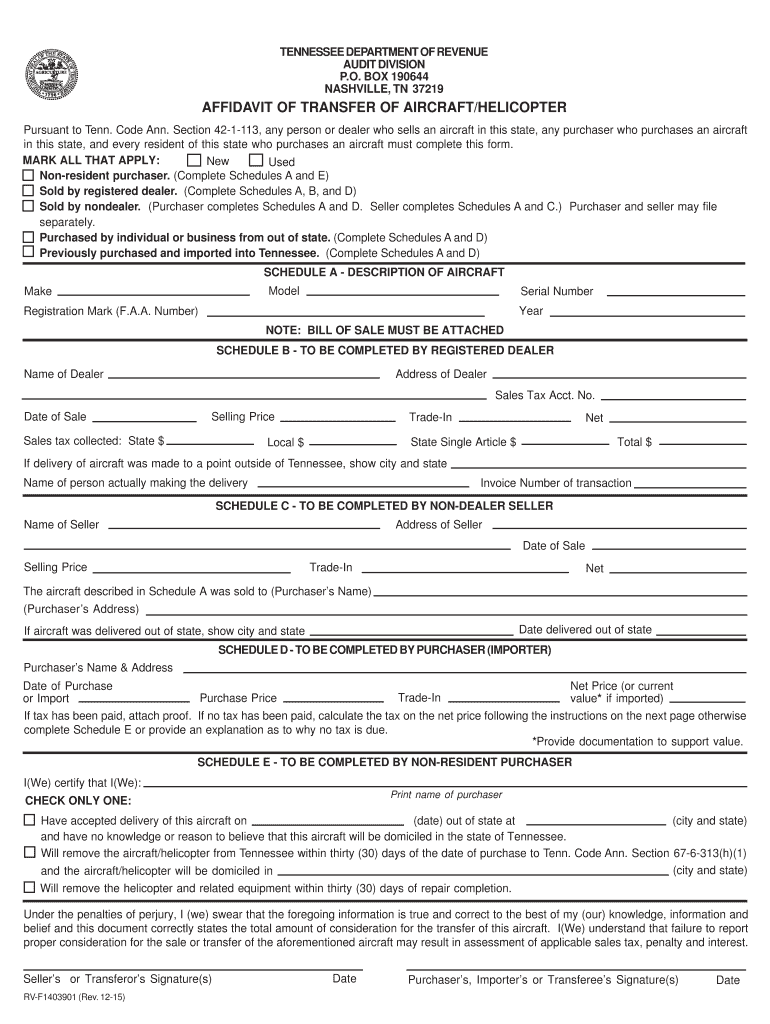
Begin by marking all applicable options at the top of the form, such as 'New', 'Used', or if it was sold by a registered dealer. This helps categorize your transaction correctly.
In Schedule A, provide detailed information about the aircraft including Model, Make, Serial Number, Year, and Registration Mark. Ensure you attach a Bill of Sale as required.
If applicable, complete Schedule B for registered dealers or Schedule C for non-dealer sellers. Include details like Name, Address, Date of Sale, Selling Price, and any trade-in values.
For purchasers completing Schedule D, fill in your name and address along with the Date of Purchase and Net Price. If tax has been paid, attach proof; otherwise calculate tax as instructed.
Finally, ensure that all signatures are provided in the designated areas on the form to validate your affidavit.
Start using our platform today to streamline your tn affidavit transfer process for free!
We've got more versions of the tn affidavit transfer form. Select the right tn affidavit transfer version from the list and start editing it straight away!
Tn affidavit transfer pdfTn affidavit transfer formTN Affidavit of non dealer transferGift affidavit for Car tnTennessee affidavit formAffidavit of non dealer Transfers of Motor Vehicles and BoatsComplete the Affidavit of non dealer TransfersTn gift affidavit form
Security and compliance
At DocHub, your data security is our priority. We follow HIPAA, SOC2, GDPR, and other standards, so you can work on your documents with confidence.
The Affidavit of Inheritance must fully describe the motor vehicle, the date of the death of the deceased and indicate that the deceased left no will and thatRead more
RTI First Appeal Second Appeal Complete 2026 Guide
8 days ago AFFIDAVIT OF CONDONATION OF DELAY (Under proviso to Section 19(3) of the Right to Information Act, 2005) I, [Name], son/daughter of [FathersRead more
Cookie consent notice
This site uses cookies to enhance site navigation and personalize your experience.
By using this site you agree to our use of cookies as described in our Privacy Notice.
You can modify your selections by visiting our Cookie and Advertising Notice.