Type text, add images, blackout confidential details, add comments, highlights and more.
02. Sign it in a few clicks
Draw your signature, type it, upload its image, or use your mobile device as a signature pad.
03. Share your form with others
Send it via email, link, or fax. You can also download it, export it or print it out.
How to use or fill out ftb pub 1001 2016 form with DocHub
Ease of Setup
DocHub User Ratings on G2
Ease of Use
DocHub User Ratings on G2
Click ‘Get Form’ to open the ftb pub 1001 2016 form in our editor.
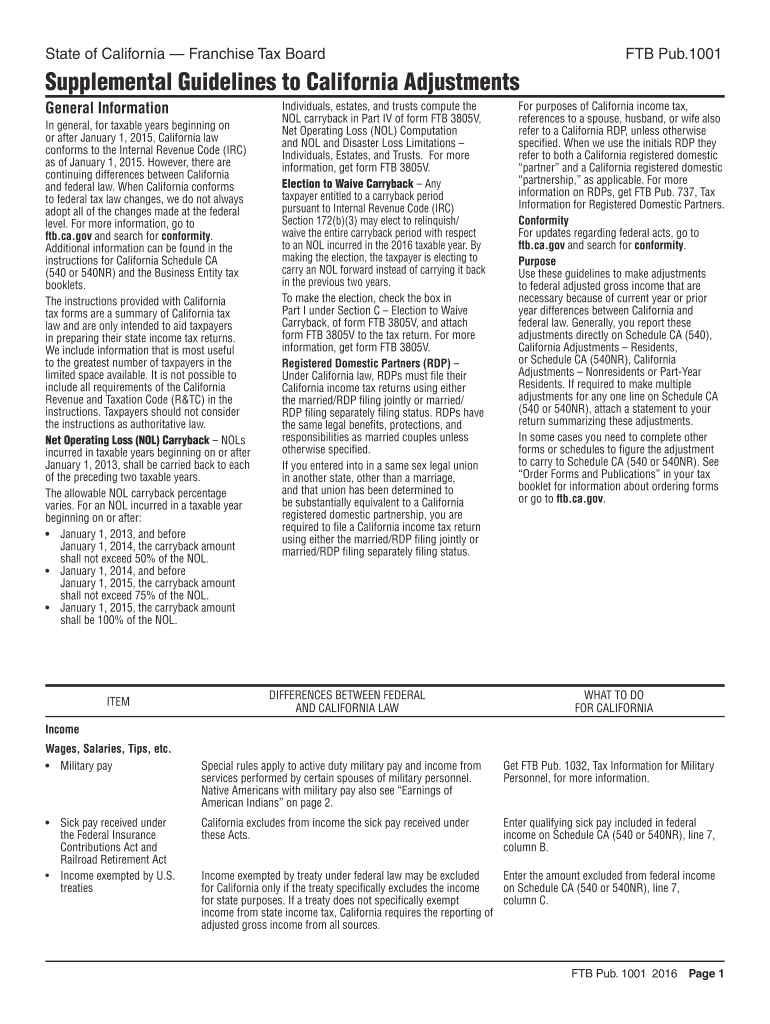
Begin by reviewing the General Information section, which outlines key differences between California and federal tax laws. This will help you understand what adjustments may be necessary.
Proceed to Part IV of the form where you will compute any Net Operating Loss (NOL) carryback. Ensure you have the relevant figures from your previous tax returns.
Fill out the sections regarding income adjustments, such as wages, salaries, and specific exclusions applicable under California law. Use our platform's text fields to enter amounts directly.
Review any special rules that apply to military pay or other specific income types listed in the document. Make sure to check for any additional forms needed for these adjustments.
Once all sections are completed, utilize our platform’s features to save, sign, and distribute your filled-out form efficiently.
Start using our platform today for free and streamline your form completion process!
We've got more versions of the ftb pub 1001 2016 form form. Select the right ftb pub 1001 2016 form version from the list and start editing it straight away!
Nov 8, 2022 FTB Legal Ruling 2022-01, issued on March 25, 2022, addresses the application of Californias market-based sourcing rules to certain servicesRead more
2016 FTB Pub. 1001 Supplemental Guidelines to California
Supplemental Guidelines to California Adjustments. General Information. In general, for taxable years beginning on or after January 1, 2015, California law.Read more
Cookie consent notice
This site uses cookies to enhance site navigation and personalize your experience.
By using this site you agree to our use of cookies as described in our Privacy Notice.
You can modify your selections by visiting our Cookie and Advertising Notice.