Type text, add images, blackout confidential details, add comments, highlights and more.
02. Sign it in a few clicks
Draw your signature, type it, upload its image, or use your mobile device as a signature pad.
03. Share your form with others
Send it via email, link, or fax. You can also download it, export it or print it out.
How to use or fill out staff performance appraisal with our platform
Ease of Setup
DocHub User Ratings on G2
Ease of Use
DocHub User Ratings on G2
Click ‘Get Form’ to open the staff performance appraisal in the editor.
Begin by filling in your name and department at the top of the form. This personalizes the appraisal and ensures it is correctly attributed.
In the 'Performance Planning and Progress Evaluation' section, rate each work factor area based on the employee's performance over the past 90 days. Use the provided rating scale for guidance.
For each category such as Dependability, Adaptability, and Quality of Work, select a rating that best reflects the employee's performance. Be sure to provide specific examples where possible.
Complete the 'Overall Appraisal' section by indicating how well the employee meets job requirements. Add any explanations or comments in the designated areas.
Encourage feedback from the staff member by having them fill out their comments regarding their performance and development needs.
Finally, ensure both you and the employee sign and date the evaluation to confirm that it has been discussed.
Start using our platform today to streamline your staff performance appraisals for free!
Fill out staff performance appraisal online It's free
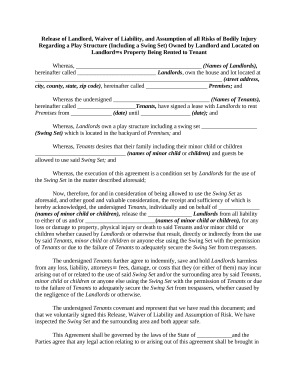
Release of Landlord, Waiver of Liability, and Assumption of all Risks of Personal Bodily Injury Regarding a Play Structure - including a Swing Set - Owned by Landlord and Located on Landlord's Property Being Rented to Tenant
Release of Landlord, Waiver of Liability, and Assumption of all Risks of Personal Bodily Injury Regarding a Play Structure - including a Swing Set - Owned by Landlord and Located on Landlord's Property Being Rented to Tenant
This document is a Release of Liability and Waiver Agreement between landlords and tenants regarding the use of a play s ...
Staff Performance Appraisal Guide - Human Resources
This guide is designed for managers and employees and provides general information and best practices for giving and receiving annual performance appraisals.Read more
OPM Consultants evaluate performance plans against criteria specified in the PAAT and indicate a rating of met/not met for each requirement. For items rated Read more
Employee Evaluation: Regularly assessing employee performance through reviews and feedback mechanisms to ensure individual objectives align with business goals.Read more
Cookie consent notice
This site uses cookies to enhance site navigation and personalize your experience.
By using this site you agree to our use of cookies as described in our Privacy Notice.
You can modify your selections by visiting our Cookie and Advertising Notice.