




Here's how it works



How to use or fill out 23) Claim Form Motor Accident.indd - Bryte with our platform

- Click ‘Get Form’ to open the Claim Form Motor Accident in the editor.
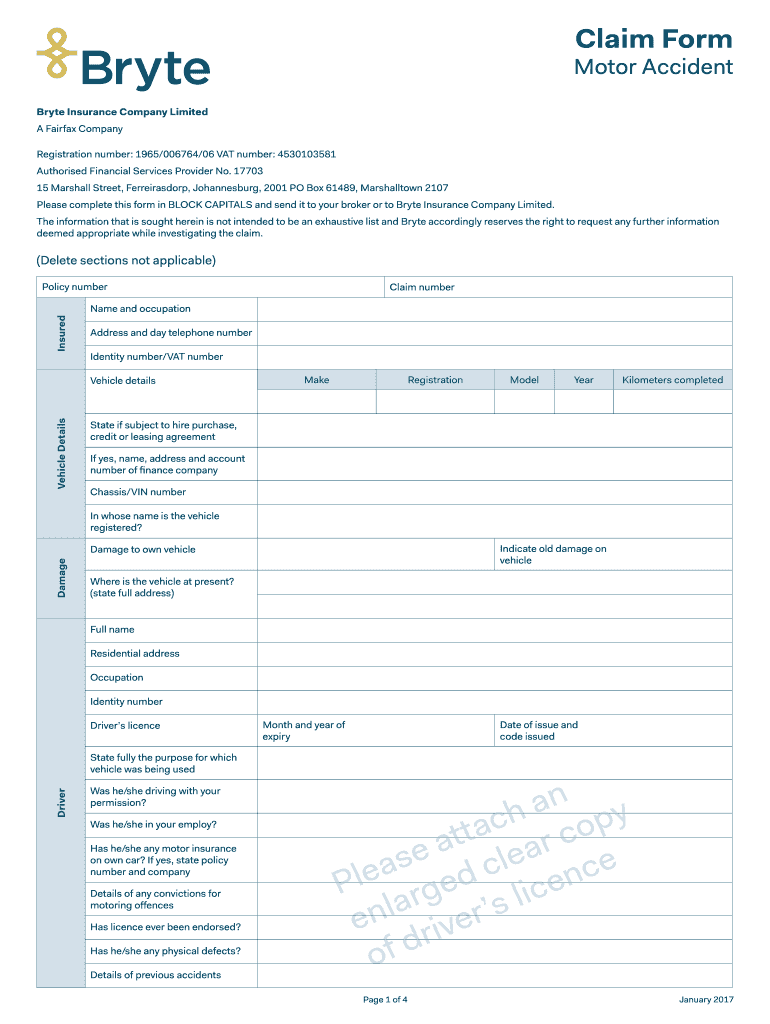
- Begin by filling in your Policy number and Claim number at the top of the form. Ensure that all entries are in BLOCK CAPITALS for clarity.
- Provide your personal details, including your name, occupation, address, and contact number. Include your Identity number or VAT number as required.
- In the Vehicle Details section, enter information about your vehicle such as Make, Model, Year, and Registration. If applicable, indicate if the vehicle is under a hire purchase or leasing agreement.
- Complete the Driver section with details about the driver at the time of the accident. This includes their identity information and whether they had permission to drive your vehicle.
- Fill out sections regarding passengers in the insured vehicle and any other vehicles involved in the accident. Provide names and details of injuries where applicable.
- Describe the accident thoroughly in the designated area. Include weather conditions, visibility, and any police details if applicable.
- Finally, review all entered information for accuracy before signing and submitting your claim form through our platform.
Start using our platform today to fill out your Claim Form Motor Accident easily and for free!
It's free
See more 23) Claim Form Motor Accident.indd - Bryte versions
Got questions?
Can I sign my 23) Claim Form Motor Accident.indd - Bryte electronically?
As outlined by eSignature regulations, forms signed digitally have the same validity as traditionally approved ones. You can electronically sign almost any business and personal paperwork. Four types of documents still require handwritten signatures only - wills and testamentary trusts, court orders and other court papers, state statutes governing divorce, adoption, or other family law, and notice of cancellation of utility services. If you follow the regulations and use a reliable and compliant software solution, like DocHub, you can eSign your 23) Claim Form Motor Accident.indd - Bryte without printing it.
Do I need to set up software to modify my 23) Claim Form Motor Accident.indd - Bryte?
When you edit your 23) Claim Form Motor Accident.indd - Bryte with DocHub, you only need a stable internet connection and virtually any browser installed on your device. No need to set up any third-party applications or study tutorials. Simply open a tab with DocHub, drag and drop your file, and edit it immediately.
Security and compliance
At DocHub, your data security is our priority. We follow HIPAA, SOC2, GDPR, and other standards, so you can work on your documents with confidence.
Learn more


