payment stub Preview on Page 1

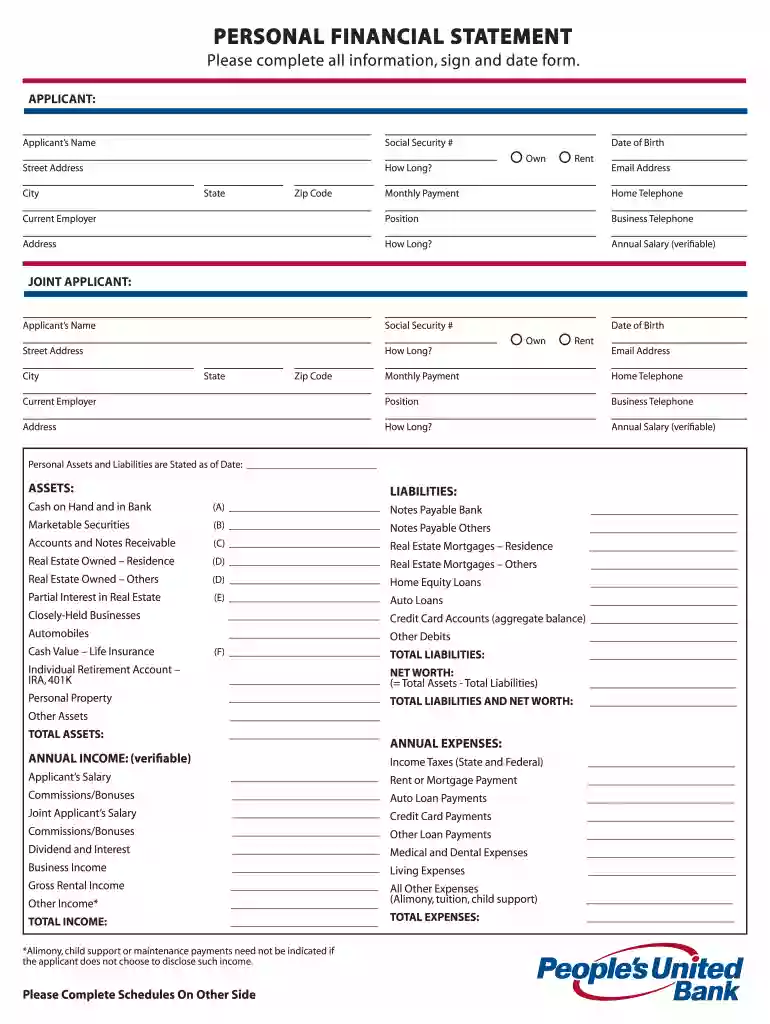
United community bank personao financial stmt 2026

Here's how it works

  • 01. Edit your payment stub online

    Type text, add images, blackout confidential details, add comments, highlights and more.

  • 02. Sign it in a few clicks

    Draw your signature, type it, upload its image, or use your mobile device as a signature pad.

  • 03. Share your form with others

    Send date pay via email, link, or fax. You can also download it, export it or print it out.

How to use or fill out united community bank personal financial stmt with our platform

Form edit decoration
9.5
Ease of Setup
DocHub User Ratings on G2
9.0
Ease of Use
DocHub User Ratings on G2
  1. Click ‘Get Form’ to open the united community bank personal financial statement in the editor.
  2. Begin by entering the applicant's name, Social Security number, and date of birth in the designated fields. Ensure accuracy as this information is crucial for identification.
  3. Indicate whether you own or rent your residence by selecting the appropriate option. Fill in your street address, how long you've lived there, and your email address.
  4. Provide details about your current employer, including position and business telephone number. Also, include your annual salary which must be verifiable.
  5. For assets and liabilities, list all relevant items under each category. Be thorough; for example, include cash on hand, marketable securities, real estate owned, and any loans or debts.
  6. Complete the income and expenses section by detailing all sources of income and monthly expenses. This includes salaries, bonuses, taxes, mortgage payments, and other debts.
  7. Finally, review all entered information for accuracy before signing and dating the form at the bottom. This ensures that all provided data is correct and complete.

Start filling out your united community bank personal financial statement online for free today!

See more payment stub versions

We've got more versions of the payment stub form. Select the right payment stub version from the list and start editing it straight away!

VersionsForm popularityFillable & printable
20114.9 Satisfied (495 Votes)

be ready to get more

Complete this form in 5 minutes or less

Security and compliance

At DocHub, your data security is our priority. We follow HIPAA, SOC2, GDPR, and other standards, so you can work on your documents with confidence.

applicant employment

FINANCIAL STATEMENTS REPORTS OF THE EXTERNAL

The primary purpose of the actuarial valuation is to determine whether the current and estimated future assets of the Pension Fund will be sufficient to meetRead more

Learn more
United Community Bank

UCB offers electronic statements (E-Statements) for your personal and business deposit statement accounts. E-Statements are available in the Online BankingRead more

Learn more
United Community Bank - BankFind Suite - API Documentation

United Community Bank. Personal Account Access. Create and save your customized content for future use or with other BankFind Suite functionality.Read more

Learn more
If you believe that this page should be taken down, please follow our DMCA take down process here