




Here's how it works

01. Edit your usps postage meter regulations online
Type text, add images, blackout confidential details, add comments, highlights and more.

02. Sign it in a few clicks
Draw your signature, type it, upload its image, or use your mobile device as a signature pad.

03. Share your form with others
Send it via email, link, or fax. You can also download it, export it or print it out.
How to use or fill out US POSTAL REGULATIONS with our platform

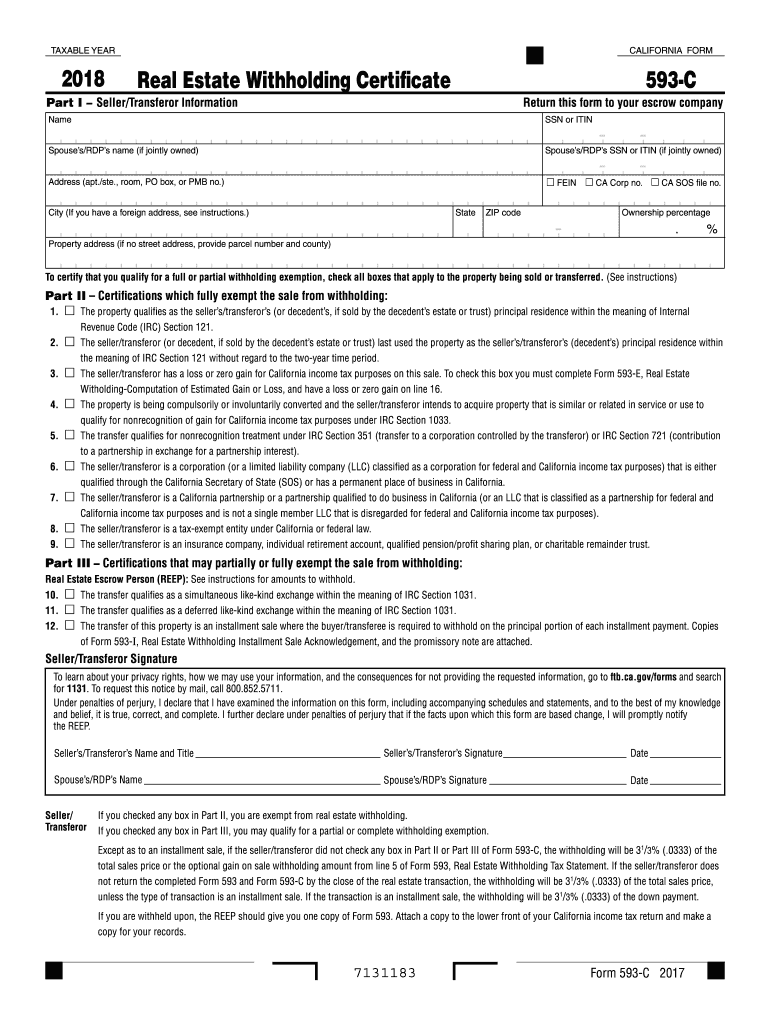
- Click ‘Get Form’ to open the US POSTAL REGULATIONS document in the editor.
- Begin by filling out Part I, which requires Seller/Transferor Information. Enter your name, SSN or ITIN, and if applicable, your spouse’s/RDP’s details.
- Provide your address, including city, state, and ZIP code. If you have a foreign address, refer to the instructions for guidance.
- In the property address section, include the relevant details or parcel number and county if no street address is available.
- Indicate your ownership percentage in the designated field.
- Move to Part II and check all boxes that apply to certify your exemption from withholding based on the property being sold or transferred.
- Complete Part III if applicable, checking any boxes that may partially or fully exempt you from withholding.
- Finally, ensure all signatures are provided in the designated areas before submitting the form to your escrow company.
Start using our platform today for free to streamline your document editing and form completion!
Fill out US POSTAL REGULATIONS online
It's free
It's free
See more US POSTAL REGULATIONS versions
We've got more versions of the US POSTAL REGULATIONS form. Select the right US POSTAL REGULATIONS version from the list and start editing it straight away!
| Versions | Form popularity | Fillable & printable |
|---|---|---|
| 2019 | 4.8 Satisfied (120 Votes) | |
| 2018 | 4.3 Satisfied (59 Votes) | |
| 2017 | 4.4 Satisfied (186 Votes) | |
| 2016 | 4.1 Satisfied (76 Votes) | |
| 2015 | 4.1 Satisfied (31 Votes) | |
| 2014 | 4.3 Satisfied (27 Votes) | |
| 2013 | 4.3 Satisfied (40 Votes) | |
| 2012 | 4.3 Satisfied (65 Votes) | |
| 2011 | 4.4 Satisfied (33 Votes) |
Security and compliance
At DocHub, your data security is our priority. We follow HIPAA, SOC2, GDPR, and other standards, so you can work on your documents with confidence.
Learn more


