Type text, add images, blackout confidential details, add comments, highlights and more.
02. Sign it in a few clicks
Draw your signature, type it, upload its image, or use your mobile device as a signature pad.
03. Share your form with others
Send new employee starter pack template via email, link, or fax. You can also download it, export it or print it out.
How to use or fill out New employee welcome pack - CHECKLIST with our platform
Ease of Setup
DocHub User Ratings on G2
Ease of Use
DocHub User Ratings on G2
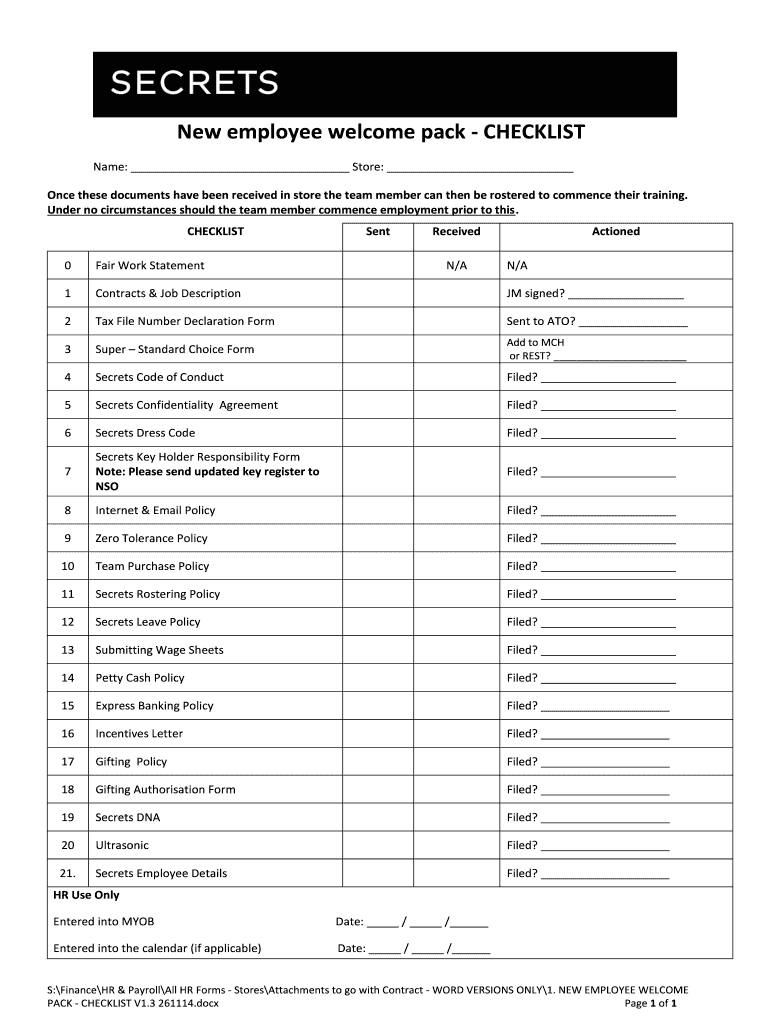
Click ‘Get Form’ to open the New employee welcome pack - CHECKLIST in the editor.
Begin by filling in your name and store details at the top of the checklist. This personalizes the document and ensures clarity.
Review each item on the checklist. For each document, mark whether it has been sent, received, or is not applicable (N/A) by checking the appropriate box.
For contracts and job descriptions, ensure that they are signed where indicated. Input 'JM signed?' to confirm completion.
Continue through each section, providing necessary information such as whether forms have been sent to ATO or filed appropriately.
Once all fields are completed, save your changes. You can easily share this checklist with your team for further action.
Start using our platform today to streamline your onboarding process for free!
Fill out New employee welcome pack - CHECKLIST online It's free
Cookie consent notice
This site uses cookies to enhance site navigation and personalize your experience.
By using this site you agree to our use of cookies as described in our Privacy Notice.
You can modify your selections by visiting our Cookie and Advertising Notice.