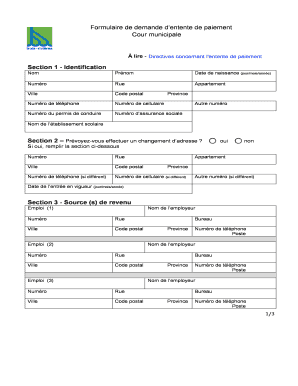
Client intake form divorce 2026

Get Form
client intake divorce form Preview on Page 1

Here's how it works

01. Edit your client intake divorce form online
Type text, add images, blackout confidential details, add comments, highlights and more.
02. Sign it in a few clicks
Draw your signature, type it, upload its image, or use your mobile device as a signature pad.
03. Share your form with others
Send client intake divorce via email, link, or fax. You can also download it, export it or print it out.

How to use or fill out client intake form divorce with our platform

Form edit decoration
9.5
Ease of Setup
DocHub User Ratings on G2
9.0
Ease of Use
DocHub User Ratings on G2
  1. Click ‘Get Form’ to open the client intake form divorce in the editor.
  2. Begin by filling out your personal information. Enter your full name, social security number, and maiden name if applicable. Provide your date of birth and place of birth to establish your identity.
  3. Continue with details about your marriage, including the date and place of marriage, date of separation, and any relevant dates regarding your relationship.
  4. Next, provide contact information such as phone numbers and email address. This is crucial for communication throughout the process.
  5. Fill in employment details including employer name, address, job title, and annual income. This information helps assess financial aspects related to the divorce.
  6. Complete sections regarding your spouse's information and any children involved. Be thorough in listing all relevant details to ensure a comprehensive understanding of your situation.
  7. Finally, review all entries for accuracy before submitting the form through our platform for processing.

Start using our platform today to complete your client intake form divorce easily and efficiently!

be ready to get more

Complete this form in 5 minutes or less

Get form

Got questions?

We have answers to the most popular questions from our customers. If you can't find an answer to your question, please contact us.
Contact us

With DocHub, it’s quite simple. The platform offers users an add-on called DocHub for Gmail, which you can find in the Google Workspace Marketplace without being charged. Install it and grant it access to your Google account. Open your email with your law intake divorce attached and click on the add-on button in the right-side panel. Sign in to your DocHub account, and upload the form to our editor, where you can complete it and sign.

You can easily edit fill out your office intake divorce on any iOS gadget. Open an internet browser of your liking, visit the DocHub website, authorize or create a new account, add your file for editing, and make your required alterations. Our service is mobile-friendly, so utilizing its features on your phone will be a no-brainer, even on the first try.

A client intake form is a type of questionnaire that you share with your potential clients at the start of your working relationship. The questions you ask allow you to gather the information you require from your clients in order to: Understand whether the client is the right fit for you.
An \u201cintake process\u201d refers to having a well-defined method by which work is picked up by technology. It is the bridge between the group of business stakeholders defining what is to be worked on and the technology group that will build it. There are two parts to this intake process.
What to Put on a Client Intake Form Fundamental Contact and Company Information. A Description of What the Client Makes or Does. The Challenges the Client Currently Faces. The Client's Goals. Budget Information. Overview of Competitors. Room for Any Information or Questions That Might Not Have Been Covered.

Security and compliance

At DocHub, your data security is our priority. We follow HIPAA, SOC2, GDPR, and other standards, so you can work on your documents with confidence.

Learn more
ccpa2
pci-dss
gdpr-compliance
hipaa
soc-compliance
be ready to get more

Complete this form in 5 minutes or less

Get form

People also ask

Intake forms ensure client safety by providing clinician's with information pertinent to a client prior to treatment. These forms allow clinicians to obtain accurate and up-to-date information about a client since the client has to fill in their own information before treatment can begin.
What to Put on a Client Intake Form Fundamental Contact and Company Information. A Description of What the Client Makes or Does. The Challenges the Client Currently Faces. The Client's Goals. Budget Information. Overview of Competitors. Room for Any Information or Questions That Might Not Have Been Covered.
Work intake refers to the process for creating project proposals and getting a go/no-go decision from senior management. This process often works in conjunction with an ideation and Phase-Gate processes, but can be independent as well. Work intake is a critical component for defining the project portfolio.
Intake documents are documents prepared at the beginning of a job, usually based on the requests of a customer. You might write an intake document if: A customer is placing an order for something to be manufactured. A customer is placing an order for repairs to be completed.
An intake form helps service providers streamline the client onboarding process and easily gather information from new clients. This questionnaire is a way for you to get to know your clients in the early stages of your relationship with them.

how to devorce