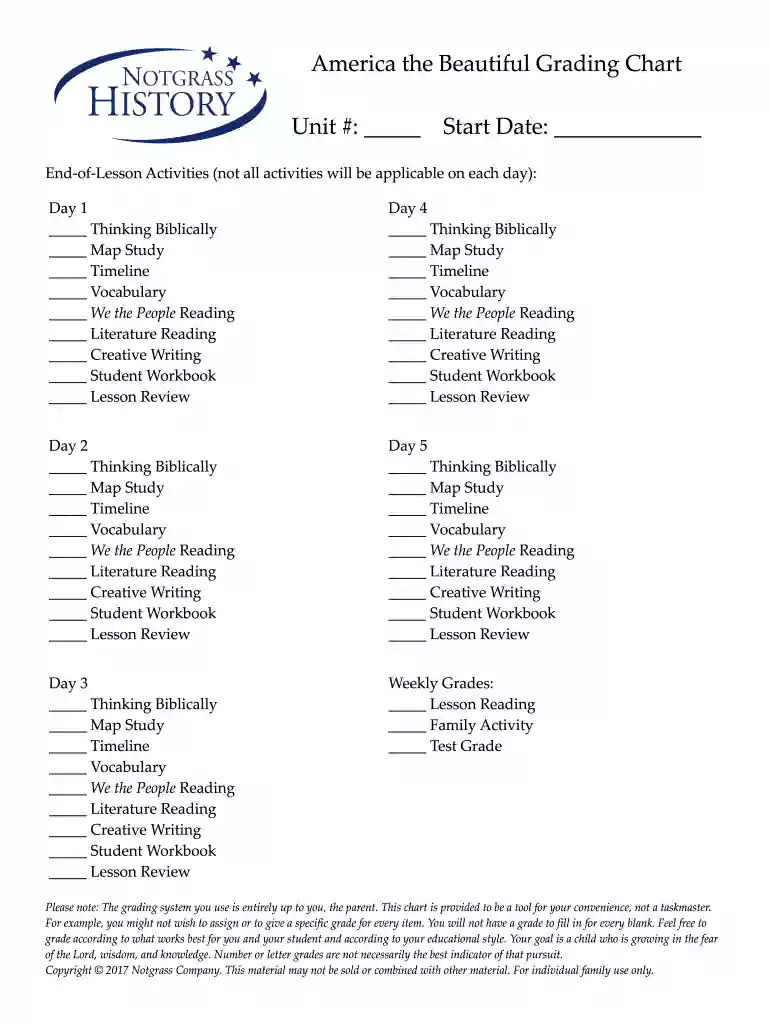
America the Beautiful Grading Chart 2026

Get Form
America the Beautiful Grading Chart Preview on Page 1

Here's how it works

01. Edit your form online
Type text, add images, blackout confidential details, add comments, highlights and more.

02. Sign it in a few clicks
Draw your signature, type it, upload its image, or use your mobile device as a signature pad.

03. Share your form with others
Send it via email, link, or fax. You can also download it, export it or print it out.

How to use or fill out America the Beautiful Grading Chart with DocHub

Form edit decoration
9.5
Ease of Setup
DocHub User Ratings on G2
9.0
Ease of Use
DocHub User Ratings on G2
  1. Click ‘Get Form’ to open the America the Beautiful Grading Chart in our editor.
  2. Begin by filling in the 'Unit #' and 'Start Date' fields at the top of the chart. These fields help you organize your grading by unit and timeline.
  3. For each day listed (Day 1 to Day 5), check off the activities that were completed. This includes options like 'Thinking Biblically', 'Map Study', and more. Simply click on the checkbox next to each activity.
  4. In the 'Weekly Grades' section, mark your assessments for 'Lesson Reading', 'Family Activity', and 'Test Grade'. You can enter numbers or letters based on your grading preference.
  5. Remember, this chart is a flexible tool designed for your convenience. Feel free to leave blanks where grades are not applicable, allowing you to tailor it to your educational style.

Start using our platform today for free to streamline your grading process with ease!

be ready to get more

Complete this form in 5 minutes or less

Get form

Security and compliance

At DocHub, your data security is our priority. We follow HIPAA, SOC2, GDPR, and other standards, so you can work on your documents with confidence.

Learn more
ccpa2
pci-dss
gdpr-compliance
hipaa
soc-compliance