Type text, add images, blackout confidential details, add comments, highlights and more.
02. Sign it in a few clicks
Draw your signature, type it, upload its image, or use your mobile device as a signature pad.
03. Share your form with others
Send arbitration construction via email, link, or fax. You can also download it, export it or print it out.
How to use or fill out construction industry rules of the American Arbitration Association
Ease of Setup
DocHub User Ratings on G2
Ease of Use
DocHub User Ratings on G2
Click ‘Get Form’ to open it in the editor.
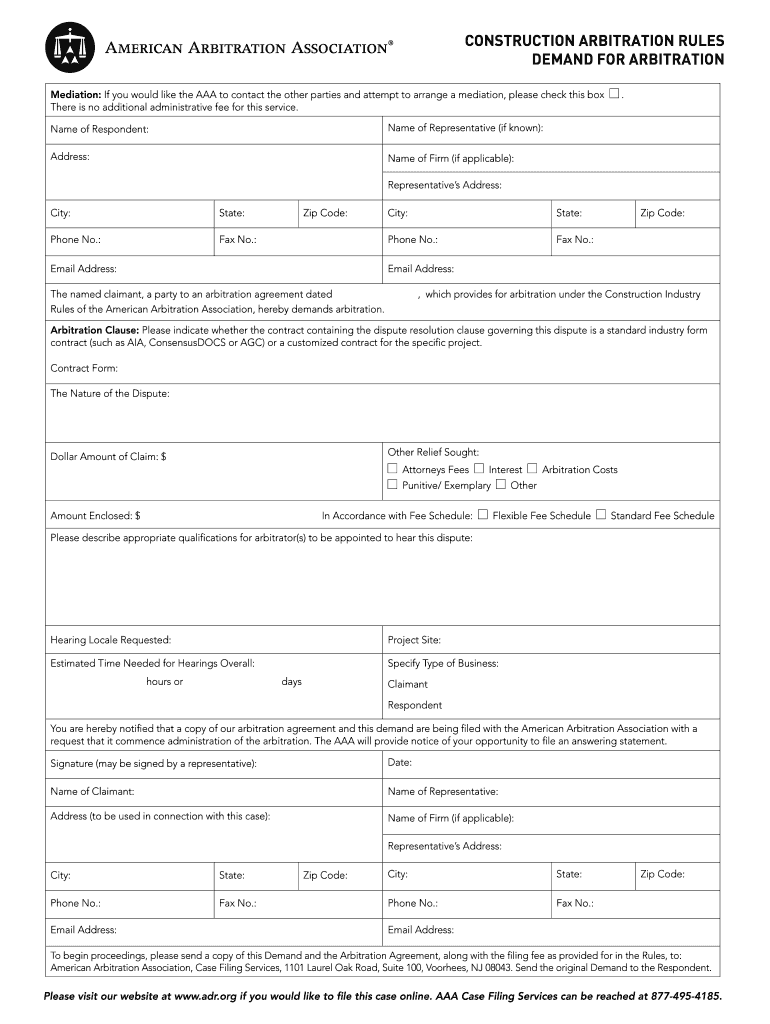
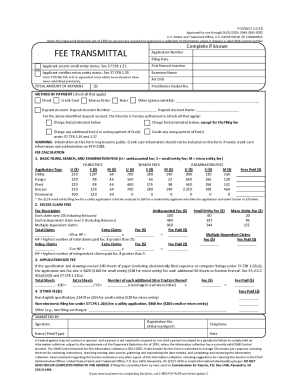
Begin by filling in the 'Name of Respondent' and 'Name of Representative' fields. If you know the representative's details, include their address, city, state, phone number, fax number, and email address.
Indicate whether the contract is a standard industry form or customized by selecting the appropriate option under 'Contract Form'.
Describe the nature of your dispute in the designated field. Be clear and concise to ensure accurate processing.
Enter the dollar amount of your claim and any additional relief sought. Specify if you are requesting attorneys' fees or other costs.
Provide qualifications for arbitrators and specify your preferred hearing locale along with project site details.
Finally, sign and date the document before submitting it as instructed at the end of the form.
Start using our platform today to streamline your arbitration process for free!
Fill out construction industry rules of the american arbitration association online It's free
Construction industry rules of the american arbitration association pdfAAA Construction Industry Arbitration Rules 2024AAA Construction Rules 2015AAA Construction Industry Arbitration Rules and Mediation ProceduresAAA home construction Arbitration RulesJAMS Construction Arbitration RulesAAA Construction Arbitration Fee ScheduleAmerican Arbitration Association Rules
Security and compliance
At DocHub, your data security is our priority. We follow HIPAA, SOC2, GDPR, and other standards, so you can work on your documents with confidence.
Terms and Conditions of Verizon Inside Wire Maintenance
Feb 28, 2019 THIS AGREEMENT DOES NOT ALLOW CLASS OR COLLECTIVE ARBITRATIONS. EVEN IF THE AAA OR BBB PROCEDURES OR RULES WOULD. NOTWITHSTANDING. ANY OTHERRead more
(3) In any arbitration, at least one arbitrator must be a lawyer or retired judge. Any additional arbitrator must be either a lawyer or retired judge or aRead more
by DB Thomson 1994 Cited by 65 The AAA provided the MSBA Construction Law Section with the names and ad- dresses of those who served as construction arbitrators on cases administered out ofRead more
Cookie consent notice
This site uses cookies to enhance site navigation and personalize your experience.
By using this site you agree to our use of cookies as described in our Privacy Notice.
You can modify your selections by visiting our Cookie and Advertising Notice.