




Here's how it works

01. Edit your cls license renewal online
Type text, add images, blackout confidential details, add comments, highlights and more.

02. Sign it in a few clicks
Draw your signature, type it, upload its image, or use your mobile device as a signature pad.

03. Share your form with others
Send california cls license out of state via email, link, or fax. You can also download it, export it or print it out.
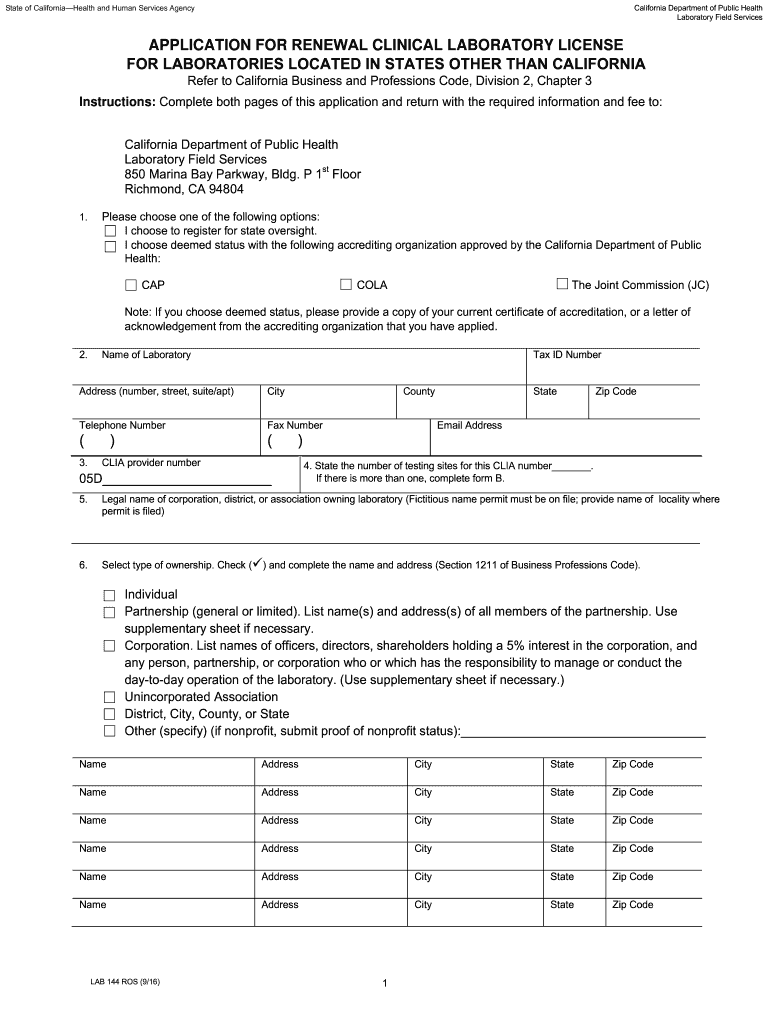
How to use or fill out Application for Renewal Clinical Lab License for Labs out of California. LAB 144 ROS

- Click ‘Get Form’ to open it in the editor.
- Begin by selecting your registration option: either state oversight or deemed status with an accrediting organization. If you choose deemed status, ensure to attach the required accreditation documentation.
- Fill in the laboratory's name, Tax ID number, address, city, county, state, zip code, telephone number, fax number, and email address accurately.
- Provide your CLIA provider number and indicate the legal name of the corporation or association owning the laboratory. Specify the type of ownership and list all relevant names and addresses as needed.
- List all laboratory directors along with their addresses and hours on site. Ensure that this information is complete and accurate.
- Attach necessary documents such as certification letters from CMS, test methodologies, survey reports, proficiency testing results, and completed personnel forms as specified in the application.
- Finally, sign the application where indicated by both the laboratory director and owner before submitting it to the California Department of Public Health.
Start using our platform today to streamline your application process for free!
Fill out Application for Renewal Clinical Lab License for Labs out of California. LAB 144 ROS online
It's free
It's free
See more Application for Renewal Clinical Lab License for Labs out of California. LAB 144 ROS versions
We've got more versions of the Application for Renewal Clinical Lab License for Labs out of California. LAB 144 ROS form. Select the right Application for Renewal Clinical Lab License for Labs out of California. LAB 144 ROS version from the list and start editing it straight away!
Security and compliance
At DocHub, your data security is our priority. We follow HIPAA, SOC2, GDPR, and other standards, so you can work on your documents with confidence.
Learn more


