




01. Edit your 433a certification online
Type text, add images, blackout confidential details, add comments, highlights and more.

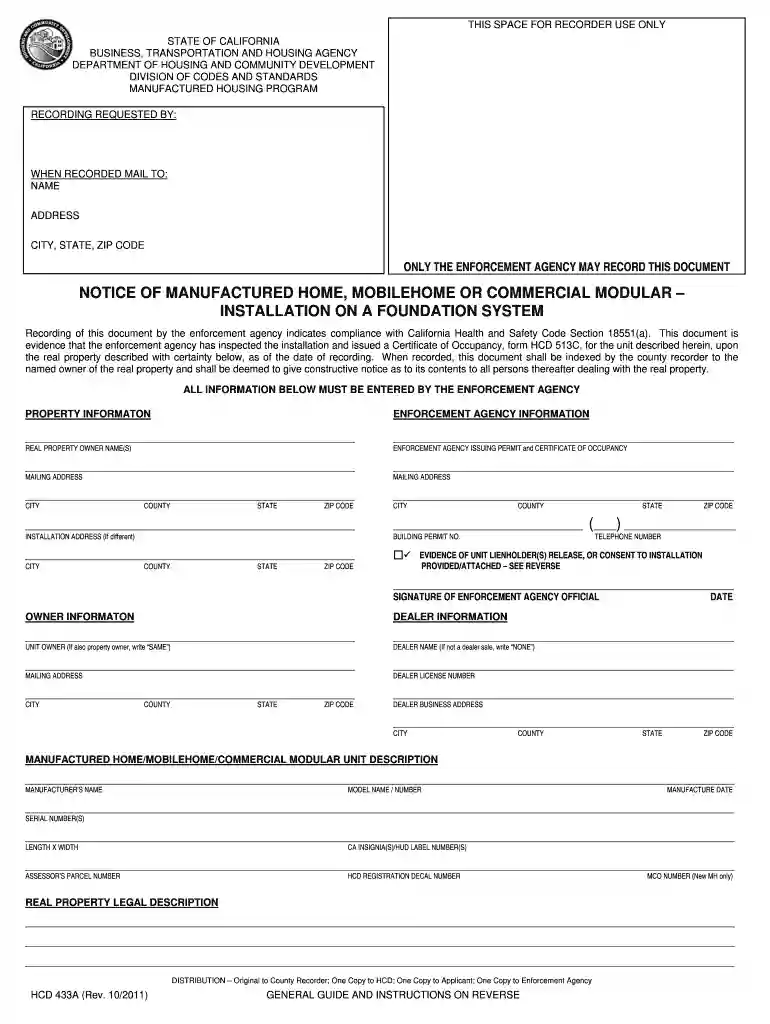
Type text, add images, blackout confidential details, add comments, highlights and more.

Draw your signature, type it, upload its image, or use your mobile device as a signature pad.

Send 433a via email, link, or fax. You can also download it, export it or print it out.

Start using our platform today to streamline your form completion process for free!
At DocHub, your data security is our priority. We follow HIPAA, SOC2, GDPR, and other standards, so you can work on your documents with confidence.
by T Vardouli 2012 Cited by 28 The vision to engage non-architects in the design of their habitat through the mediation of computer aids, dates back to the early computational eraRead more
Thank you for purchasing a NISSAN vehicle. This users manual is for NissanConnectSM with. Navigation, Mobile Apps and Services offered in.Read more
This document is evidence that the enforcement agency has inspected the installation and issued a Certificate of Occupancy, form HCD 513C, for the manufacturedRead more


