




Here's how it works

01. Edit your h1 copy online
Type text, add images, blackout confidential details, add comments, highlights and more.

02. Sign it in a few clicks
Draw your signature, type it, upload its image, or use your mobile device as a signature pad.

03. Share your form with others
Send h1 online via email, link, or fax. You can also download it, export it or print it out.
How to use or fill out h1 tax services with our platform

- Click ‘Get Form’ to open the h1 tax services document in the editor.
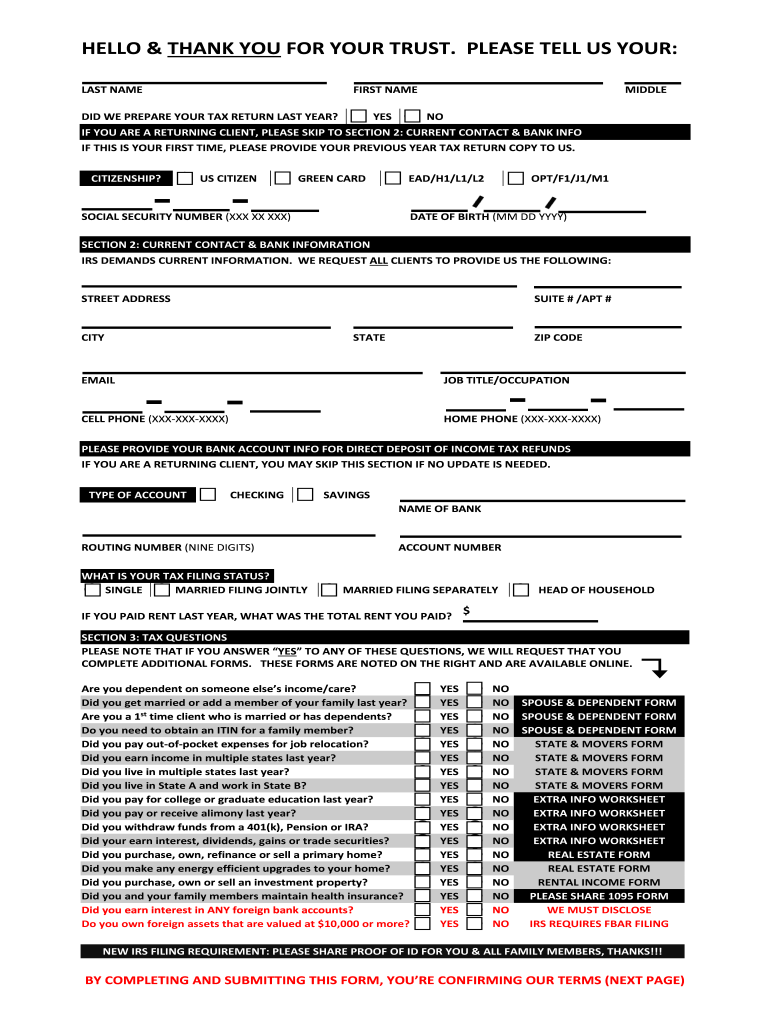
- Begin by entering your last name, first name, and middle name in the designated fields. If you are a returning client, indicate whether we prepared your tax return last year by selecting 'Yes' or 'No'.
- If this is your first time, upload a copy of your previous year's tax return. Next, specify your citizenship status by selecting from options such as US Citizen, Green Card, or various visa types.
- Fill in your Social Security Number and date of birth. Proceed to Section 2 where you will provide current contact and bank information including street address, email, and phone numbers.
- In this section, also include your bank account details for direct deposit of refunds. Indicate your tax filing status and any relevant financial information regarding rent paid last year.
- Finally, answer the tax questions in Section 3 honestly. If you answer 'Yes' to any question, be prepared to complete additional forms as indicated.
Start filling out your h1 tax services form today for free using our platform!
Fill out h1 tax services online
It's free
It's free
Security and compliance
At DocHub, your data security is our priority. We follow HIPAA, SOC2, GDPR, and other standards, so you can work on your documents with confidence.
Learn more


