Event frequency data sheet 2026

Get Form
event recording data sheet Preview on Page 1

Here's how it works

01. Edit your event recording data sheet online
Type text, add images, blackout confidential details, add comments, highlights and more.

02. Sign it in a few clicks
Draw your signature, type it, upload its image, or use your mobile device as a signature pad.

03. Share your form with others
Send event recording aba via email, link, or fax. You can also download it, export it or print it out.

How to use or fill out event frequency data sheet with our platform

Form edit decoration
9.5
Ease of Setup
DocHub User Ratings on G2
9.0
Ease of Use
DocHub User Ratings on G2
  1. Click ‘Get Form’ to open the event frequency data sheet in the editor.
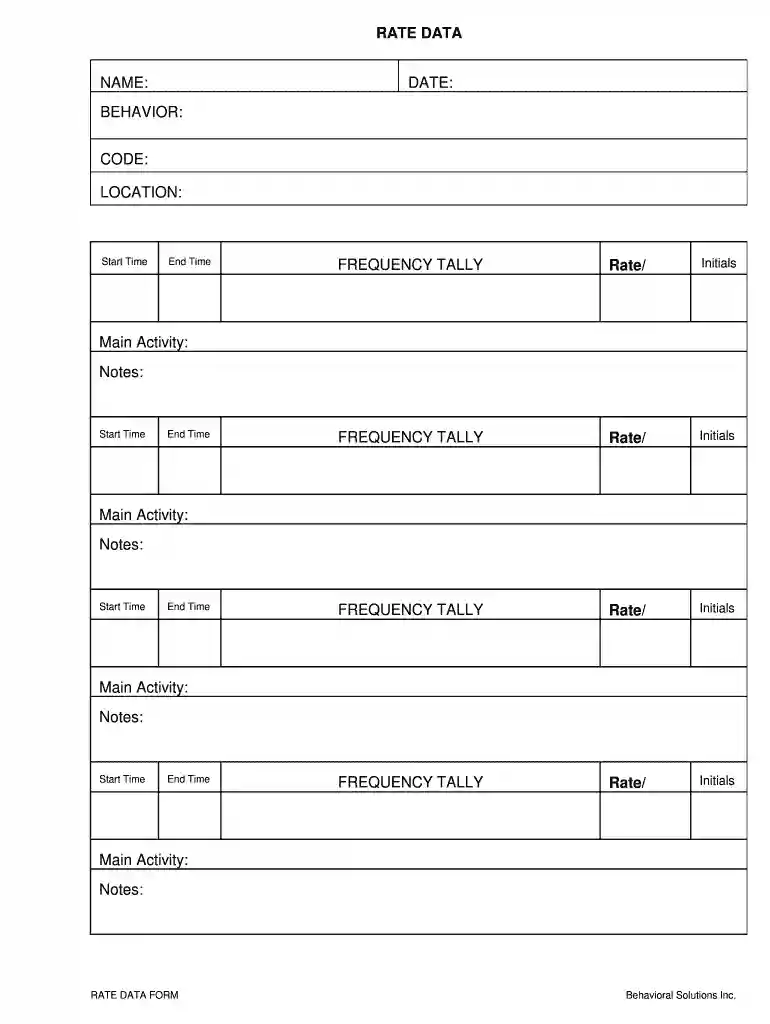
  2. Begin by entering your name and the date at the top of the form. This information is essential for tracking and referencing your data accurately.
  3. In the 'BEHAVIOR' section, specify the behavior you are monitoring. Use the 'CODE' field to input any relevant codes that correspond to specific behaviors.
  4. Fill in the 'LOCATION' field with where the event is taking place. This helps contextualize your data.
  5. For each time block, enter the 'Start Time' and 'End Time'. This will help in analyzing frequency patterns effectively.
  6. Use the 'FREQUENCY TALLY' sections to record rates and initials for each observation. Ensure accuracy as this data is crucial for analysis.
  7. Document main activities and notes for each time block, providing context that can enhance understanding of your frequency data.

Start using our platform today to streamline your event frequency data collection for free!

See more event frequency data sheet versions

We've got more versions of the event frequency data sheet form. Select the right event frequency data sheet version from the list and start editing it straight away!
Versions Form popularity Fillable & printable
2008 4.3 Satisfied (42 Votes)
be ready to get more

Complete this form in 5 minutes or less

Get form

Got questions?

We have answers to the most popular questions from our customers. If you can't find an answer to your question, please contact us.
Contact us

With DocHub, you can quickly approve your event recording example or any other paperwork on iOS, even without installing extra applications. You can access your DocHub account from any web-connected browser and fill out and sign your form in any preferred method with just a few clicks.

Document editing with DocHub is equally convenient on desktop and mobile devices. You only need an internet browser to revise your what is event recording in aba on Android. Open our website and sign in to access the instruments you require. Add your file and introduce your intended modifications. Next, you can keep your form in your file storage or send it out instantly.

The frequency formula in terms of time is given as: f = 1/T where, f is the frequency in hertz, and T is the time to complete one cycle in seconds. The frequency formula in terms of wavelength and wave speed is given as, f = \ud835\udf08/\u03bb where, \ud835\udf08 is the wave speed, and \u03bb is the wavelength of the wave.
Event recording is a process for documenting the number of times a behavior occurs. An observer using event recording makes a tally mark or documents in some way each time a student engages in a target behavior. The observer also records the time period in which the behavior is being observed.
Event recording takes place during a specific time period. For example, it may be necessary to observe a student during math class from 9:00-9:30 over several days to see a pattern of behavior. When the length of time varies, the data gathered during event recording is documented as a rate.

Security and compliance

At DocHub, your data security is our priority. We follow HIPAA, SOC2, GDPR, and other standards, so you can work on your documents with confidence.

Learn more
ccpa2
pci-dss
gdpr-compliance
hipaa
soc-compliance
be ready to get more

Complete this form in 5 minutes or less

Get form

People also ask

Frequency: At the end of the observation period, total number of occurrences. For example, Anna left her seat 5 times during 7th period. Rate: Count the number of times the behavior occurred in the time observed. Divide the count by the length of time the behavior was observed.
Frequency recording is a simple counting of how many times a behavior occurs during a designated period of time. Those designated periods might be a minute, an hour, a day, or a week.
Frequency (or event) recording is a way to measure the number of times a behavior occurs within a given period. Frequency recording is best for behaviors with a distinct beginning and end.
Choose either a continuous data collection method (frequency, rate, duration, or latency) or a discontinuous data collection method (partial interval, whole interval, or momentary time sampling). The right method provides accurate data that are sensitive to behavior change.

frequency behavior data sheet