




Here's how it works

01. Edit your number social security online
Type text, add images, blackout confidential details, add comments, highlights and more.

02. Sign it in a few clicks
Draw your signature, type it, upload its image, or use your mobile device as a signature pad.

03. Share your form with others
Send va 22 1999b form via email, link, or fax. You can also download it, export it or print it out.
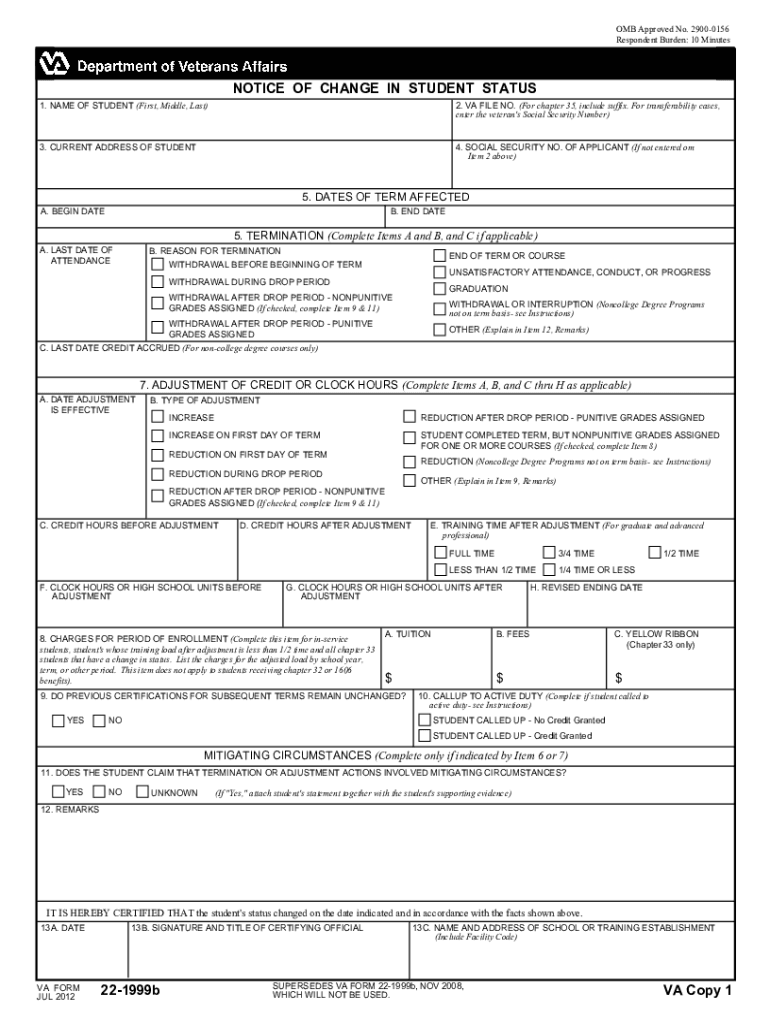
How to use or fill out VA Form 22-1999b with DocHub

- Click ‘Get Form’ to open it in the editor.
- Begin by entering the student's name in Item 1. Ensure that you provide the full name as required.
- In Item 2, input the VA File Number. If applicable, include the suffix for Chapter 35 benefits or the veteran's Social Security Number for transferability cases.
- Complete Item 3 with the current address of the student to ensure accurate communication.
- For Item 4, enter the Social Security Number of the applicant if not already provided in Item 2.
- In Item 5, specify the dates of the term affected by entering both begin and end dates.
- Fill out Item 6A with the last date of attendance using appropriate methods such as attendance records or grading reports.
- Select a reason for termination in Item 6B by checking the appropriate box based on circumstances surrounding withdrawal or adjustment.
- Continue filling out Items 7 through 12 as necessary, providing detailed information about adjustments and any remarks needed for clarification.
Start using our platform today to easily fill out your VA Form 22-1999b online for free!
Fill out va form 22 1999b online
It's free
It's free
Security and compliance
At DocHub, your data security is our priority. We follow HIPAA, SOC2, GDPR, and other standards, so you can work on your documents with confidence.
Learn more




