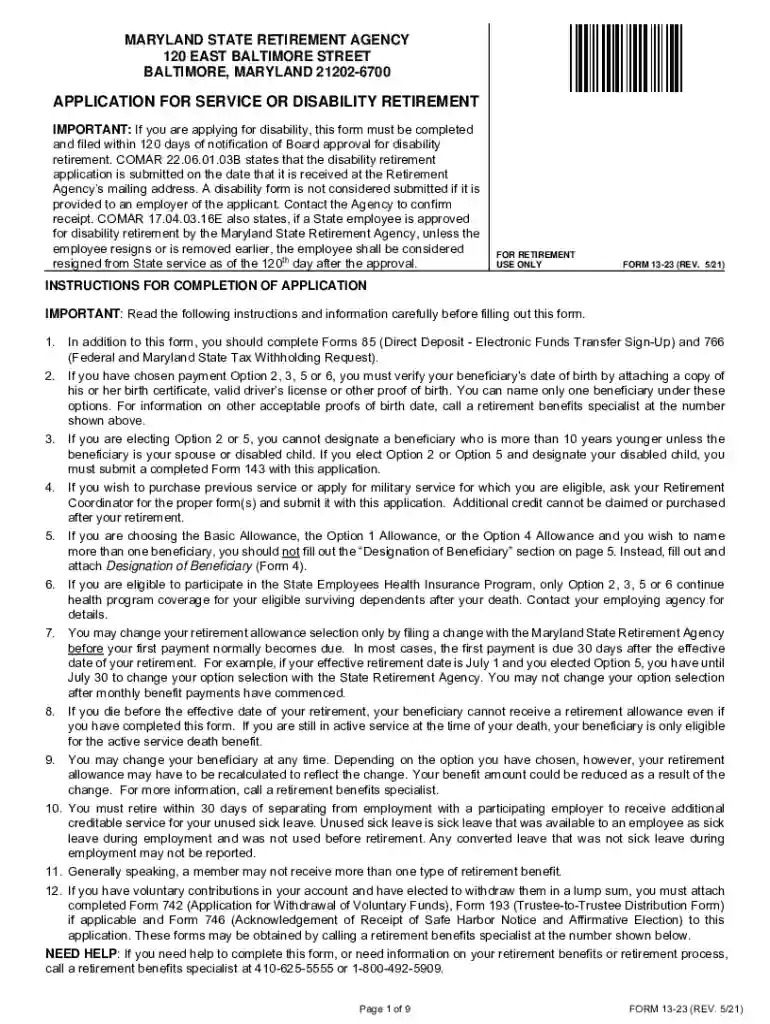
Maryland 13 23 form 2026

Get Form
rental lease agreement tennessee Preview on Page 1

Here's how it works

01. Edit your rental lease agreement tennessee online
Type text, add images, blackout confidential details, add comments, highlights and more.

02. Sign it in a few clicks
Draw your signature, type it, upload its image, or use your mobile device as a signature pad.

03. Share your form with others
Send it via email, link, or fax. You can also download it, export it or print it out.

How to use or fill out Maryland 13 23 form with our platform

Form edit decoration
9.5
Ease of Setup
DocHub User Ratings on G2
9.0
Ease of Use
DocHub User Ratings on G2
  1. Click ‘Get Form’ to open the Maryland 13 23 form in the editor.
  2. Begin by entering your personal information, including your name, social security number, and home address. Ensure all details are accurate.
  3. Select the type of retirement you are applying for by checking the appropriate box: Service Retirement, Ordinary Disability Retirement, or Accidental Disability Retirement.
  4. Complete the Designation of Beneficiary section if applicable. If you choose Options 2, 3, 5, or 6, ensure to provide proof of your beneficiary's date of birth.
  5. Review the Retirement Allowance Options carefully and select one that best suits your needs. Sign and date your selection.
  6. Finally, ensure you sign the application in front of a Notary Public and submit it as instructed on the form.

Start filling out your Maryland 13 23 form today for free using our platform!

See more maryland 13 23 form versions

We've got more versions of the maryland 13 23 form form. Select the right maryland 13 23 form version from the list and start editing it straight away!
Versions Form popularity Fillable & printable
2021 4.8 Satisfied (205 Votes)
2021 4.4 Satisfied (121 Votes)
2015 4.3 Satisfied (65 Votes)
2013 4 Satisfied (22 Votes)
be ready to get more

Complete this form in 5 minutes or less

Get form

Got questions?

We have answers to the most popular questions from our customers. If you can't find an answer to your question, please contact us.
Contact us
The mySRPS secure online portal is a valuable tool for retirement planning. It enables members and retirees to check on their retirement account 24/7 and perform many transactions that previously required paper forms. Click here to sign up for the webinar.
Retirement eligibility at age 65 with at least 10 years of service, or age 60 with at least 15 years of service at a reduced benefit. Receive service credit for unused sick leave (visit the MSRPS website for more information)
When logging into mySRPS for the first time, members and retirees will be walked through an online process to confirm their identity. Dont worry. Its quick and easy. Most importantly, it adds an additional layer of security to your online account.

Security and compliance

At DocHub, your data security is our priority. We follow HIPAA, SOC2, GDPR, and other standards, so you can work on your documents with confidence.

Learn more
ccpa2
pci-dss
gdpr-compliance
hipaa
soc-compliance
be ready to get more

Complete this form in 5 minutes or less

Get form