




Here's how it works

01. Edit your billing statement pdf online
Type text, add images, blackout confidential details, add comments, highlights and more.

02. Sign it in a few clicks
Draw your signature, type it, upload its image, or use your mobile device as a signature pad.

03. Share your form with others
Send statement of account sample via email, link, or fax. You can also download it, export it or print it out.
How to use or fill out Sample Billing Statement with our platform

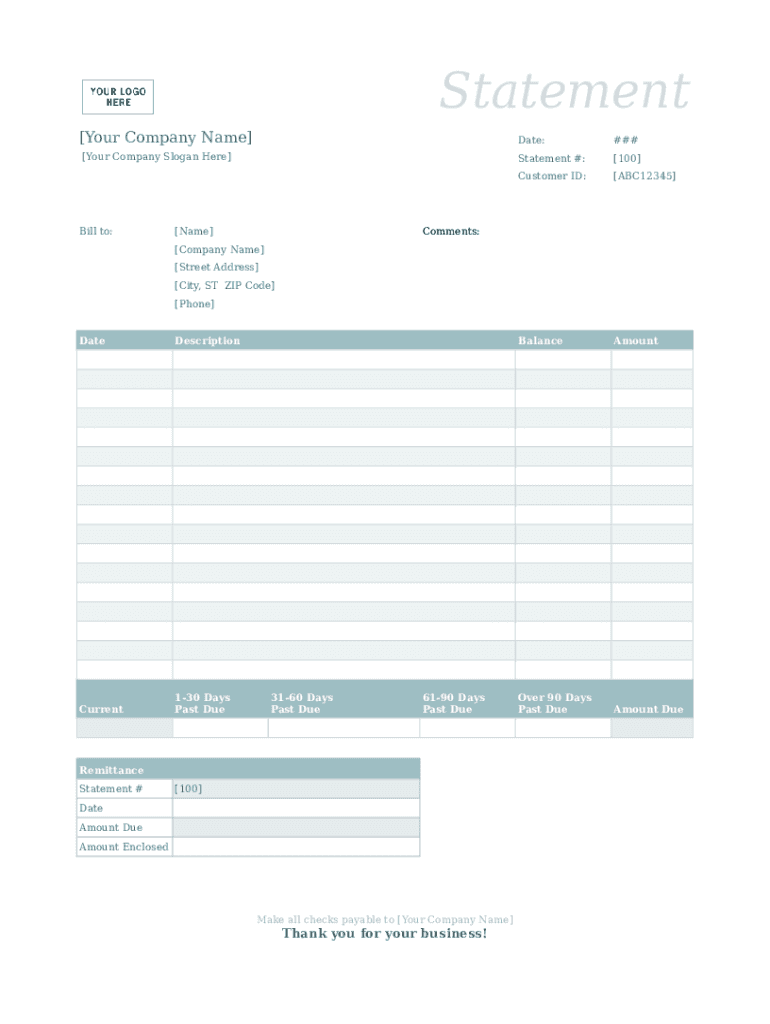
- Click ‘Get Form’ to open the Sample Billing Statement in the editor.
- Begin by entering your company name and slogan at the top of the document. This personalizes the statement and reinforces your brand.
- In the 'Bill to' section, input the customer's name, ensuring accuracy for effective communication.
- Fill in the date of the statement and assign a unique statement number for tracking purposes.
- Enter the customer ID to link this billing statement to their account, facilitating easy reference.
- Complete the balance details by filling in amounts due across various time frames: Over 90 Days Past Due, Current, 1-30 Days Past Due, etc., providing a clear overview of outstanding payments.
- Add any comments or additional information that may assist your customer in understanding their bill.
- Finally, include your company’s contact information at the bottom for any inquiries regarding the statement.
Start using our platform today to effortlessly complete your Sample Billing Statement online for free!
Fill out Sample Billing Statement online
It's free
It's free
Security and compliance
At DocHub, your data security is our priority. We follow HIPAA, SOC2, GDPR, and other standards, so you can work on your documents with confidence.
Learn more


