




Here's how it works

01. Edit your scpa 1310 affidavit form online
Type text, add images, blackout confidential details, add comments, highlights and more.

02. Sign it in a few clicks
Draw your signature, type it, upload its image, or use your mobile device as a signature pad.

03. Share your form with others
Send scpa 1310 via email, link, or fax. You can also download it, export it or print it out.
How to use or fill out affidavit 1310 form with our platform

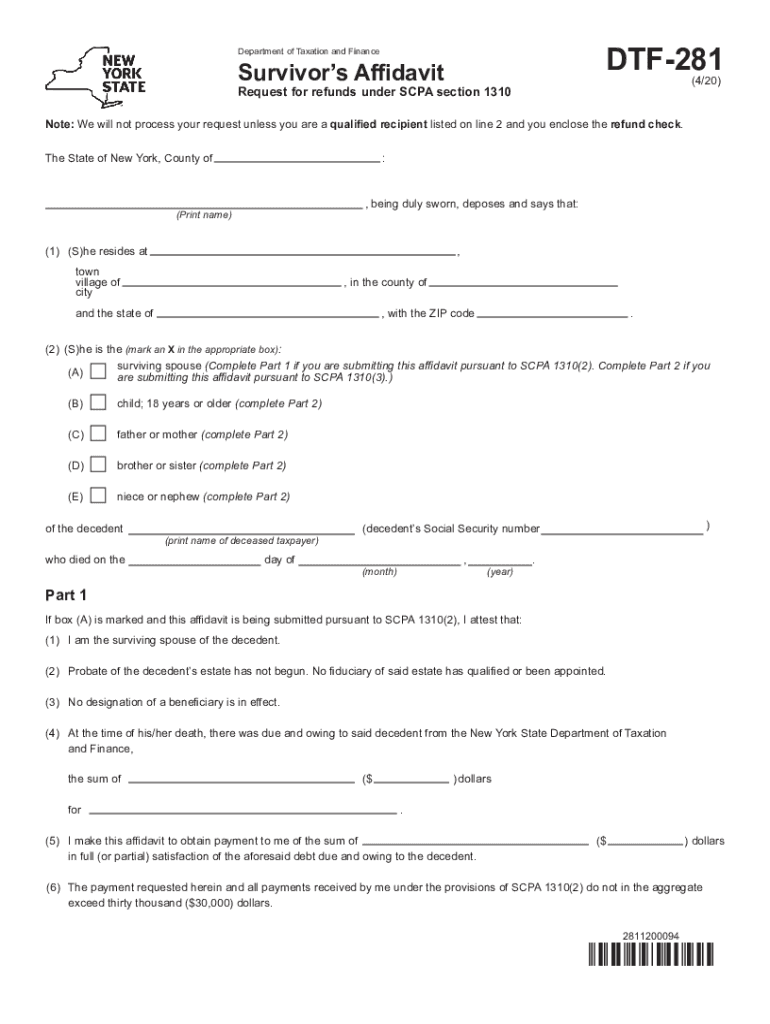
- Click ‘Get Form’ to open the affidavit 1310 form in the editor.
- Begin by entering your name and address in the designated fields. Ensure accuracy as this information is crucial for identification.
- Select your relationship to the decedent by marking an X in the appropriate box. This will determine which parts of the affidavit you need to complete.
- If you are a surviving spouse, complete Part 1 by confirming that probate has not begun and providing details about any debts owed to the decedent.
- For other relationships, complete Part 2, ensuring you specify your relationship and provide necessary financial details regarding payments due from the New York State Department of Taxation and Finance.
- Review all entered information for accuracy before signing. Once completed, print and notarize your affidavit.
- Mail the signed affidavit along with a copy of the decedent’s death certificate to the specified address provided on the form.
Start using our platform today for free to streamline your affidavit completion process!
Fill out affidavit 1310 form online
It's free
It's free
Security and compliance
At DocHub, your data security is our priority. We follow HIPAA, SOC2, GDPR, and other standards, so you can work on your documents with confidence.
Learn more


