Type text, add images, blackout confidential details, add comments, highlights and more.

02. Sign it in a few clicks
Draw your signature, type it, upload its image, or use your mobile device as a signature pad.

03. Share your form with others
Send self employed ledger via email, link, or fax. You can also download it, export it or print it out.

How to Use or Fill Out Employment Ledger with Our Platform
Ease of Setup
DocHub User Ratings on G2
Ease of Use
DocHub User Ratings on G2
Click ‘Get Form’ to open the employment ledger in the editor.
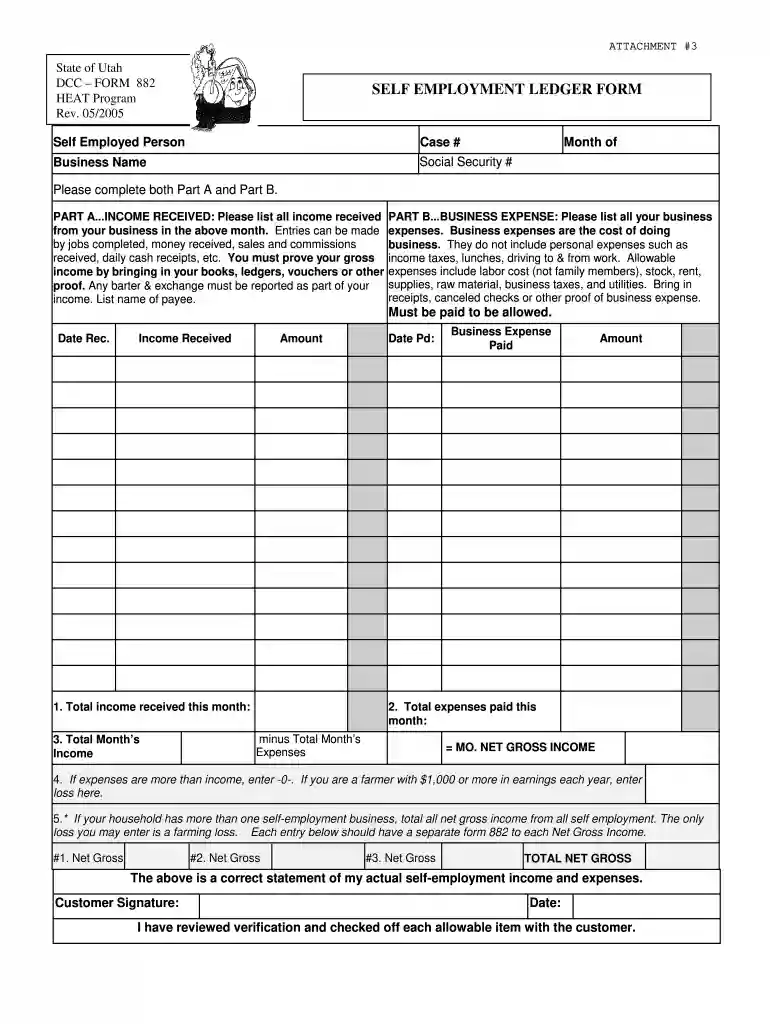
Begin with Part A, where you will list all income received from your business for the specified month. Include details such as jobs completed, sales, and any commissions. Ensure you have proof of your gross income ready, such as ledgers or vouchers.
Next, move to Part B to document your business expenses. List all allowable expenses related to your business operations, excluding personal costs. Remember to include receipts or checks as proof of these expenses.
Calculate your total income and total expenses for the month. Subtract total expenses from total income to determine your monthly net gross income.
If applicable, enter any losses if your expenses exceed your income. For multiple self-employment businesses, ensure each is documented on a separate form.
Start using our platform today for free to streamline your employment ledger process!
Any accurate, detailed record of your self-employment income and expenses. It can be a spreadsheet, a document from an accounting software program, a handwritten ledger book, or anything that records all self-employment income and expenses.
What is an employee ledger?
A payroll ledger is a recordkeeping tool employers use to document the total expense of payroll processing. It tracks any transaction that originates in the payroll department, including payments made to employees, independent contractors and other business entities.
How to do a self-employment ledger?
Youll fill out the self-employment ledger documentation form with all the necessary financial records and bookkeeping information for your taxes. Youll record income and expenses with: Date: when the expense or payment was received. Amount: how much you received or paid for the expense or invoice.
What is the ledger on W2?
The average payroll ledger documents all aspects of employee payments, including employee names, wages or salaries, hours worked, overtime, commissions, and bonuses. It also records deductions for taxes, insurance premiums, retirement contributions, and other withholdings, providing a clear breakdown of net pay.
Cookie consent notice
This site uses cookies to enhance site navigation and personalize your experience.
By using this site you agree to our use of cookies as described in our Privacy Notice.
You can modify your selections by visiting our Cookie and Advertising Notice.