




Here's how it works

01. Edit your ct teacher certification lookup online
Type text, add images, blackout confidential details, add comments, highlights and more.

02. Sign it in a few clicks
Draw your signature, type it, upload its image, or use your mobile device as a signature pad.

03. Share your form with others
Send ct certification lookup via email, link, or fax. You can also download it, export it or print it out.
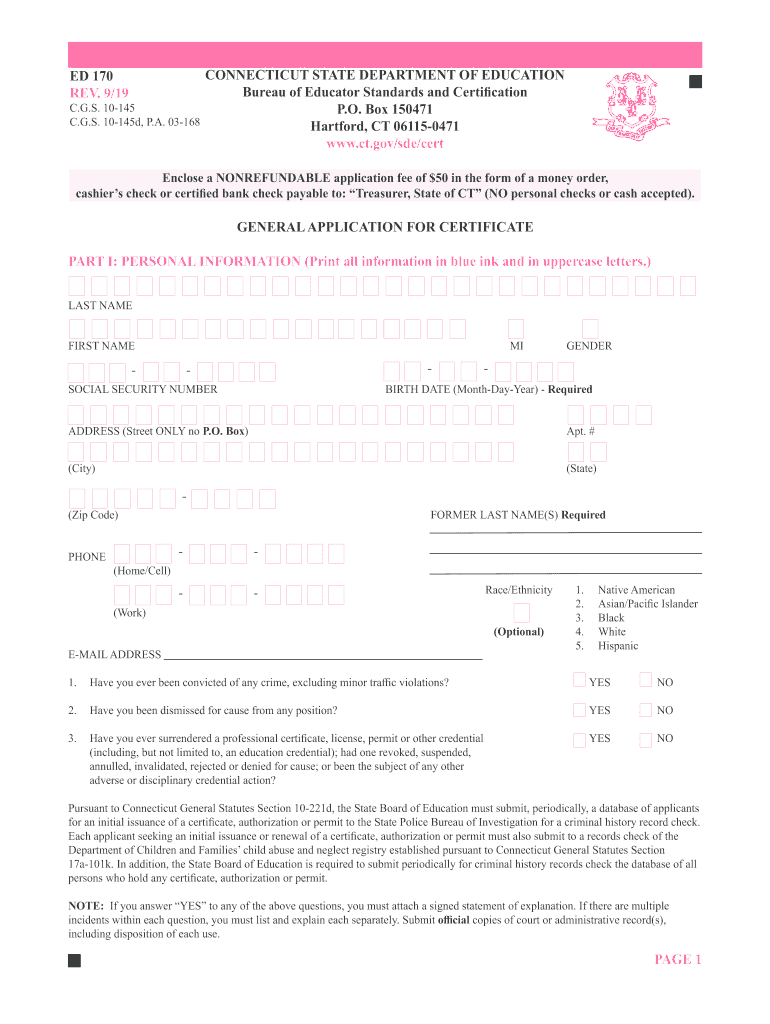
How to use or fill out ed170 with our platform

- Click ‘Get Form’ to open the ed170 in the editor.
- Begin with Part I: Personal Information. Fill in your last name, first name, social security number, and other required fields using uppercase letters. Ensure all information is printed clearly.
- In Part II, list the certification endorsements you are requesting. Refer to the enclosed code list for accurate endorsement numbers.
- Proceed to Part III: Educational Background. Enter the names of colleges or universities attended, along with your major field of study and graduation year.
- In Part IV, provide details about your teaching or administrative experience over the last ten years. Include job titles and subjects taught.
- Complete Part V regarding any out-of-state certificates held. Attach copies as required.
- Finally, sign and date the Applicant Attestation in Part VII to certify that all information is accurate.
Start filling out your ed170 form online for free today!
Fill out ed170 online
It's free
It's free
Security and compliance
At DocHub, your data security is our priority. We follow HIPAA, SOC2, GDPR, and other standards, so you can work on your documents with confidence.
Learn more


