




Here's how it works

01. Edit your ability to repay worksheet online
Type text, add images, blackout confidential details, add comments, highlights and more.

02. Sign it in a few clicks
Draw your signature, type it, upload its image, or use your mobile device as a signature pad.

03. Share your form with others
Send it via email, link, or fax. You can also download it, export it or print it out.
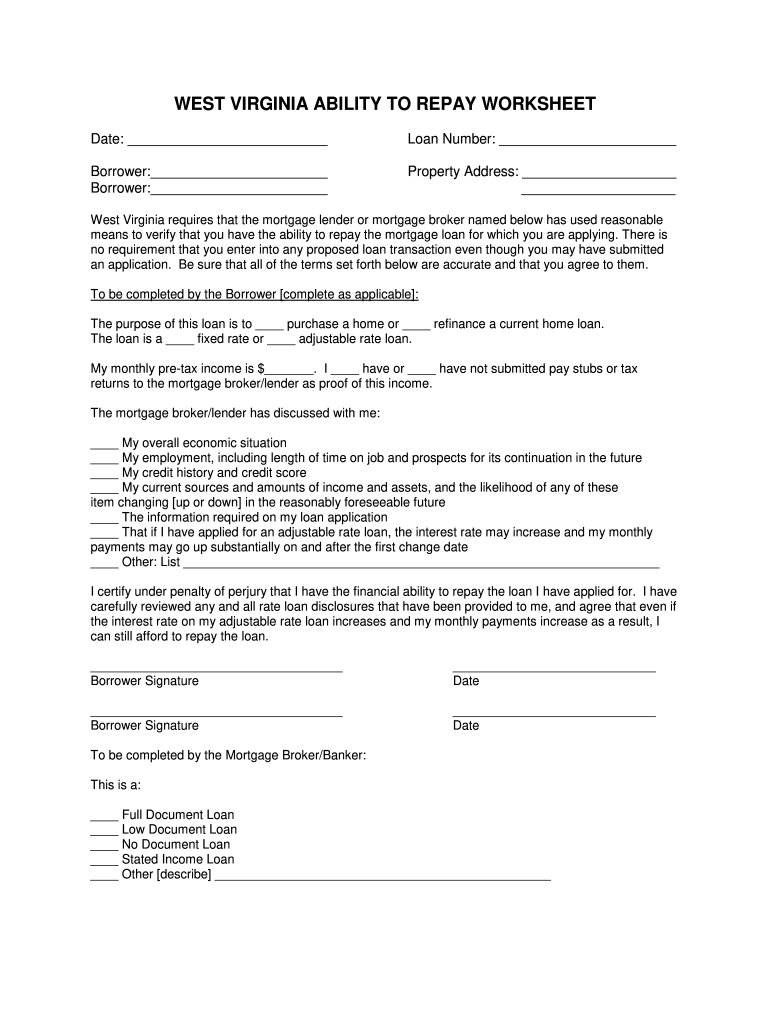
How to use or fill out WEST VIRGINIA ABILITY TO REPAY WORKSHEET with our platform

- Click ‘Get Form’ to open the WEST VIRGINIA ABILITY TO REPAY WORKSHEET in the editor.
- Begin by entering the date and loan number at the top of the form. This information is crucial for tracking your application.
- Fill in your name as the borrower, along with any co-borrower's name, ensuring accuracy for identification purposes.
- Provide the property address where you intend to purchase or refinance a home. This section is essential for loan processing.
- Indicate the purpose of your loan by checking either 'purchase a home' or 'refinance a current home loan'.
- Select whether your loan is a fixed rate or adjustable rate by checking the appropriate box.
- Enter your monthly pre-tax income and indicate if you have submitted pay stubs or tax returns as proof of income.
- Review and check all discussed topics with your mortgage broker/lender, ensuring you understand each aspect of your financial situation.
- Sign and date the form at the bottom to certify that you have reviewed all information accurately.
Start using our platform today to easily complete your WEST VIRGINIA ABILITY TO REPAY WORKSHEET online for free!
Fill out WEST VIRGINIA ABILITY TO REPAY WORKSHEET online
It's free
It's free
Security and compliance
At DocHub, your data security is our priority. We follow HIPAA, SOC2, GDPR, and other standards, so you can work on your documents with confidence.
Learn more


